11.6 Salesman payments
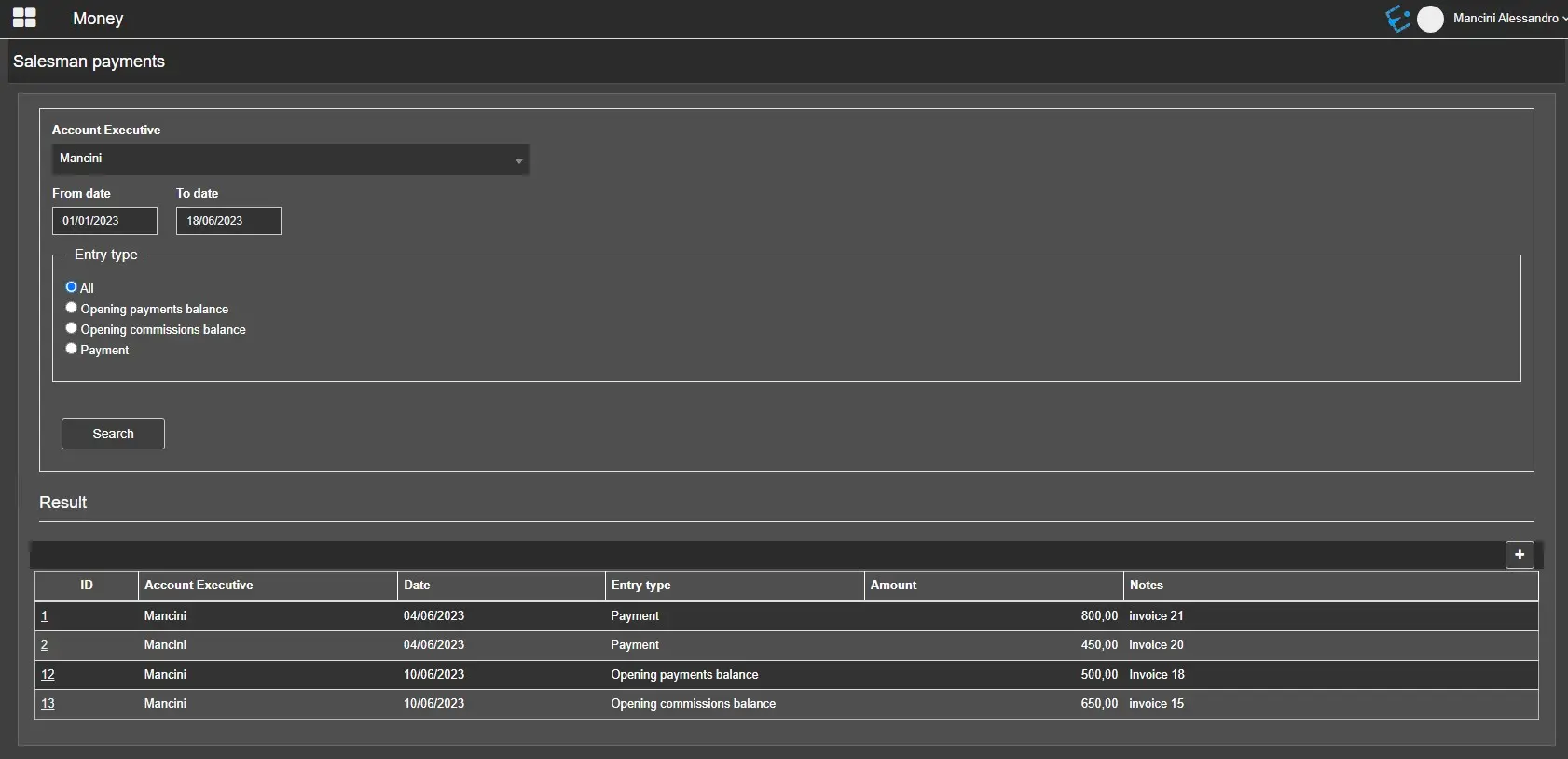
This section allows viewing, modifying and registering payments and beginning balances for the selected account executive.
In the upper part of the page, it is possible to select an account executive from the droplist (the system automatically lists all the personal data entries with entity type=account executive), then filter the search by the period when the payments have been made and the following entry types:
- All
- Opening payments balance
- Opening commissions balance
- Payment
The search results will be displayed in the table in the lower part of the page, showing the details of each row.
money_payments
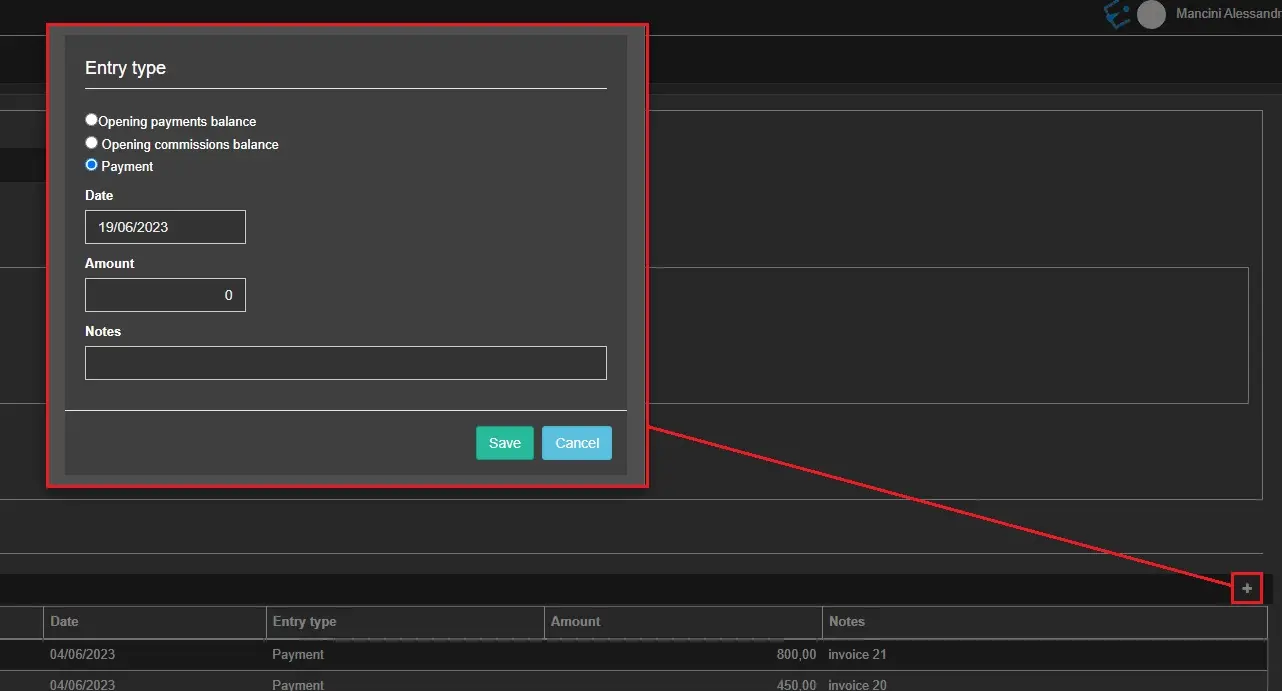
Clicking on the [+] button at the upper-right corner of the table, it is possible to add a new payment through the following form:
- Entry type: choose the type of payment (see previous chapter for entry types description);
- Date: The date when the payment has been effected. The current date is inserted by default;
- Amount: Enter the amount paid to the salesman;
- Notes: Insert a brief note detailing the payment.
money_add_payment
Selecting the ID of an existing payment makes it possible to edit its details through the same form.
 money_payments
 money_add_payment