New Season
9.3.2.3 Asset General Data tab
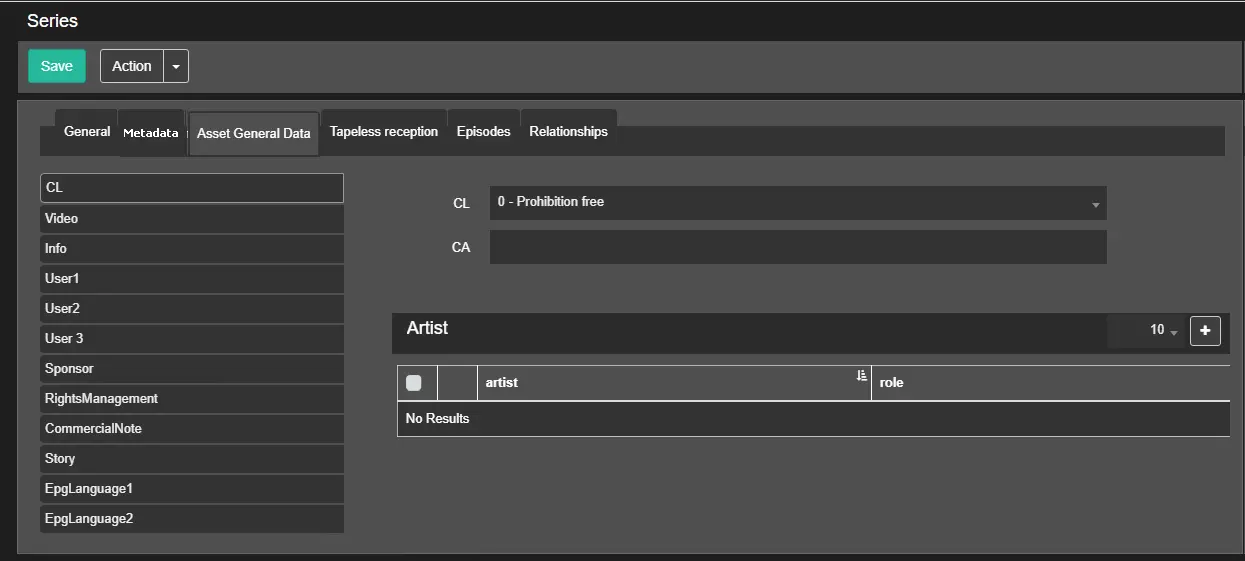
The Asset General Data tab defines asset data related to the season.
Asset_General_Data_tab
- CL: It contains the content classification of the season asset:
- CL: Select an appropriate parental guidance classification for the asset form;
- CA: Select the type of consumer advice(s) featured in the asset that would be inappropriate for a certain audience, e.g. Adult, Violence, Nudity, etc.;
- Video: It indicates the specific aspect ratio of the assets and its required aspect conversion;
- Info: This section contains vital information about the asset:
- Closed Captioning (CC): Indicate if the asset contains closed captions;
- User 1, 2, 3: Any additional or notable information can be found in these sections;
- Sponsor: Indicate if the asset includes sponsored spots. If there is sponsored spot, indicate the position of the sponsored spot and its duration;
- Rights Management: Specify when the season begins to be valid (since which date it can be scheduled) and when it will expire (when the season won't be allowed to be scheduled);
- Commercial Notes: Specify any complementary notes about asset rights management;
- Story: It contains the story created in Nunzio;
- EPG Language 1, 2: Specify up to 2 appropriate languages to be used in the EPG (Electronic Program Guide) of scheduled events;
In the Artist panel, you can click the Add button to select an existing artist from the list and insert the artist with their respective roles.
Click the Delete button next to the artist's name to remove the artist from the list.
 Asset_General_Data_tab