72.2.3.10 Create Promo
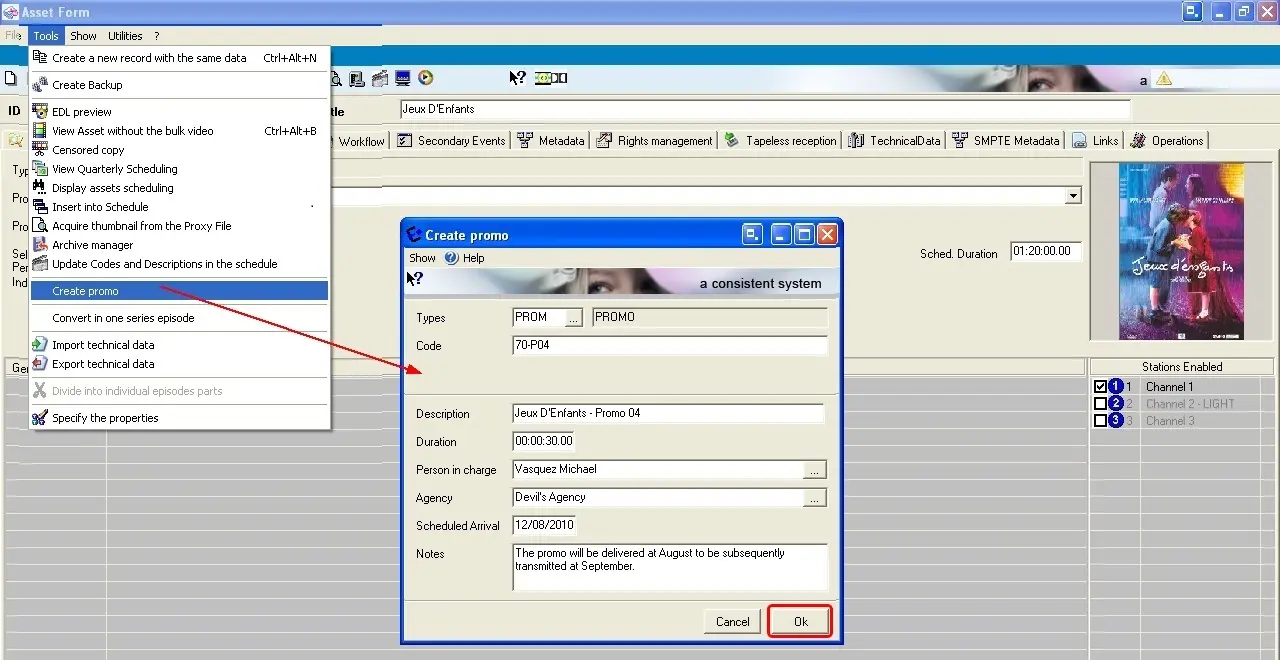
The [Create promo] tool allows to easily create a new trailer, linking it automatically to the current program. It is useful, for example, to quickly and easily create a trailer that will announce a program. When creating a trailer the data detailed below is required, compile it and press the [Ok] button:
Create Promo
•Types: A proposed promo type would be displayed, among the promo types listed in Configuration > Settings > Types Editor > Types > Properties.
•Code: Indicate the asset code to be assigned to the trailer,
•Description: Enter a brief description for the new trailer,
•Duration: Insert the expected duration of the trailer asset.
•Tapeless: Specify the person in charge of receiving the asset as well as the agency that will deliver at a certain scheduled date (using Etere Tapeless Reception).
•Notes: Here the operator can Include any further information related to the asset.
NB: Please note the creation of trailer from the Media Library module regards only single-asset programs (e.g.: films, news, season episodes, etc); in case it is intended to create trailers for a multiple-asset program (e.g.: TV season) please refer to the Season Manager module chapter.
Link between Programs and Trailers
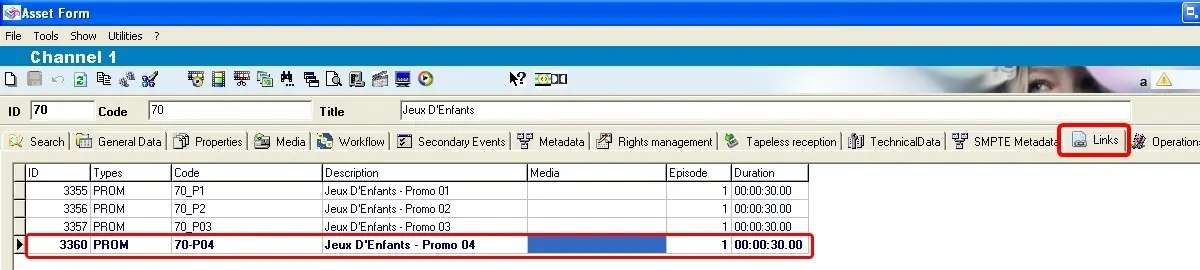
The recently created Trailer will be associated as a 'child' to the asset under the 'Links' tab, from which it will be accessible by making double-click on it:
Links
Scheduling Trailers
Once created, trailers can be managed under a centralized Promo Management module, from which it will be possible to place them into the schedule using either the Executive Editor or Strategic Editor modules.
 Create_Promo
 Links
Links