Configuring Nunzio Playout
79.2.4.1 Initial Playout Configuration
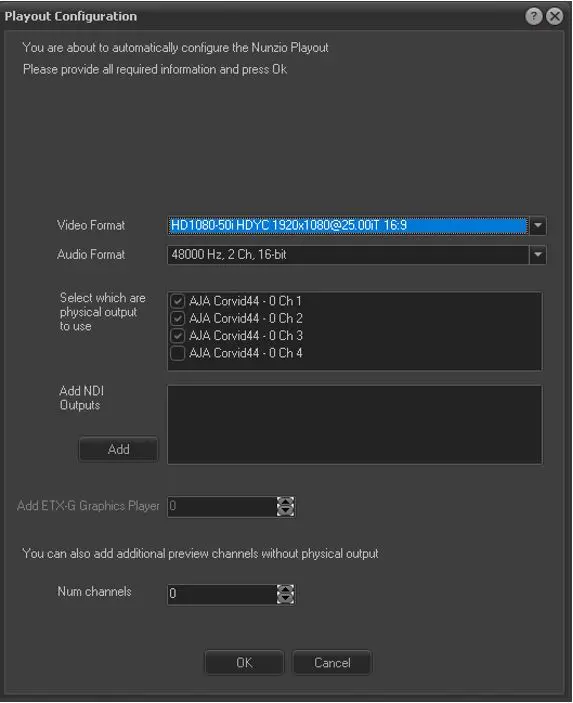
The first time Etere Nunzio is being executed on a given workstation, the channel configuration would eventually start.
You can edit the initial configuration in order to set-up Nunzio Playout relying on multiple presets.
Playout_Configuration
- Video Format: Select the output video format of the channels.
- Audio Format: Select the output audio format of the channels.
- Select which are physical output to use: Select the SDI channel of the card installed in the Server.
- Add NDI Output: For NDI playout, select and add an NDI channel.
- Add ETX-G Graphics Player: Add and configure ETX-G graphics output (for internal CG only)
If required, you can also add additional preview channels without a real physical output.
- Num channels: You can configure additional channels for preview. The additional channels would be displayed in the Resource list.
Upon configured, click <OK> to confirm the playout settings.
 Playout_Configuration