72.2.2.5 Properties - Video
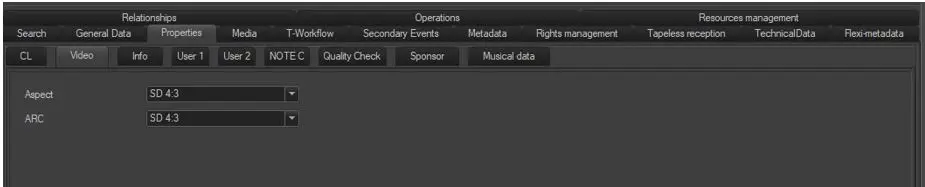
The "Video" section allows to specify the aspect ratio of assets as well as their possibly required aspect ratio conversion (e.g. to automatically convert them during either their ingest, preview and transmission). The following information is available for configuration:
Video
Aspect - Specify the aspect ratio with which the asset is recorded in the media archive. The following SD and HD aspect ratios are supported:
SD 4:3
SD 4:3 Letterbox
SD 16:9
SD 16:9 Letterbox
HD
3D
SD/HD Conversion - Specify the ARC conversion profile to be performed (by an embedded or external converter) for the current asset. Available SD/HD conversion profiles depends on the asset's Aspect (set above):
ASPECT RATIO - SD 4:3
AVAILABLE CONVERSIONS:
None
SD 4:3
16:9 anamorphic
16:9 crop
16:9 full
16:9 pillar
Unknown
ASPECT RATIO - SD 4:3 Letterbox
AVAILABLE CONVERSIONS:
None
SD 4:3 Letterbox
ASPECT RATIO - SD 16:9
AVAILABLE CONVERSIONS:
None
SD 16:9
4:3 LB
16:9 anamorphic
16:9 crop
16:9 full
16:9 pillar
ASPECT RATIO - SD 16:9 Letterbox
AVAILABLE CONVERSIONS:
None
SD 16:9 letterbox
16:9 anamorphic
16:9 crop
16:9 full
16:9 pillar
ASPECT RATIO - HD
AVAILABLE CONVERSIONS:
None
HD
4:3 anamorphic
4:3 crop
4:3 full
ASPECT RATIO - 3D
AVAILABLE CONVERSIONS:
None
3D
NB: Please note that aspect ratios and conversion profiles are configured in Etere Configuration > Settings > Aspect Ratio Conversion. Moreover, their configuration and management is clearly explained in the How to use aspect ratio conversions chapter.
 Video
Video