84.3.1 What is Etere Cartwall
A Cartwall is a playout interface composed by a palette of buttons clearly arranged to allow a quick-playing of events. In broadcasting, the use of a so-called Cartwall drastically simplifies the transmission of short (and not too short) events, becoming an extremely functional tool useful in the following cases:
➢Play manually selected media during a program without scheduling them (e.g. cameras switches, background sounds, etc).
➢During system delays or Automation failures, allowing a single operator to perform a direct playout through a predefined resource.
➢For performing a simple broadcasting switching between different playlists while broadcasting.
➢Cases which requires a direct transmission without delays.
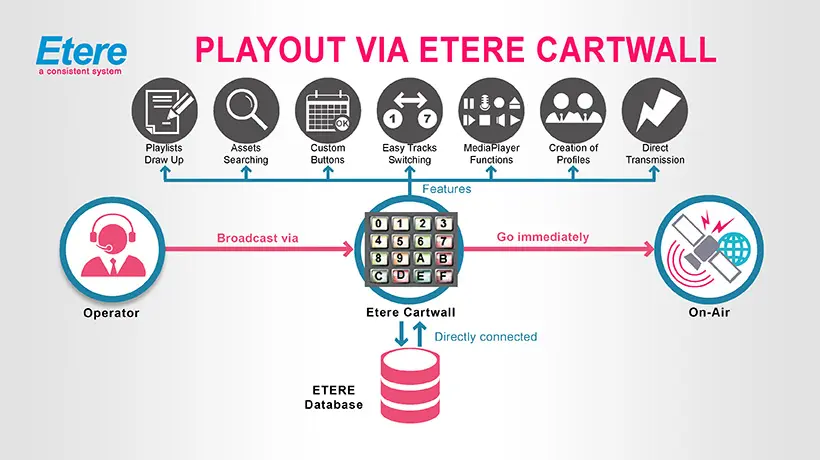
The figure below clearly illustrates how Etere Cartwall simplifies the broadcasting process to an operator using various features:
5046_Playout_via_Etere_Cartwall
✓An unlimited number of items that can be accessed in one-touch.
✓Drag & Drop insertion of all the assets contained in the station database.
✓Fully customized buttons (size, color and icons).
✓All the main functions of a media player (play, pause, stop, cue, skip, loop, countdown).
✓Easy switch between tracks using the keyboard.
✓Direct transmission via a predefined device ensuring a broadcasting without delays.
✓Automatic on-demand aspect ratio conversion.
 5046_Playout_via_Etere_Cartwall