4.5.2 Lines data
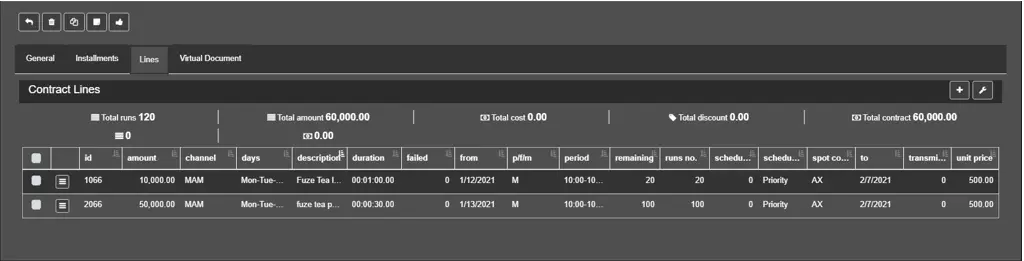
Lines are part of an order that describes the terms, conditions and costs of broadcasting specific billable content. In this tab are listed all the lines linked to a particular contract.
Lines_Data
A summary of the runs, line amounts, costs and order discounts are displayed above the lines list.
A new line can be added by clicking the Add button. With the Column settings button, the user can enable\disable the columns displayed in the list and their position.
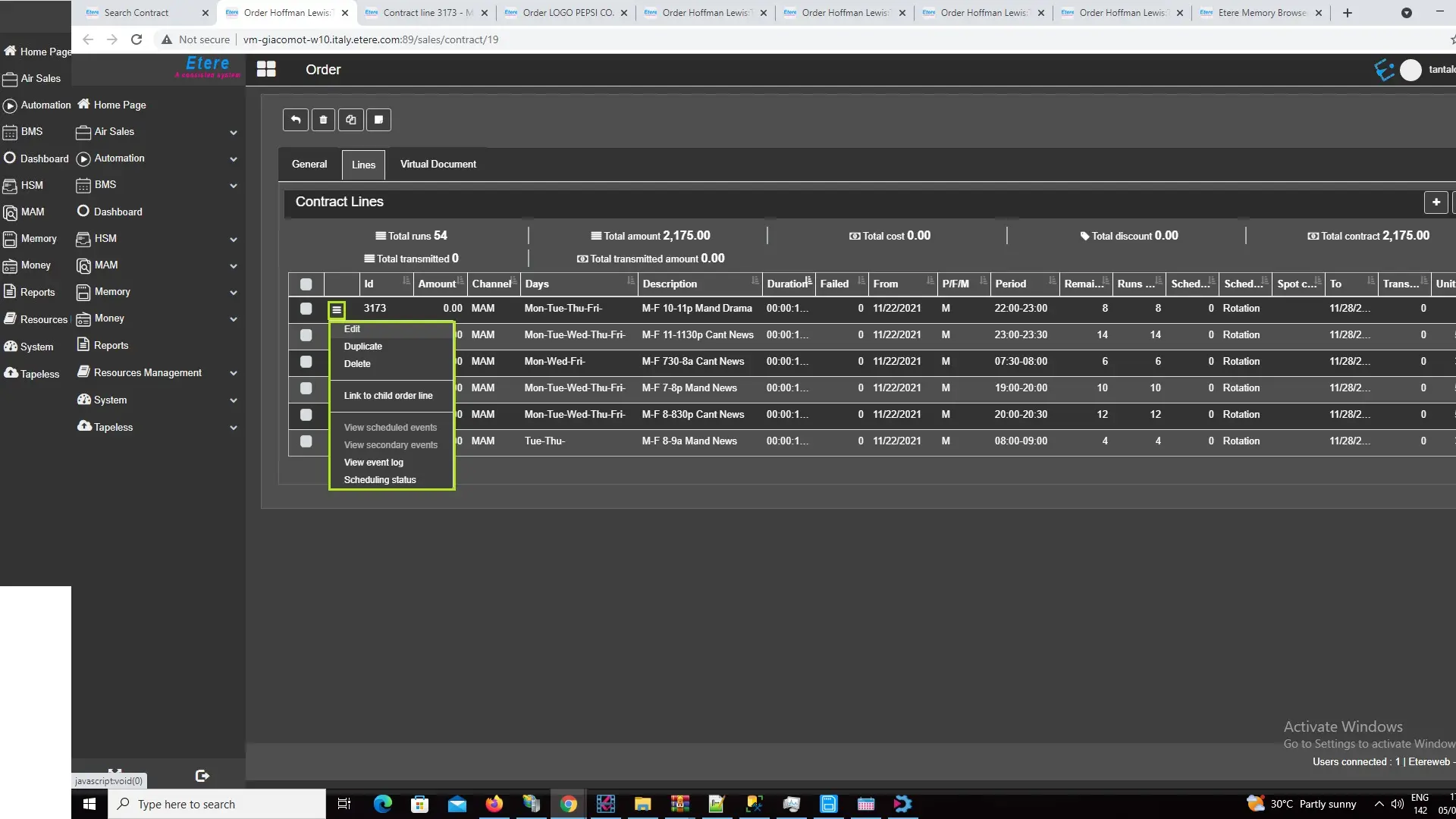
To edit a line, click the ☰ button and select the Edit Function.
edit_lines_function
A new browser tab will open, containing all the options related to the chosen contract line. The information is classified into the following tabs:
• Blocks: It specifies the blocks where the line is scheduled.
• Asset: Asset or assets associated with the order line.
• Options: It sets the scheduled rules to follow, based on user requirements.• Charges: It indicate the amount charged to the contract.
• Batch Options: It presents an overview of the scheduled events.
 Lines_Data
 option_button
 Column_settings
 Add_button
 edit_lines_function