84.4.5.79 CUSTOM > TELECAPRI SCHEDULE CSV
Import Scope
The Import Custom TELECAPRI SCHEDULE CSV import a .csv file containing Telecapri one-day schedule.
The import is performed based on following specifications:
•The file name format is "Issuer name_YYYYMMDD.CSV”.
•The file contain only primary events.
•Each line data contain an event. The event has 9 data field, each field separated by semicolon (;).
•The first 6 line data contains descriptive information, the data are skipped during import.
•Before each import, all events of the day would be deleted from schedule.
•During import, the process search for asset name (in column 6) in database, if the asset does not exist the asset would be created.
Import parameters
Set the following parameters to fulfil the import process:
Import_custom_telecapri_schedule_csv
•Day to import: Select a calendar date to import the schedule.
•File to import: Specify the path where the CSV file is stored. The file name format must be “Issuer name_YYYYMMDD.CSV”.
Launch the import
Once all parameters have been correctly set, just click the <File Import> button to launch the import operation.
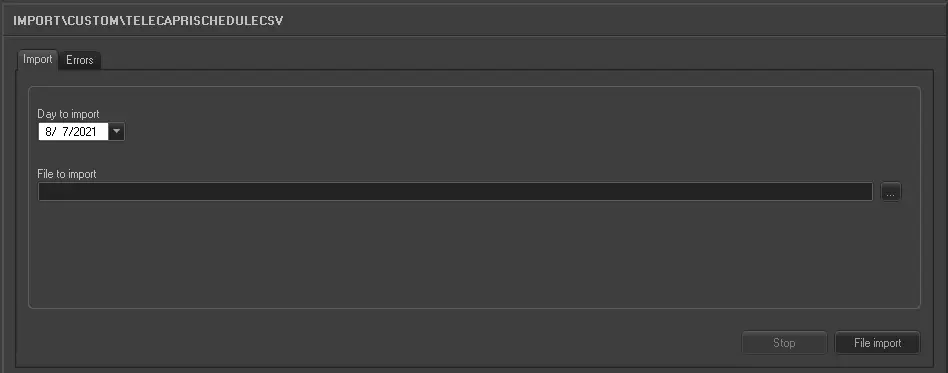 5293_Import_custom_telecapri_schedule_csv