84.4.5.44 CUSTOM > CH-9 > EPG
Import scope
The custom EPG import permits to import an .XML file containing the weekly EPG information of the station. Use this import method to retrieve from a single file the EPG information that will be associated to programs already scheduled in the day to which the import file is aimed.
Import parameters
This import module requires the following parameters to be set in order to be correctly used:
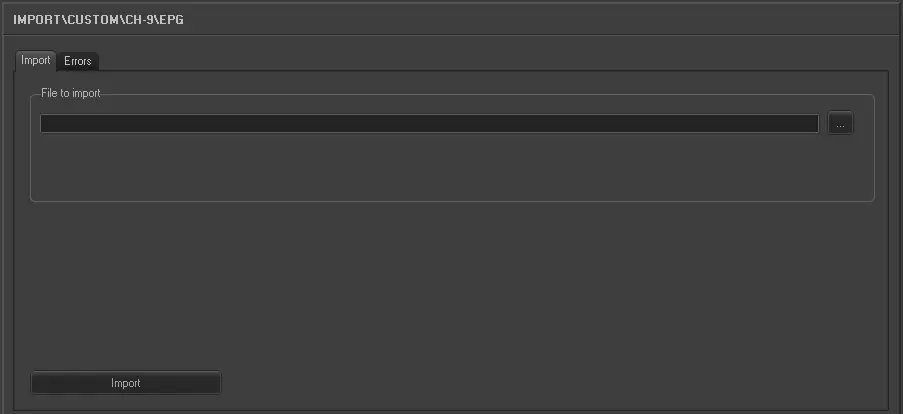
Import_custom_ch-9_epg
•File to import: Browse for the file from which data will be imported, only .XML files will be displayed since they are the only supported.
The file to be imported allows to retrieve the following fields for each program:
•Start time: Here must be detailed the time at which the program has been scheduled in the on-air schedule,
•Program title: It's the title of the program,
•Movie year: The year on which the program has been produced,
•Is captioned: To indicate if the program counts (or not) with close captions,
•Live repeat status: It indicates the number of times that the program has been previously transmitted,
•Aspect ratio code: Use it to indicate the conversion template to be used for the aspect ratio,
•Classification: It contains the parental guidance classification of the program,
•Episode title: In case the program is a tv seasons, it will indicate the title of the specific episode, the related Etere field is.
•Story line public: It contains the synopsis of the program.
The station on which the EPG data is intended to be imported MUST contain a valid schedule for the imported day, otherwise the import operation won't be possible. Moreover, since imported data doesn't specify the code of the program to which it is related, Etere will assign each EPG detail to a program present in the current schedule based in the three following criteria:
•The scheduled program must be scheduled in the same day indicated by the import file (i.e.: ScheduledDayHeading),
•The scheduled program description must match with the specified description (i.e.: ProgramTitle),
•The scheduled program must start (with a margin of +/- 5 minutes) at the start time specified in the import file (i.e.: StartTime).
Sample file to import
The file to be imported using this method will have to the following structure in order to be correctly imported:
<?xml version="1.0" encoding="UTF-8"?>
<Report ReportHeading_1="Schedule Program Guide For TCN/GO ">
<list1>
<Item ScheduledDayHeading="Sun May 23, 2010">
<table1>
<Details_Collection>
<Details StartTime="06:00" ProgramTitle="CHOWDER" MovieYear="" IsCaptioned="" LiveRepeatStatus="Repeat" AspectRatioCode="" Classification="G">
</Details>
<Details EpisodeTitle="Grubble Gum/The Cinnamini Monster">
</Details>
<Details StoryLinePublic="Chowder is forced to swallow his new gum before Truffles finds out he didn't buy enough to share. ">
</Details>
<Details StartTime="06:30" ProgramTitle="THE MARVELOUS MISADVENTURES OF FLAPJACK" MovieYear="" IsCaptioned="" LiveRepeatStatus="Repeat" AspectRatioCode="" Classification="G">
</Details>
<Details EpisodeTitle="Oh Brother / Panfake">
</Details>
<Details StoryLinePublic="Getting a little brother can be hard. Having a little brother is a whole ‘nother story. Wait, no, its THIS story…">
</Details>
<Details StartTime="07:00" ProgramTitle="KIDS WB SUNDAY" MovieYear="" IsCaptioned="" LiveRepeatStatus="" AspectRatioCode="WS" Classification="G">
</Details>
<Details StoryLinePublic="Hosted by Shura Taft and Heidi Valkenburg.">
</Details>
 5254_Import_custom_ch-9_epg