12.6 Reports
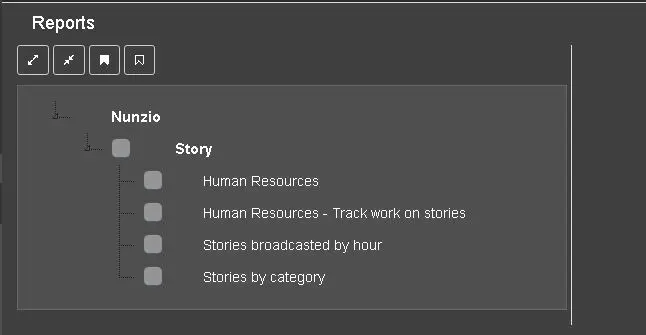
The Reports component displays all Nunzio reports in the system.
Reports
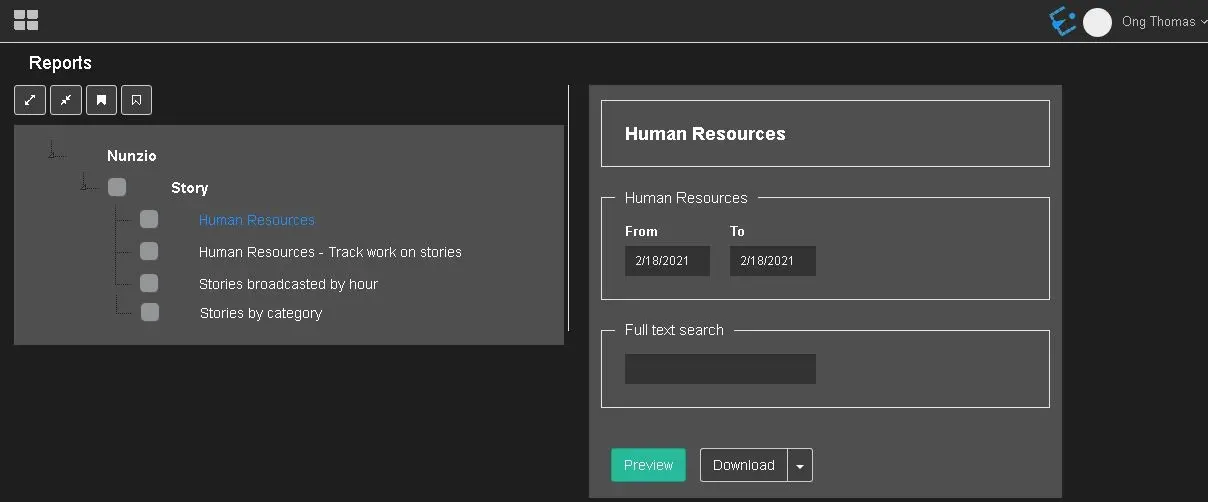
By single click on any report, it display all parameters required to generate a complete report.
HUMAN RESOURCES REPORTS
Human Resources
- From - To: Select the start and end start to retrieve the information;
- Full text search: Enter the keyword to filter assets to be included in the report.
WARNING: Only aired stories would be extracted in the report.
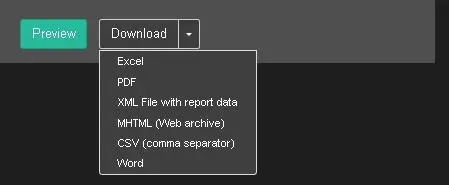
When the report parameters are provided, you can click the <Preview> button to view the report on screen, or click the <Download> button and generate the report in one of the supported format, as shown in below image.
Download
The report of selected format would be created in user specific’s Downloads folder in local workstation.
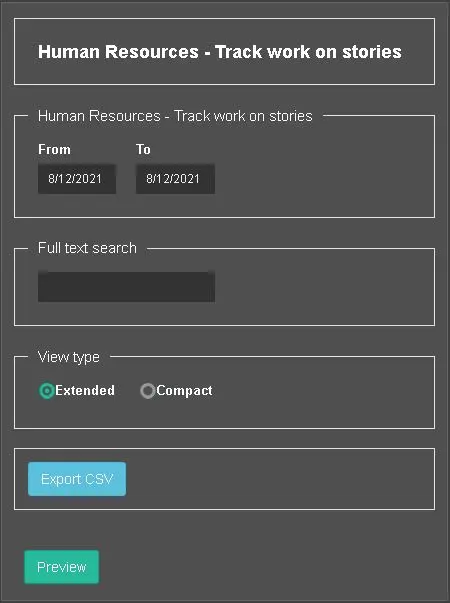
HUMAN RESOURCES - TRACK WORK ON STORIES REPORT
Human Resources - Track work on stories
- From - To: Select the start date and end date to retrieve the stories information;
- Full text search: Enter the keyword to extract from story title or story text;
- View type: Select one of the display type.
When the report parameters are fulfilled, you can click the <Preview> button to view the report on screen.
By click on the <Export CSV> button you can generate the hard-copy report in CSV format. The generated report would be created in user specific’s Downloads folder in local workstation.
STORIES BROADCASTED BY HOUR REPORT
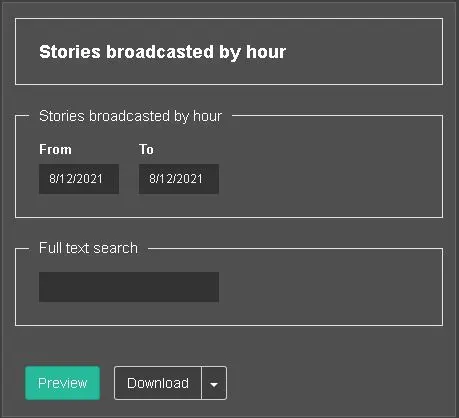
Stories broadcasted by hour
- From - To: Select the start date and end date to retrieve the stories information;
- Full text search: Enter the keyword to extract from story title or story text.
When the report parameters are fulfilled, you can click the <Preview> button to view the report on screen.
Alternatively, you can click the <Download> button and generate the report in one of the supported format, as shown in below image.
Download
The report of selected format would be created in user specific’s Downloads folder in local workstation.
STORIES BY CATEGORIES REPORT
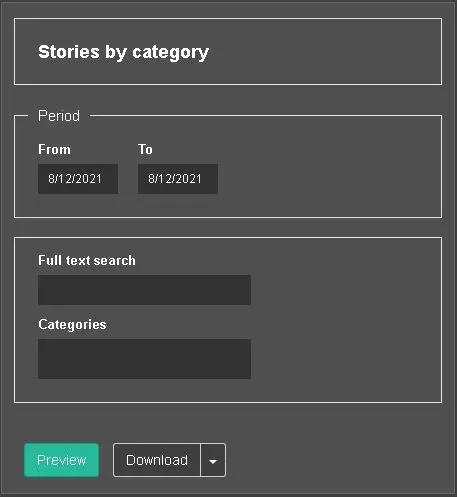
Stories by category
- From - To: Select the start date and end date to retrieve the stories information;
- Full text search: Enter the keyword to extract from story title or story text;
- Categories: Select one or multiple categories of story to be included in the report.
WARNING: Only aired stories would be extracted in the report.
When the report parameters are fulfilled, you can click the <Preview> button to view the report on screen. Alternatively, you can click the <Download> button and generate the report in one of the supported format, as shown in below image.
Download
The report of selected format would be created in user specific’s Downloads folder in local workstation.
WARNING: In the reports, the date format is based on the date format settings in Web Server. For reports pertaining to Nunzio stories, the report extraction is based on story creation date despite if the story is not part of the rundown.
 Reports
 Stories_broadcasted_by_hour
 Human_Resources
 Stories_by_category
 Human_Resources_-_Track_work_on_stories
 Download