79.4.7.6 Platforms
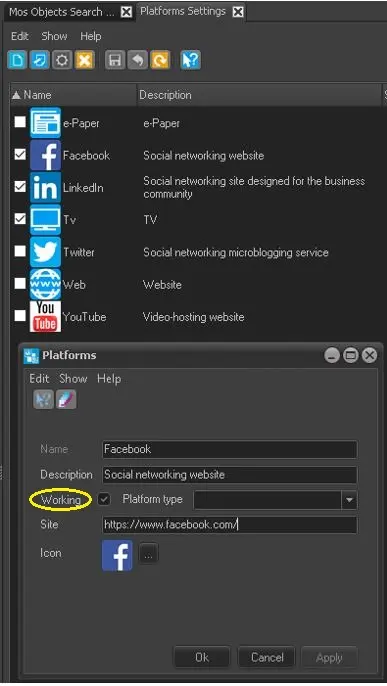
The Platforms tree node enable you to configure the destination platforms for Etere Nunzio content when a new story is saved.
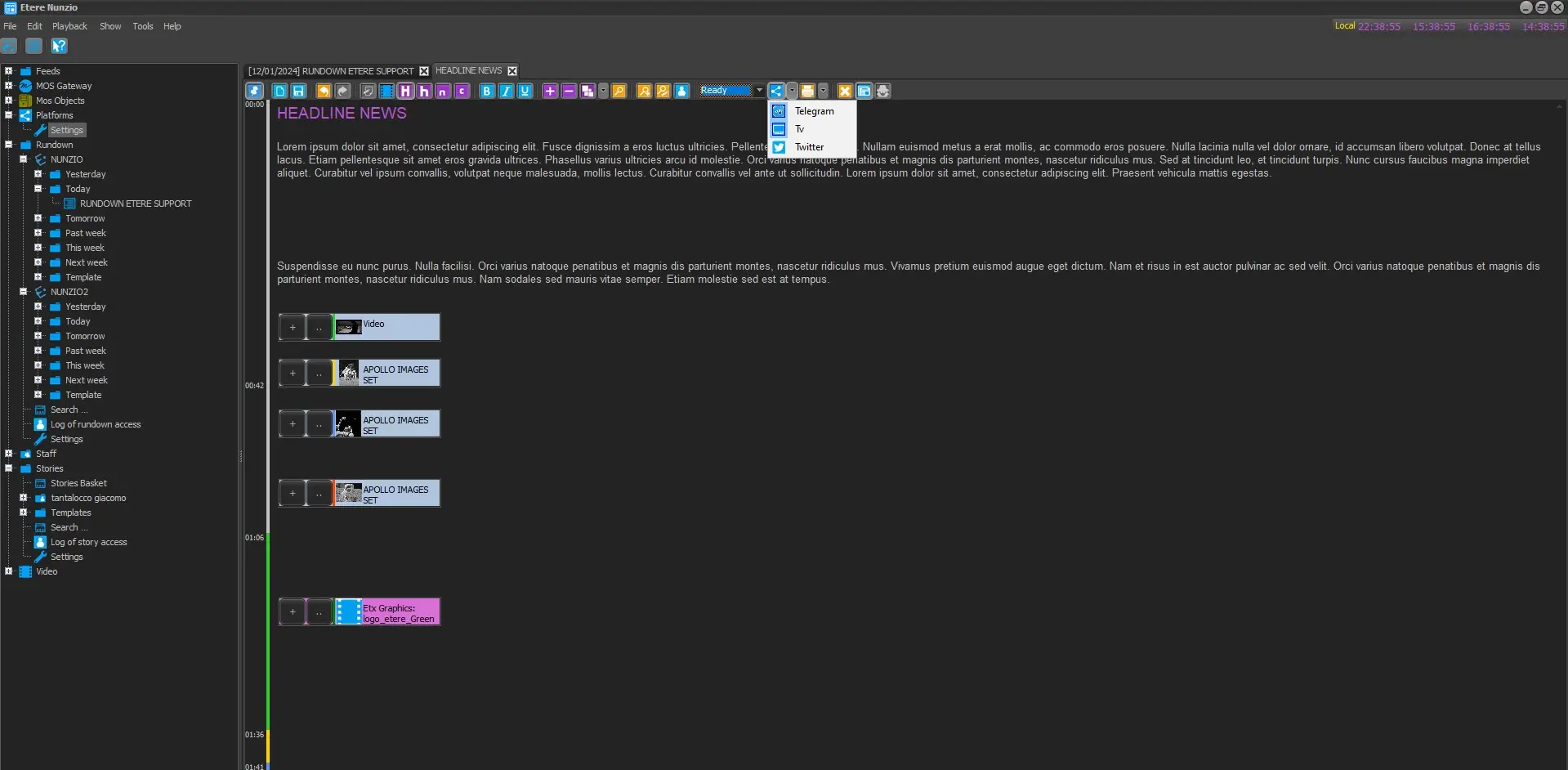
Is it possible to select any platform independently for each Etere Nunzio Stories.
select_platform_to_publish
Etere Nunzio can be integrated with different social Media Platform such as:
. LinkedIn
. Telegram
. X
. YouTube
. Website
Platforms
This mean that along with the main Platform which is usually the TV one, is possible to share Nunzio Stories simultaneously, enhancing the spread of the Newsroom content and media view across multiple platforms.
It worth mentioning that each platform has its own API and the connection method may be different from each other.
Following the configuration which should be performed by each platform.
TELEGRAM
In order to start publishing Nunzio Stories into a Telegram Channel we need:
1. Create the Telegram Channel:
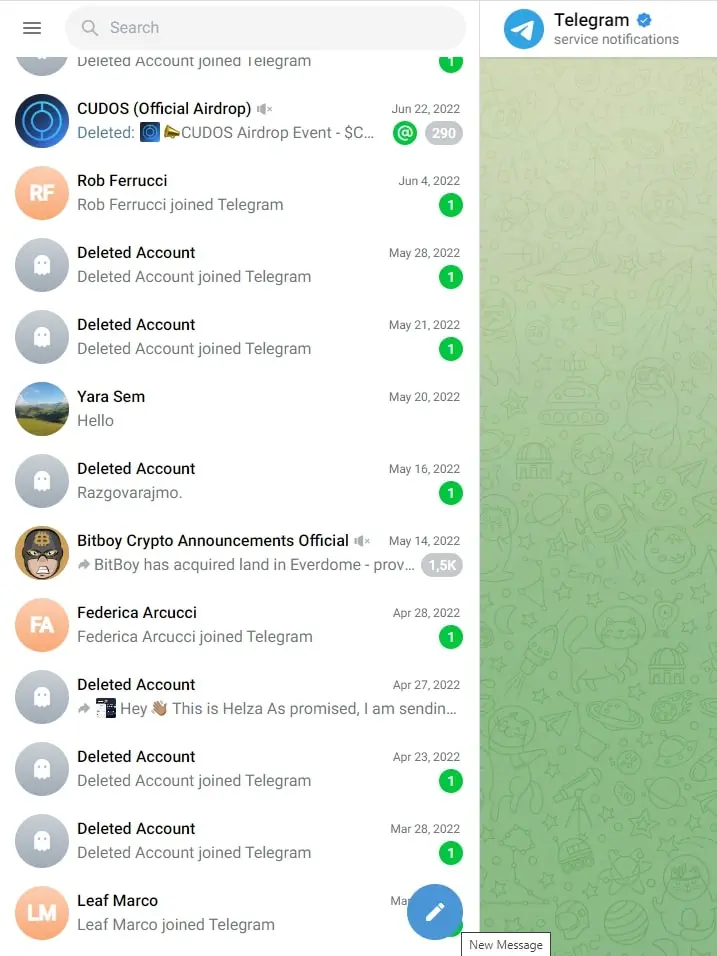
Creating a Telegram Channel is a pretty straight forward procedure. Just open Telegram press the pen icon and select New Channel.
new_channel
new_channel_2
2. Create a Telegram Bot:
Telegram Bot will interact with the Telegram Channel and the Etere Nunzio Content in order to allow automatic publish of the Etere Nunzio Content.
In order to start creating Telegram Bot, we need to follow some precise steps:
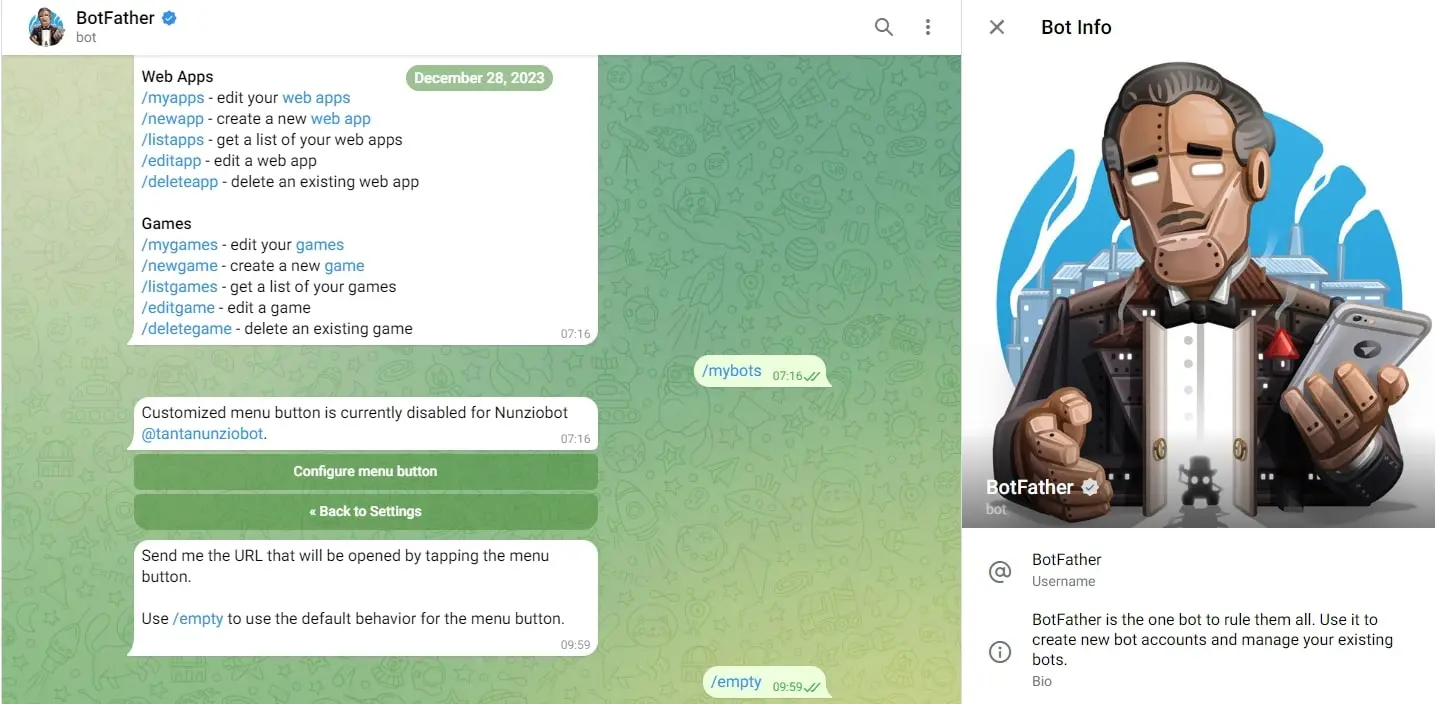
a) Search for the BotFather Telegram Group. You can check it by searching for @BotFather on Telegram;
bot_father
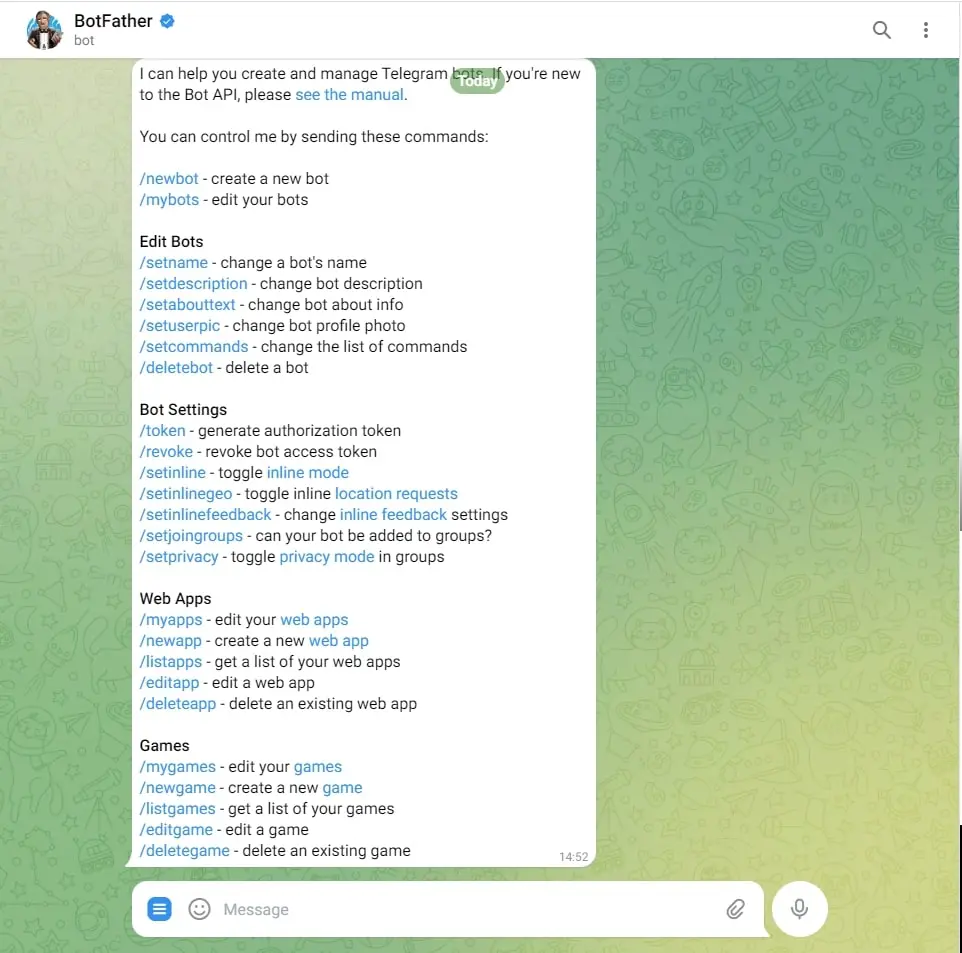
b) By prompting the /start command you should be able to have returned all the bot available commands for the first configuration;
commands_config
c) Create the Telegram Bot by issuing the following command -> /newbot
3. Create a Telegram Bot Token:
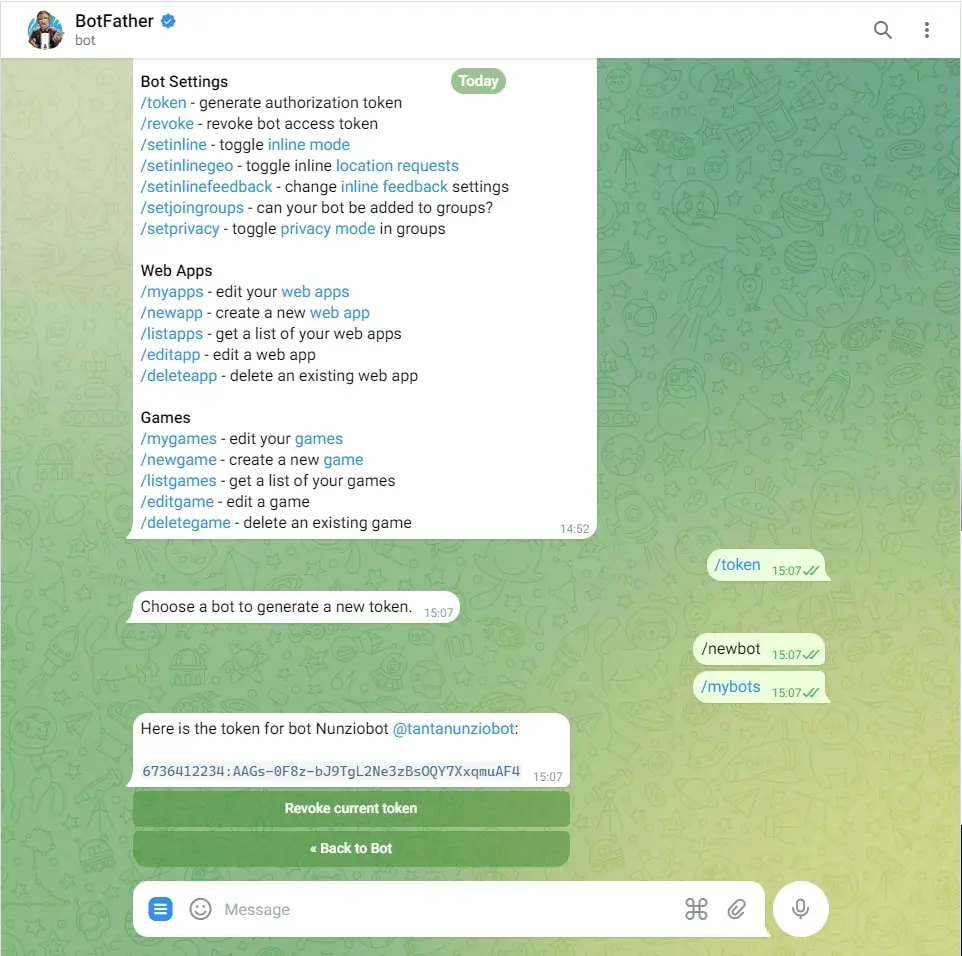
Once our bot has been created, we can ask for issuing a new Bot Token which will be used in Etere Nunzio Configuration, along with the Telegram Channel previously created. In order to obtain a new Token, simply issue the /token command. The response would be something like in the following picture.
bot_token
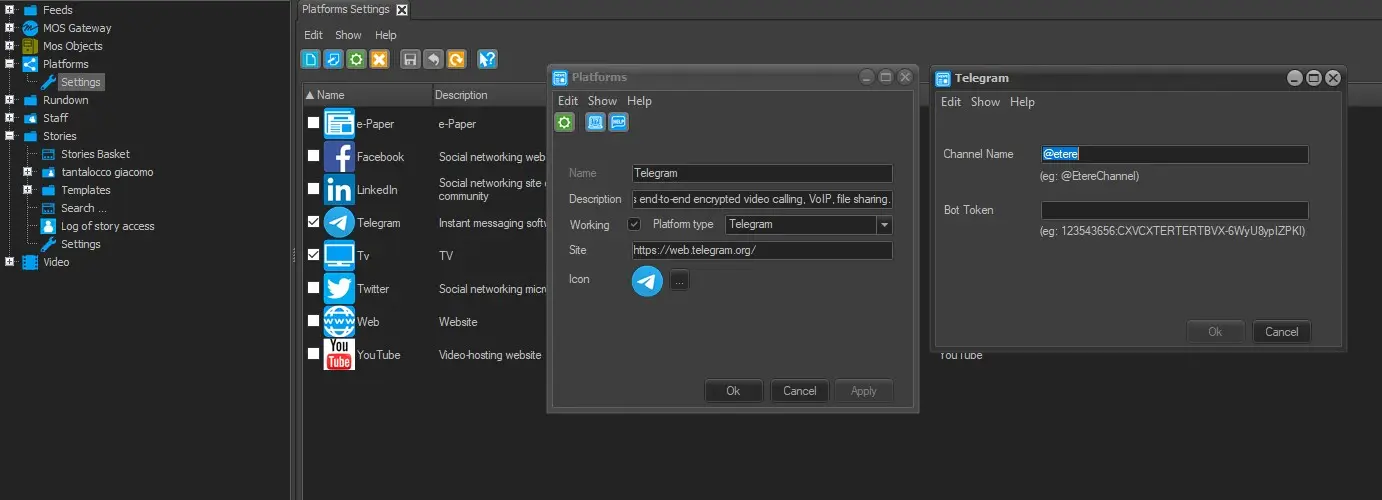
Once we have both, the token and the channel, we can configure them into Nunzio Platform > Telegram > Configuration.
nunzio_telegram_config
X
In order to start using Twitter Platform in Etere Nunzio, we need to perform some configurations on Twitter Devs Platform first:
1. Create an account on:
https://developer.twitter.com/
2. Request for a free Twitter/X API V.2;
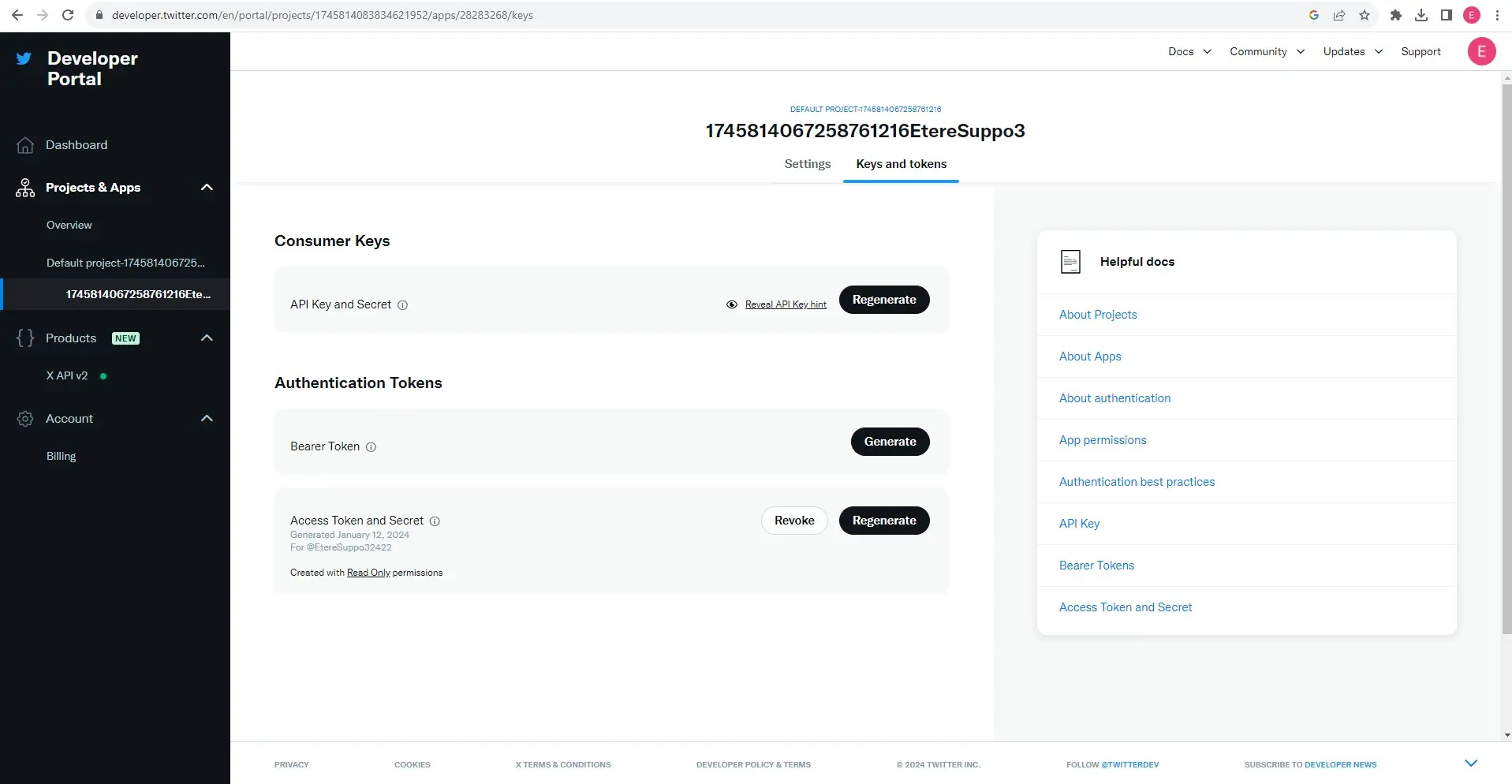
3. From Twitter/X Dev Platform, request/generate the following information:
a) Consumer Key(API Key);
b) Consumer Secret(API Secret);
c) Access Token;
d) Access Secret.
twitter_keys_token
Once the above information have been gathered, is it possible to insert them into Etere Nunzio Platform > Twitter > Configuration
twitter_api_config
YOUTUBE
In order to start publishing video on YouTube we need to request a Service Account File from Google Cloud.
WARNING: In order to request it one need to have an active billing plan on Google Cloud. It worth mention that non pre-paid card are allowed on Google.
In order to get a Google Service Account file for YouTube we need to:
1. Access the Google Cloud Console with an active account;
2. Navigate to https://console.cloud.google.com/apis/credentials;
3. On the top left there is a blue "create credentials" button click it and select "service account key";
4. Choose the service account you want, and select "JSON" as the key type;
5. It should allow give you a JSON to download.
Once we have done all the above, we can insert the JSON file into Etere Nunzio > Platform > Youtube > Configuration
youtube_service_account_file
In the Toolbar menu, a list of functions available are:
- New - (Ctrl + N): Add a new platform to the list.
- Edit - (Ctrl + E): Modify the selected platform.
- Configuration: Modify the settings of the selected platform, if available.
- Delete - (Ctrl + D): Remove the selected platform from the list.
- Save - (Ctrl + S) Save the changes made in selected platform.
- Cancel - (Ctrl + Z): Revert the changes made previously to the selected platform.
- Refresh - (F5) Reload the page to display current status.
 Platforms
 new_channel_2
 commands_config
 bot_father
 bot_token
 new_channel
 nunzio_telegram_config
 twitter_api_config
 twitter_keys_token
 select_platform_to_publish