69.2.1.11 PEBBLE BEACH EXTENDED
Import Scope
The Pebble Beach Extended import allows importing the programming playlist of a certain television day from an XML file. Among the tags managed for each imported event, the following can be mentioned:
<event type> - Starts an "event" tag to be imported, by indicating its transmission type (e.g. Media, Live).
<stream> - Specifies if the imported event is a streaming event (it is playable while recording).
<onairtime> - Indicates the exact date and time the imported event is intended to be transmitted (e.g. 2011-11-28T06:44:00;00).
<reconcilekey> - A numeric string used to reconcile the imported event with an Etere asset (e.g. 39980496).
<title> - The alphanumeric title that briefly describes the imported event.
<category> - Indicates the event's type (e.g. commercial, season, news).
Please note that if no type within the database corresponds to the imported <category>, a new type would be automatically created using the <category> value (e.g. BR-SPOTS) as description and its first 4 characters as code (e.g. description=BR_SPOTS and code=BR-S).
<source> - In case of live events, this tag indicates the channel (of the Etere's routing table) from which they would be feed. Moreover, it's worth mentioning that if the specified <source> (e.g. satellite) is missing on the database, it would be automatically generated as "LIVE_<source>" (e.g. live_satellite).
<listedtime> - It indicate the playlist scheduled time. Upon import, the playlist scheduled time would be displayed in the “Scheduled Time” column in the schedule.
The scheduled time format is similar to <onairtime> format. If the playlist scheduled time is not available, this tab would be empty.
When Import starts, if there are playlists locked by the same workstation executing the import, the playlists would be released automatically during the import process. If the playlists are locked by other workstations, the playlists would be forcibly unlocked when it had passed the maximum effective time (in minutes) defined in F90’s Settings tab for locking the playlists.
Import Parameters
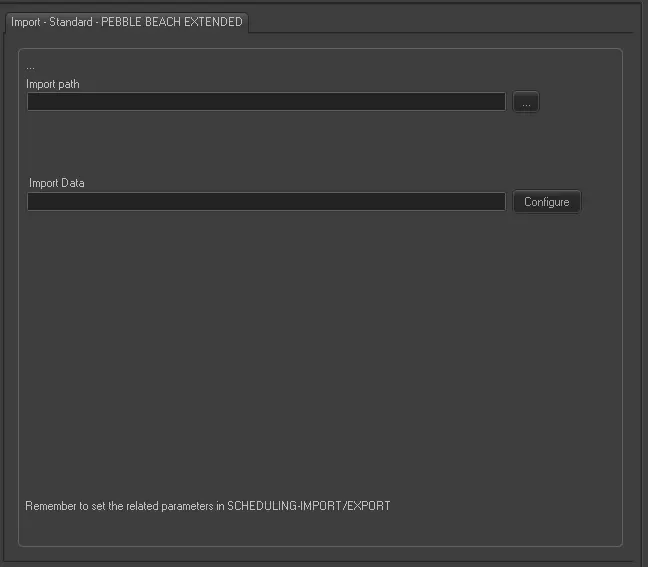
Import - Standard - PEBBLE BEACH EXTENDED
Filename - Etere F90 would import all files matching the format xxxxxxxxxxxx_yymmdd_hhmmss.xml, where 'xxxxxxxxxxxx' is the custom string defined in manual import's parameters.
Import path - Specify the folder where the files to be imported are stored. Once successfully imported, files will be deleted from the specified path.
Import data - Opens the Configure Import window to specify the days and the frequency to be imported.
NB: In case issues are encountered during the import process, it is possible to consult the "Errors" tab.
Scheduling related import
Set the required parameters in Etere Scheduling > Import\Export > IMPORT\STANDARD\PEBBLEBEACHXMLEXTENDED and click on [Save parameters] once done.
 Import_-_Standard_-_PEBBLE_BEACH_EXTENDED