65.3.5.5 Configure UDP Streaming and DVB Streaming
UDP which stand for User Datagram Protocol is a connectionless protocol that, like TCP, runs on top of IP networks and offers a direct way to send and receive datagrams over an IP network.
It's used primarily for broadcasting messages over a network.
UDP is suitable for time-sensitive applications, it does not require acknowledgment from receiving party, the transmission used less buffering and reduced video playout delays.
This section describe the steps using UDP streaming:
- Create source object (live, file, mixer or playlist). For example, ETX Playlist application is used below to create a playlist as a sample for the source object.
ETX Playlist
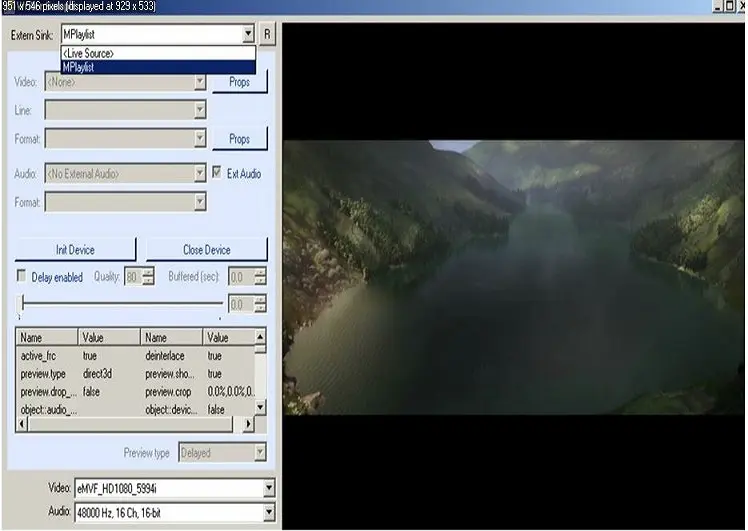
- Open Etere ETX Writer, select source from ‘Extern Sink’ and select ETX Playlist. CG editor will only be enabled for Live source.
ETX Writer
- Next, select the required format in Video and Audio lists.
Video and Audio
To set the container format for audio and video codecs you should click the selected option cell in every row and select the required properties:
To configure additional parameters for formats and codecs, double click on "format", "format::video" and "format::audio" cells to open attributes menu:Audio & video format
When configuring UDP streaming, you can set the stream PID for video and audio for synchronizing the video and audio packets, as show in the image below.
UDP streaming
- Set URL for streaming (udp://IPv4address:port) before starting capture. Select Start capture to start streaming
UDP
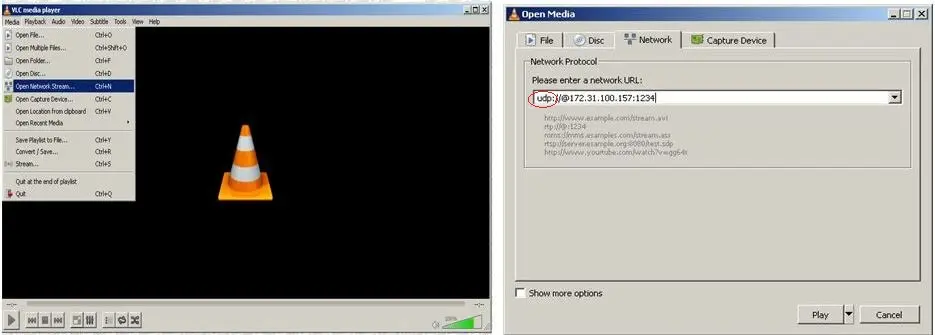
Start capture - Open an application, example, VLC player, select ‘open network stream’, select ‘network’, insert network URL. For example:
udp://@IPv4address:portOpen network stream
Preview streaming with UDP from VLC player
UDP from VLC player
- You could also plan for transmission of TTL ("Time to Live") data packet through UDP streaming before discarding the packet from the network, simply add the “?ttl=<value>” in the UDP address as:
udp://IP:port?ttl=value
where the value for “TTL” is defined in seconds, e.g. 3600 (1 hour), 7200 (2 hours), 86400 (24 hours), etc.DVB Streaming
DVB (Digital Video Broadcasting) is a set of international open standard for digital television, it offer an alternative means of carrying data via the traditional MPEG transport streaming over an IP network.
When configuring DVB streaming, click on the previously selected “UDP streaming” option on the format row and select “DVB Compatible Streaming” from the list.DVB streaming
Upon selected the “DVB Compatible Streaming” noticed that the “Format” parameter would be automatically set to prepare for streaming.
DVB Compatible Streaming
You might set the URL address and click the <Start Capture> button to trigger the DVB streaming.
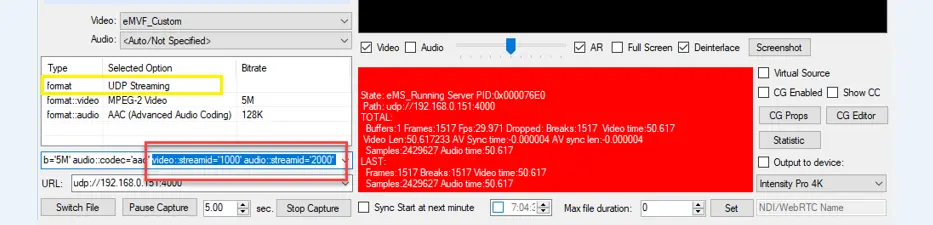 UDP_streaming
 UDP_from_VLC_player
 ETX_Playlist
 Audio_&_video_format
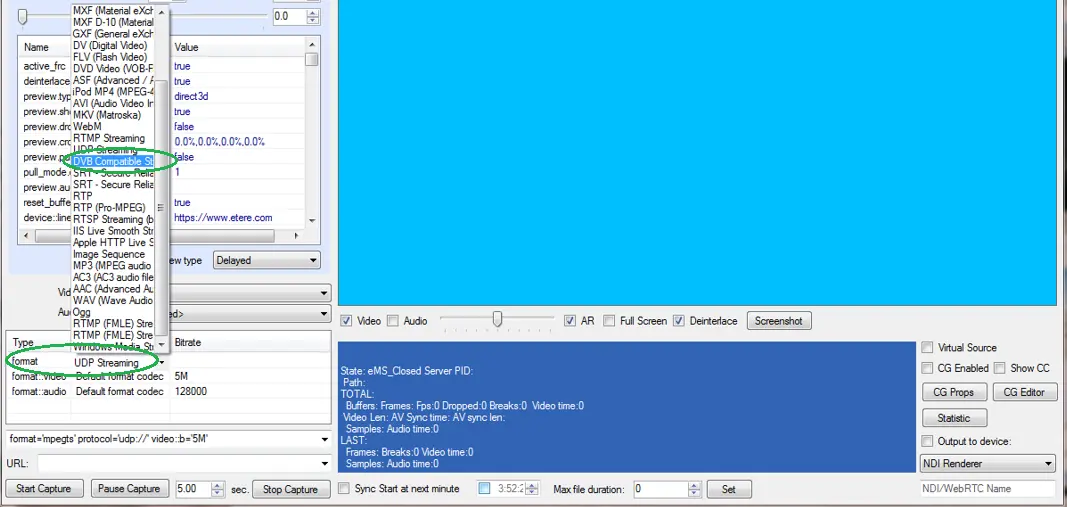 DVB_streaming
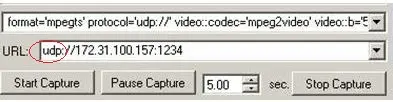 UDP
UDP
 Video_and_Audio
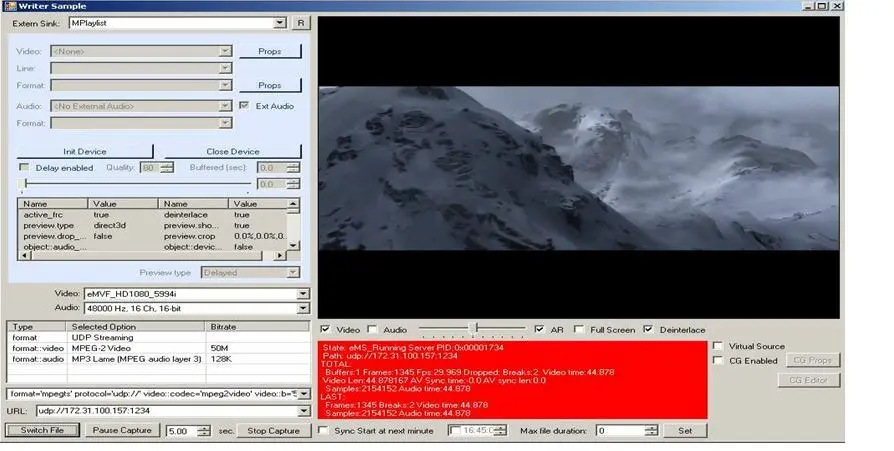 Start_capture
 ETX_Writer
 Open_network_stream
 DVB_Compatible_Streaming