59.8.2.16 How to resume a faulty workflow
In case one or more T-workflows are faulty (e.g. due to an action error), the Workflow Monitor tool will allow you to easily and quickly resume them just by following these simple steps:
1. In the Master panel, filter the T-workflow(s) by Status=Fault. Click on the Refresh button,n and matching T-workflows will be displayed individually or jointly, according to the search criteria.
2. Double-click on the displayed T-workflow(s) to load the instances of the previously selected T-workflow(s in the Details Panel).
Master_Panel
3. In the "Details Panel", select all the T-workflows instances to be resumed, like the Restart workflow instance or Restart workflow instance from action from the right-click contextual menu:
Details_Panel
4. All selected faulted T-workflows will be restarted.
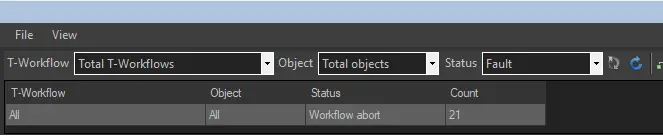 Master_Panel
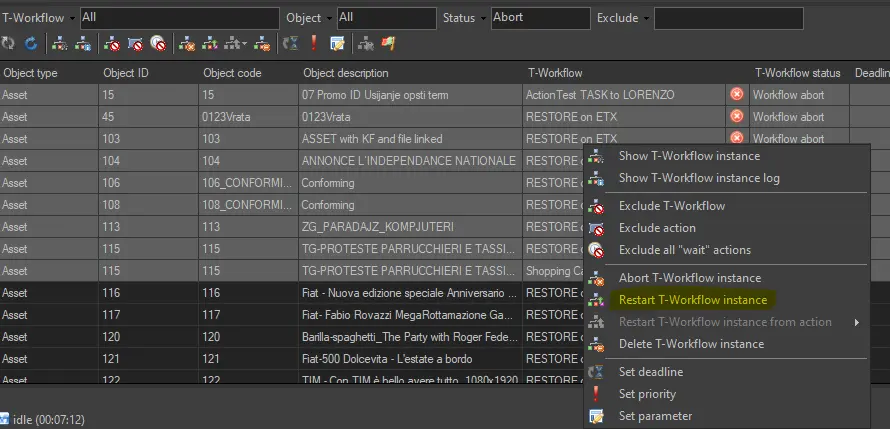 Details_Panel