65.1.2.10 Configuring Automation with NDI
Etere ETX can support multiple use cases, depending on the given needs.
Is it possible to implement Etere ETX as a complete SDI Digital Playout Engine, as well as a total NDI Digital Playout Engine; in addition, it can be a Hybrid Digital Playout Engine too, using either SDI, NDI and IP Broadcasting at the same time.
Implementing NDI in Etere ETX Automation is possible by simply changing the input or output sections in the resource's channels. NDI can be used as a Master Control channel or other channel type.
- Configure NDI without the Master Control channel
In the Resource Editor, the output channel of the NDI router must be selected in the resource configuration, as shown in the image above. When a video router is assigned to Automation, all input/output settings in Automation are related to the router.
Note: The NDI Renderer is incompatible with Passthrough; the Passthrough function would be ignored if the NDI Renderer is selected in channel type.
Note: When stopping NDI and closing the renderer to switch to NDI backup, the switch would only occur if Automation is running on Main Automation by default.
Configure NDI as the Master Control channel
5316_etere_video_router
When selecting NDI as input or output of the master control channel in Resource Editor, the Preset and Program NDI stream must be selected along with the master control virtual channel, as shown in:
5314_etx_ndi_router
When using NDI in Master Control, no additional router can be configured; all input and output settings in Automation are based on the master control.
Note: In the Main and Clone Automation setup environment, if the Clone automation resumes the role as Main Automation, the NDI streaming would only start streaming when the Main Automation becomes Master.
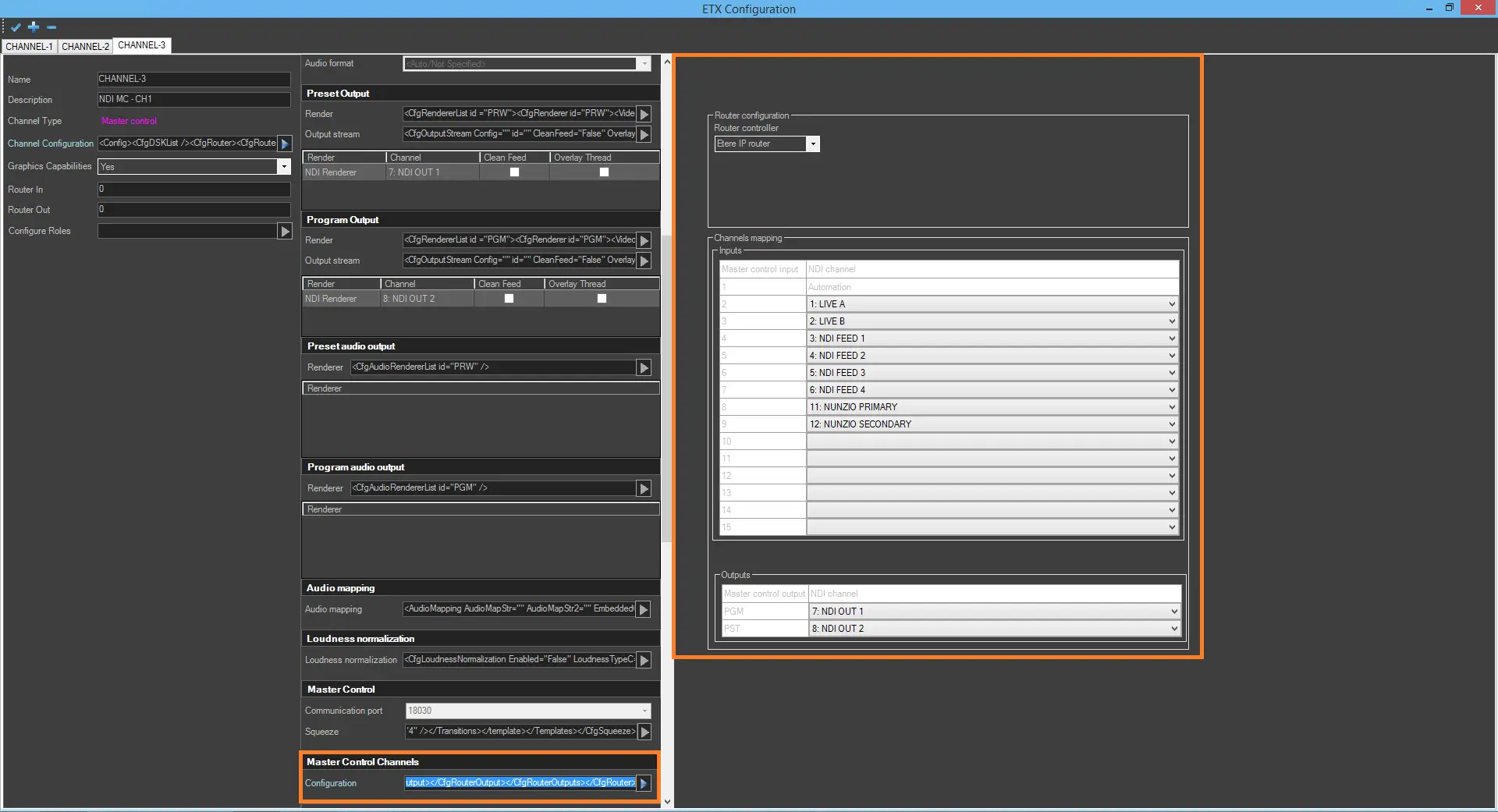 5314_etx_ndi_router
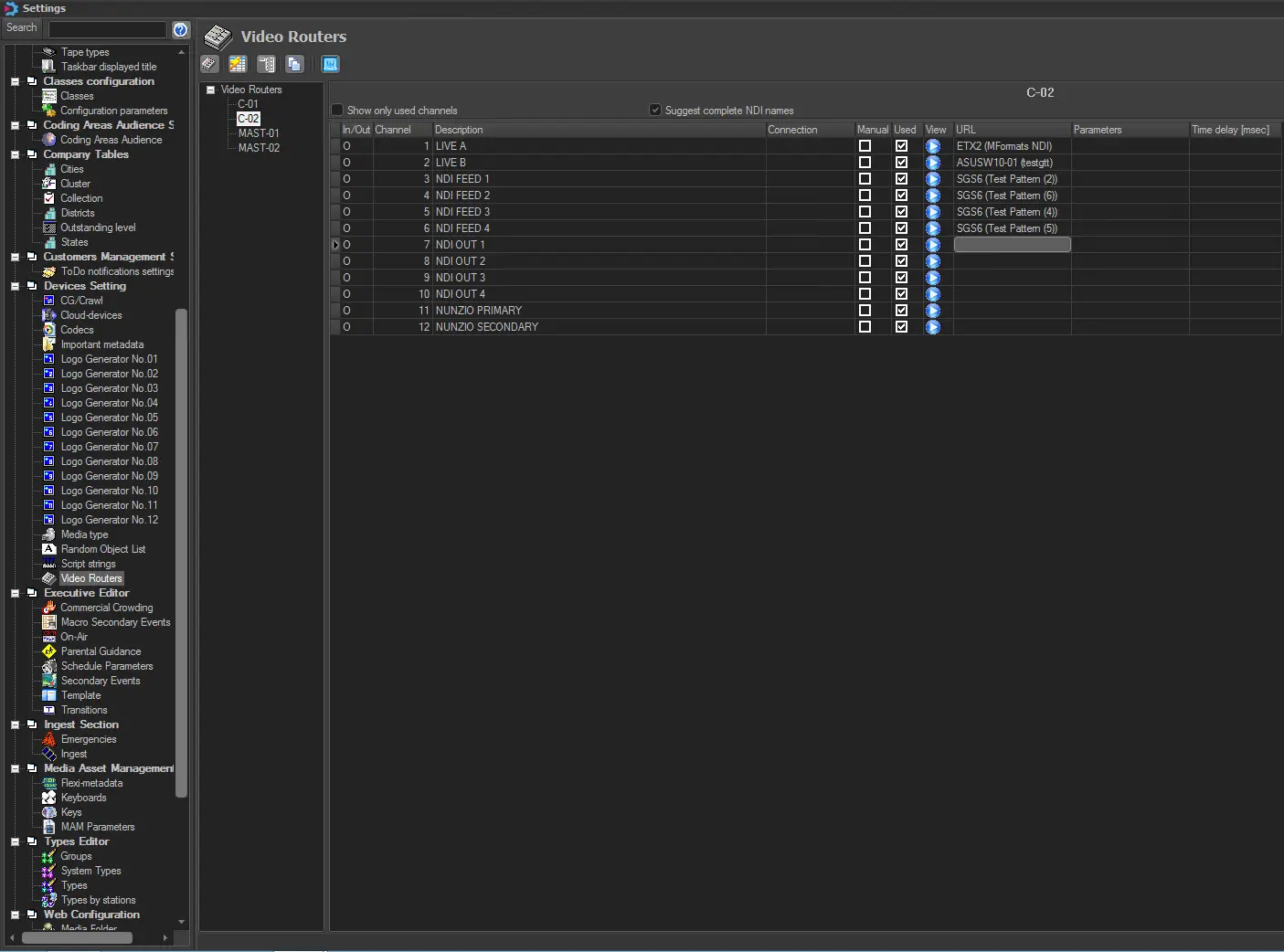 5316_etere_video_router