Advanced Search
9.2.1.3 Media tab
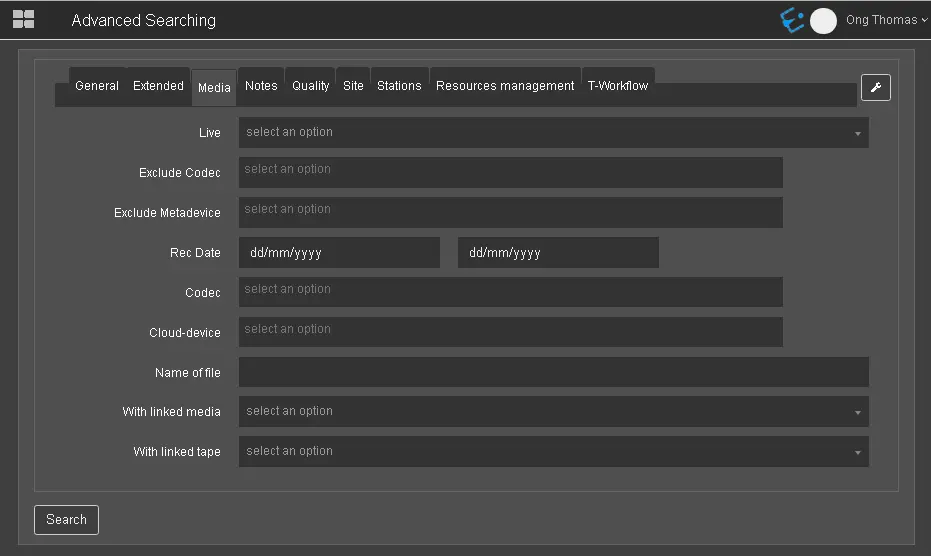
You can search media assets in the Media tab by their media information.
Media_tab
- Live: Indicate if the media asset is a Live event. (Yes / No);
- Codec: Search media assets by one or more selected codecs, e.g. IMX 30, MPEG-4, etc.;
- Exclude meta device: Select a meta device or multiple meta devices to be excluded when filtering, e.g. HIRES, Memory, etc.;
- Rec date: Search media recorded within the specific date range;
- Exclude codec: Select a codec or multiple codecs to be excluded during the search, e.g. DV50, H264, JPEG, etc.;
- Cloud device: Search media in a specific cloud device or multiple cloud devices;
- Name of file: Search media by the name of the media file;
- With linked media: Indicate whether to search assets that are linked to media. (Yes / No);
- With linked tape: Indicate whether to search assets that are linked to tape. (Yes / No).
 Media_tab