84.2.2.9 Snipes - Operation Overview
The "Snipes" function is the interface that allows users to manage the snipes (sets of scripts) associated to scheduled programs imported through the Mediaset's data flow.
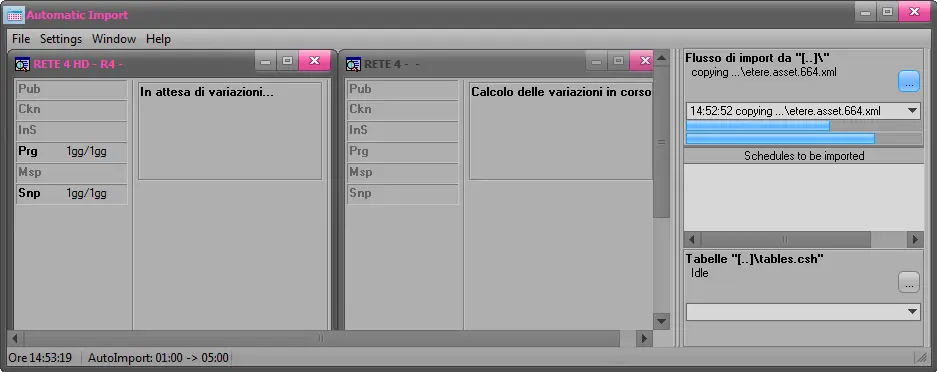
Import Mediaset
1 - The "Import Mediaset" loads into the system the following data flows:
▪Programs data flow (import into the schedule the events to be broadcasted)
▪Snipes data flow (import into the schedule the snipes to be associated to events)
NB: When importing snips to schedule, the import check the presence of paragraph symbol ‘§’ and use it as separator in snips form, if the ‘§’ sign is not found, it use ‘;’ (semicolon) as separator.
2 - Once the data flow is loaded, the "Snipes" system automatically performs the following actions:
▪Link snipes to programs by matching their system id and external code respectively
▪Creates macros (with empty secondary objects) for templates not yet existing in the system
Executive Editor
3 - The automatic insertion of snipes into playlists depends on whether they falls or not into the protected range¹:
Out of protected range
In case snipes have been imported into a day that falls out of the protected range, they will be automatically inserted in playlists and displayed in Executive Editor.
Within protected range
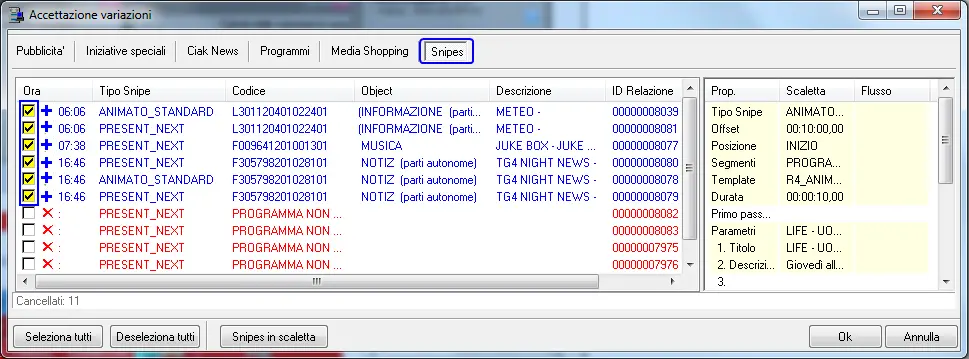
In case snipes are imported within the protected range, it will be required to use the "Changes Approval" tool (Approvazione delle Variazioni) to either add (+) or remove (-) them from playlists, based on the change analysis²:
+ Add: Approve and insert the selected snipe(s) into the playlist, as they exist in the Snipes imported file.
- Remove: Discard and eliminate the selected snipe(s) from the playlist, as they doesn't exist in the Snipes imported file.
¹ : The protected range is set in "Import Mediaset > User pameters > Snipes > Giorni di variazioni", and goes from current day onwards (e.g. A value of "3" means that snipes inserted in the upcoming 3 days will be subjected to a changes approval).
² : The change analysis is performed by comparing scheduled snipes against the file from which snipes data flow is imported.
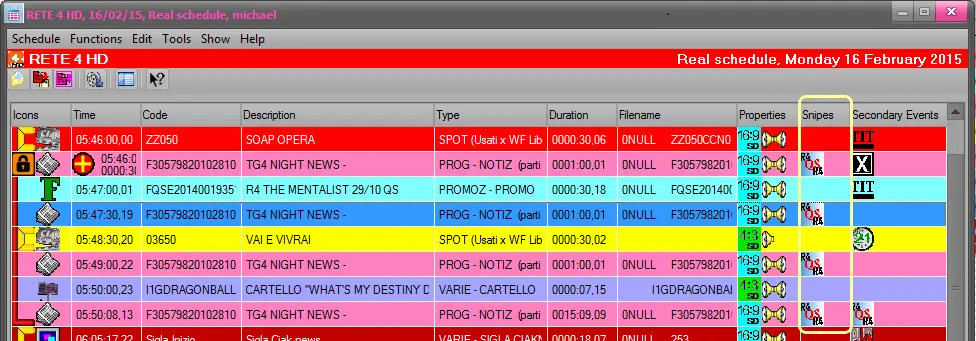
4 - After their insertion, snipes will be displayed -along with their matched programs- in the Executive Editor's playlist under a dedicated "Snipes" column:
¹ : The displayed icon of snipes is the one of the Macro template set in its properties.
² : Secondary events derived from Snipe's macros can be viewed (but not modified) in the Secondary Events bottom panel.
³ : Using the "Insert event with the same external code" contextual function it will be possible to select a program and insert a new program featuring the same external code and snipes.
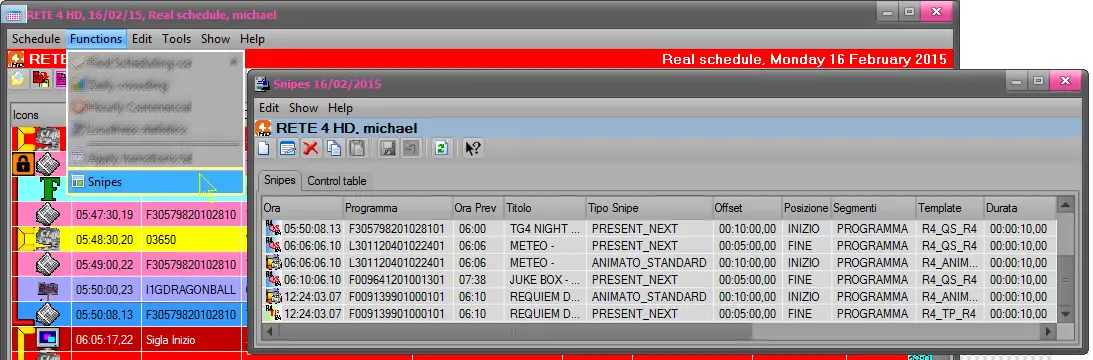
5 - Opening the "Snipes" GUI, under the "Snipes" tab the all snipes available for the current daily playlist will be displayed, allowing users to:
❑Modify existing snipes (e.g. manually match programs)
❑Add new snipes and manually assign them to programs
¹ : Under the "Control table" tab, users can view the snipe's associated events and execution log).
² : After closing the "Snipes" form, the "Apply secondary events as default" is executed to apply snipe's macros to scheduled events.
³ : Once inserted, secondary objects in the schedule will be available as read-only (i.e. they cannot be modified).
STMan
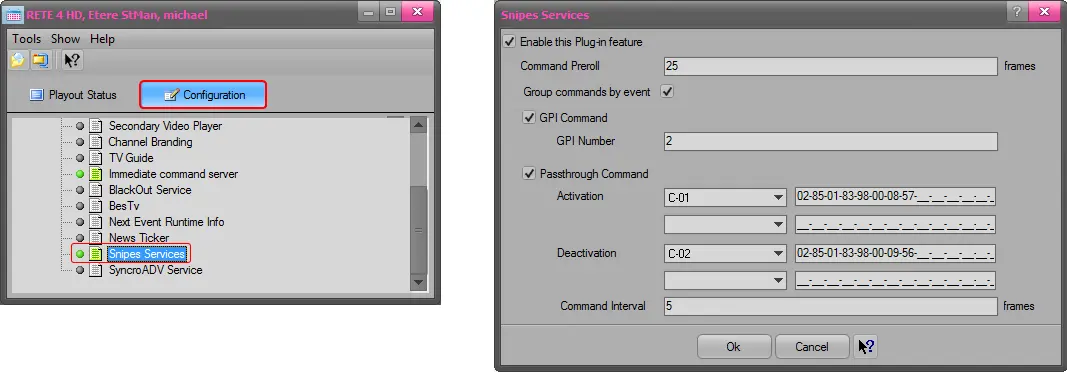
6 - Every time a program is aired by the automation, Etere STMan's snipes service will process the related snipe as below:
▪Activate the snipe at the expected time (optionally triggering a GPI signal and sending a passthru command to a router)
▪Deactivate the snipe at the expected time (optionally triggering a GPI signal and sending a passthru command to a router)
¹ : The Snipes Service plugin must be enabled in Etere STMan (which must be running) in order to execute snipes on the external DSK dedicated to snipes (i.e. disconnected from the master control).
² : In case a snipe (graphic) is manually skipped by a user, the Snipes Service is able to automatically stop its execution on the DSK.
See also chapter:"Important considerations"
 4928_Import_Mediaset
 4926_Snipes
 4925_Executive_Editor.
 4927_Functions
 4929_Snipes_service