Configure Streaming
65.3.5.3 Configure RTSP Streaming
The Real Time Streaming Protocol(RTSP) is a network control protocol used in entertainment and communications systems to control streaming media servers. This protocol is used for establishing and controlling media sessions between two endpoints.
Follow the steps described below to enable streaming using RTSP:
- Launch the Etere ETX Writer module;
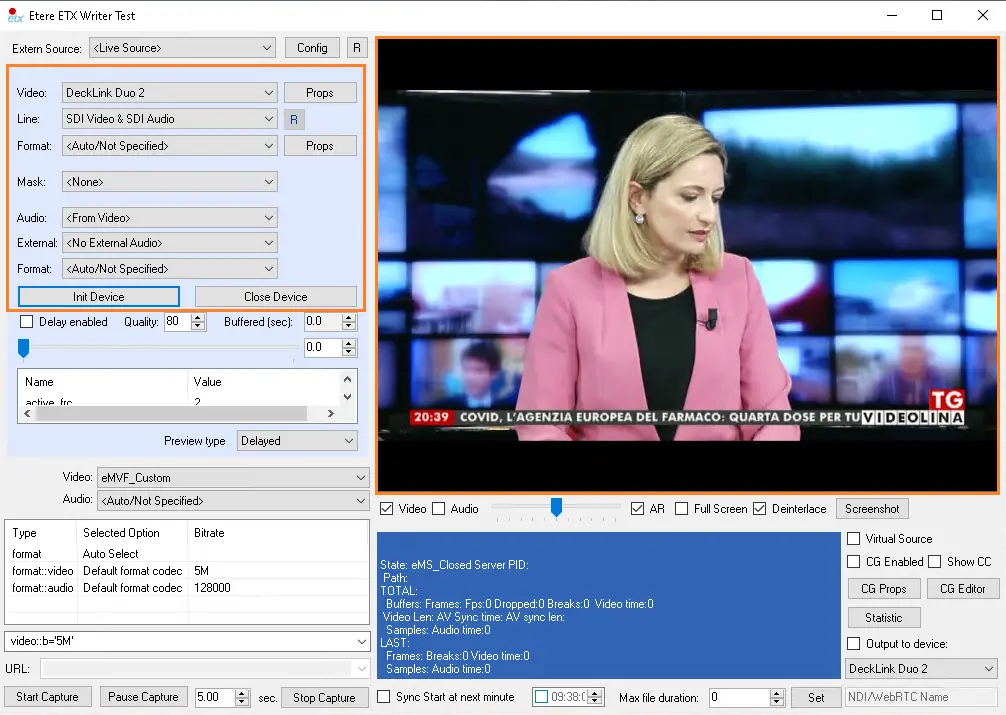
- On the upper left panel, you can leave the Extern Source as default or choose a video file as the extern source (both options will be displayed in the next step). Provide the value for parameters "Video Line", and "Format", and click on the <Init Device> button to play the video file. The image below display video from defaulted Live Source;
etere_etx_writer2
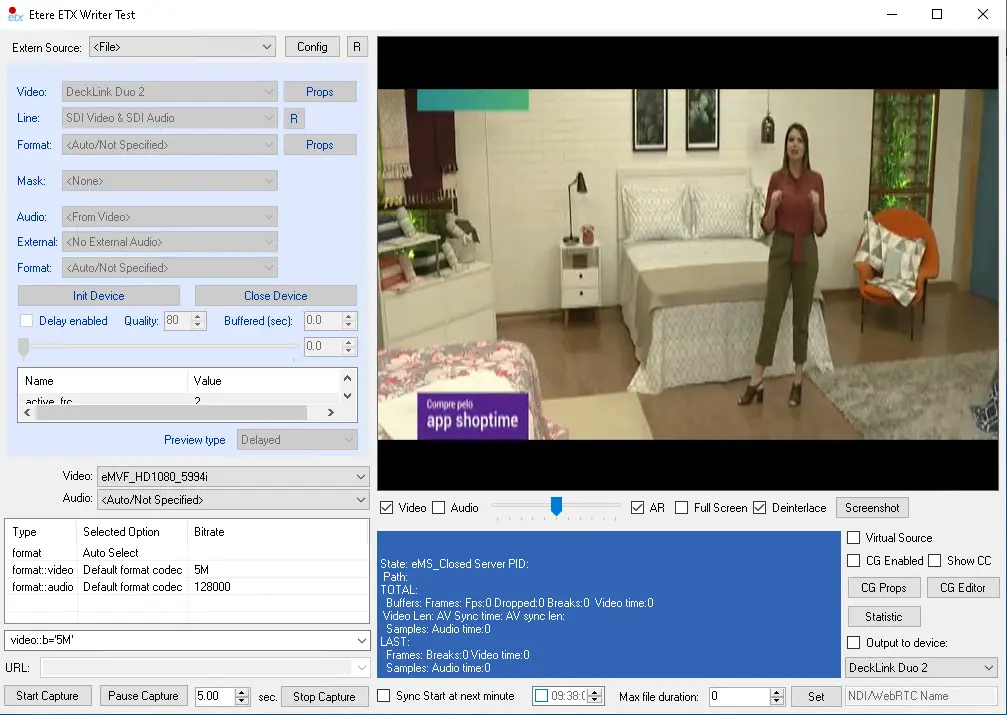
- If File was selected in the Extern Source parameter and a video file was selected for the "Video" parameter, the ETX Writer would read the video file and display the specific video file as shown below.
etere_etx_writer_file
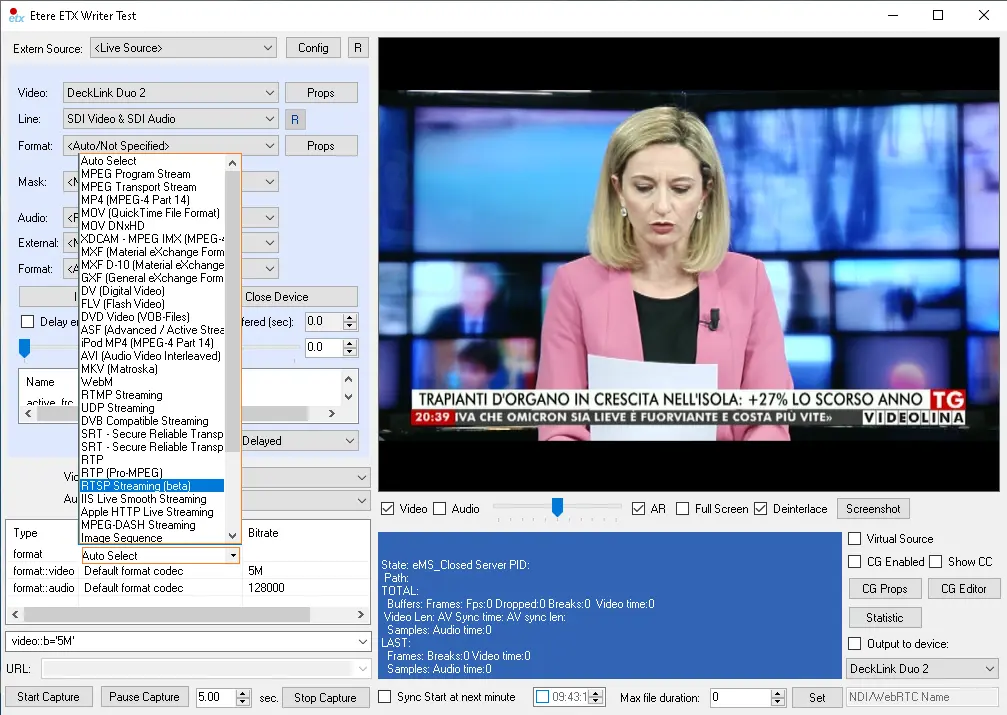
- To enable streaming with RTSP, click the Selected Option column in the lower left panel to display a list of available formats;
etere_etx_writer_rtsp
- From the list of available options, select either RTSP Streaming (beta)
etere_etx_writer_rtsp
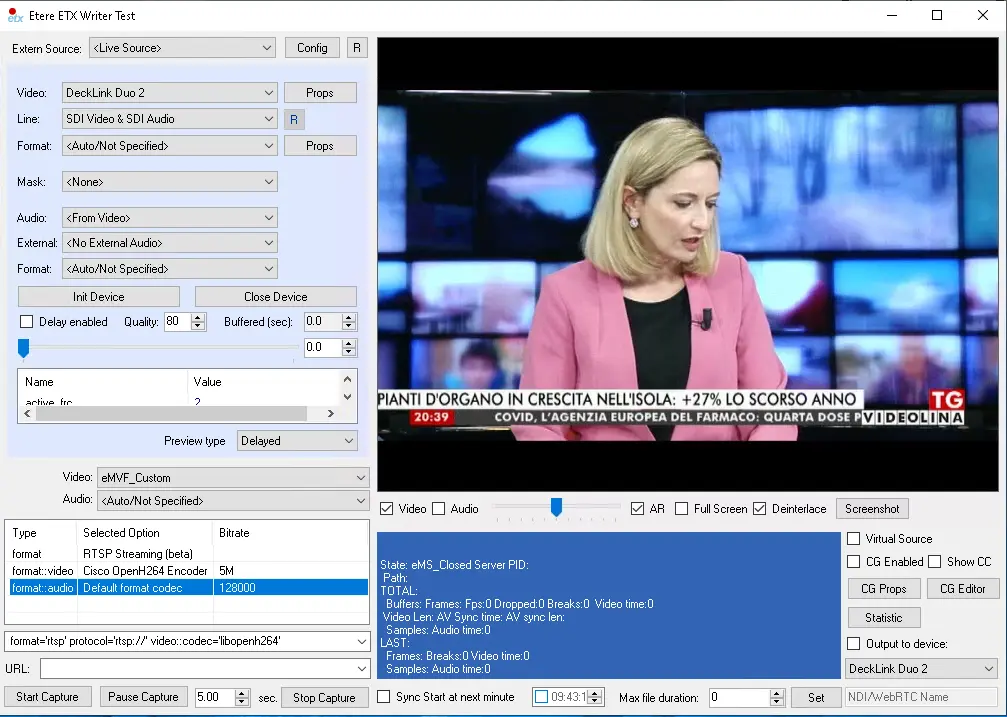
- The selection of "RTSP Streaming (beta)" in the format row 1 would automatically change the settings of video and audio formats in rows 2 & 3, respectively.
etere_etx_writer_rtsp_settings
Note: For RTSP streaming, it requires H264 or H265 encoder video.
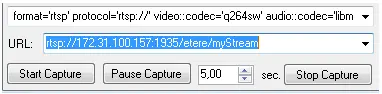
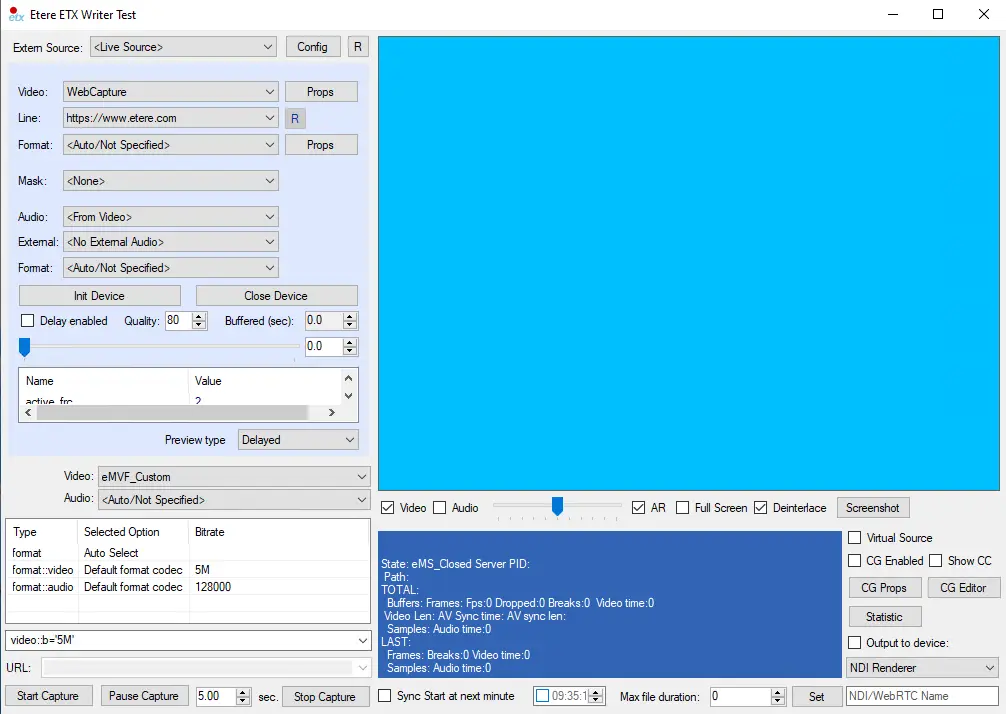
- In the URL parameter, copy the URL from the media server and paste it in the <URL> parameter: URL
- The URL for RTSP / RTMP looks similar, differentiated by protocol:
- rtsp://[serverIP]:[port]/[appname]/[streamname]
Where:
- ServerIP: the IP address of the media server (i.e. the server IP address of the Wowza media server or Adobe media server was installed.);
- Port: network port number used for streaming; RTSP used port 554;
- App name: the name of the application running in the media server;
- Streamname: the stream ID in the media server;
etere_etx_writer
- In the instance where an external media server (i.e. YouTube) is used, the URL would be the URL of the external server;
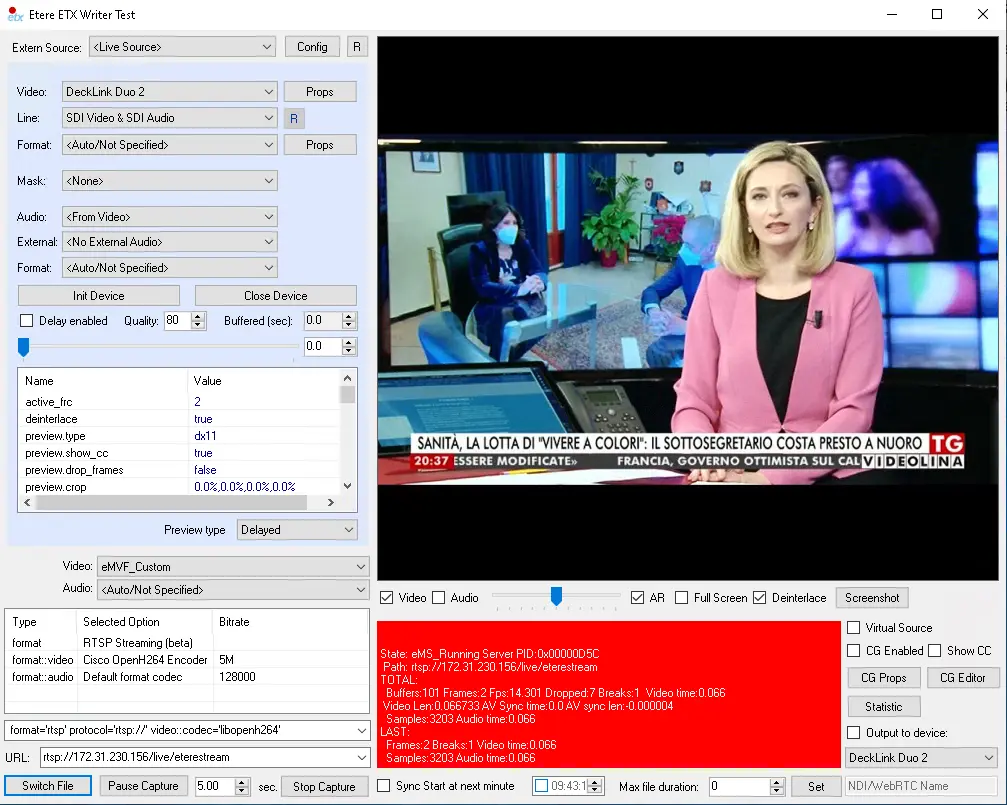
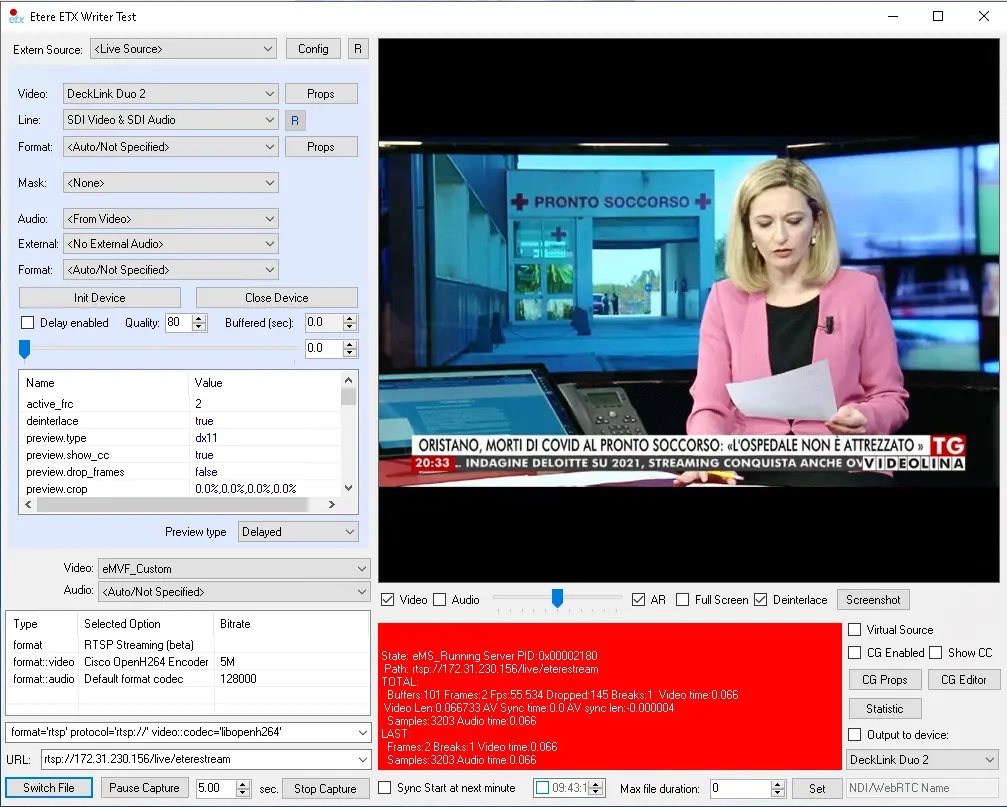
- Click on <Start Capture> button to start streaming;
etere_etx_writer_capture
- Notice the button name changed from <Start Capture> to <Switch File>, which enables you to adjust video files for streaming;
7371_etere_etx_writer_switch
- Moreover, you could also plan for streaming of TTL ("Time to Live") data packet before discarding the packet from the network; add the "?ttl=<value>" in the URL address as:
- rtsp://Server IP: port?ttl=value
Where the value for "TTL" is defined in seconds, e.g. 3600 (1 hour), 7200 (2 hours), 86400 (24 hours), etc.
 Url
Url
 etere_etx_writer_capture
 etere_etx_writer_rtsp_settings
 etere_etx_writer_rtsp
 etere_etx_writer_switch
 etere_etx_writer2
 etere_etx_writer_file
 etere_etx_writer