59.2.40.16 Secondary Events as a default
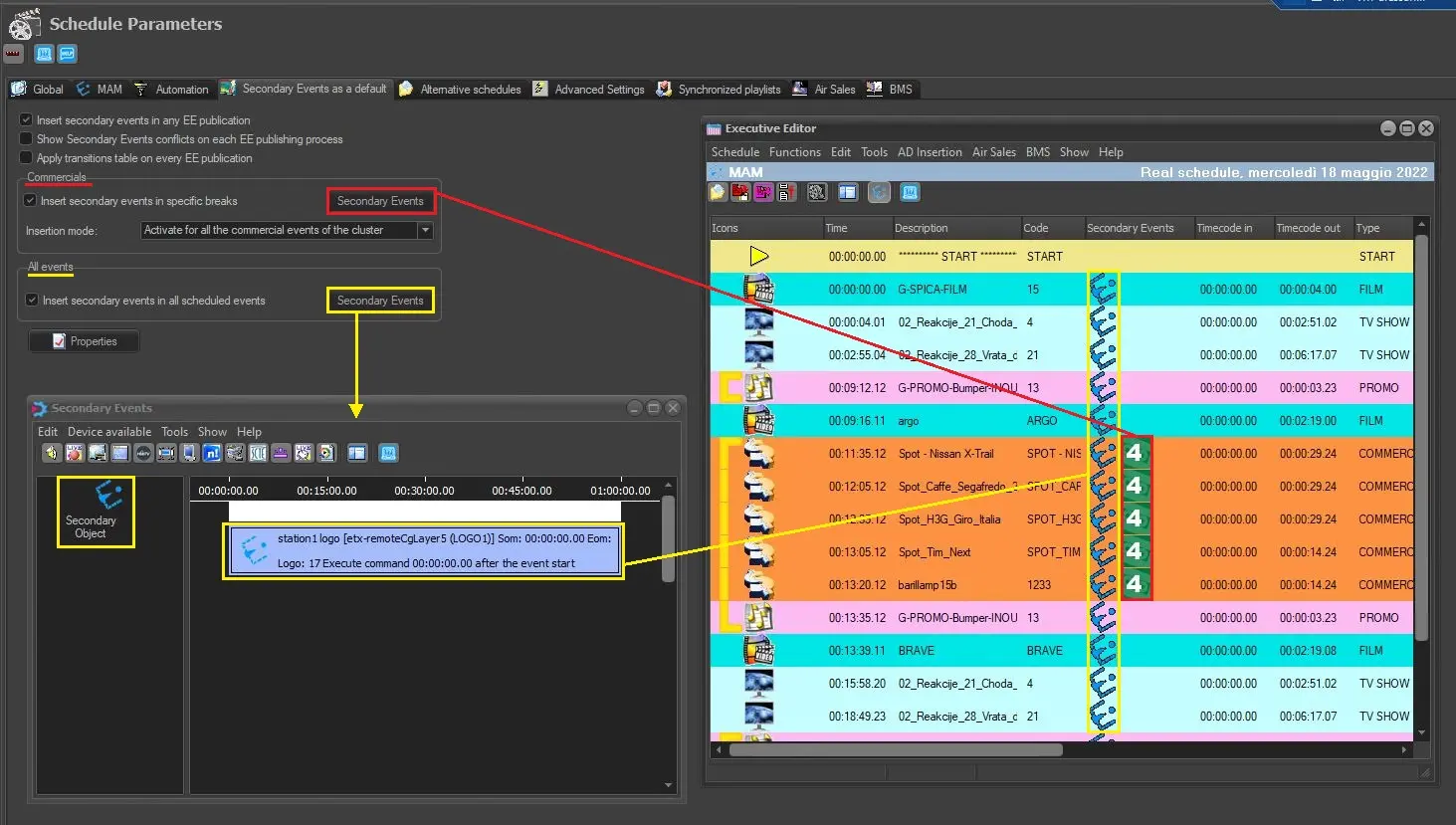
The Secondary events as a default section allows setting the STMan secondary events that will be automatically applied to commercial (and non-commercial) events scheduled for broadcast. The following figure illustrates the automatic application of secondary events to a schedule:
Secondary_Events
Available parameters
The parameters available in this section are listed and described in the following table:
• Insert secondary events in any EE publication: If enabled, secondary events set in this section will automatically be applied to a schedule published on Executive Editor.
Otherwise, if disabled, it would be required to execute the "EE > Functions > Apply Secondary events as defaults" function from Executive Editor.
• Show Secondary event conflicts on each EE publishing process: If it is enabled, the sequences conflicts of all secondary events would be checked, and the form of the detected conflicts would be displayed on each EE publication. Refer to chapter 84.2.4.21 Show Secondary Events Conflicts for more information.
• Apply transitions table in any EE publication: If enabled, transition tables will be automatically applied during publication. If disabled, transitions will be applied manually by users. Transitions between asset types can be set in Etere configuration > Settings > Transitions. Refer to the chapter 59.2.40.29 Transitions for more information.
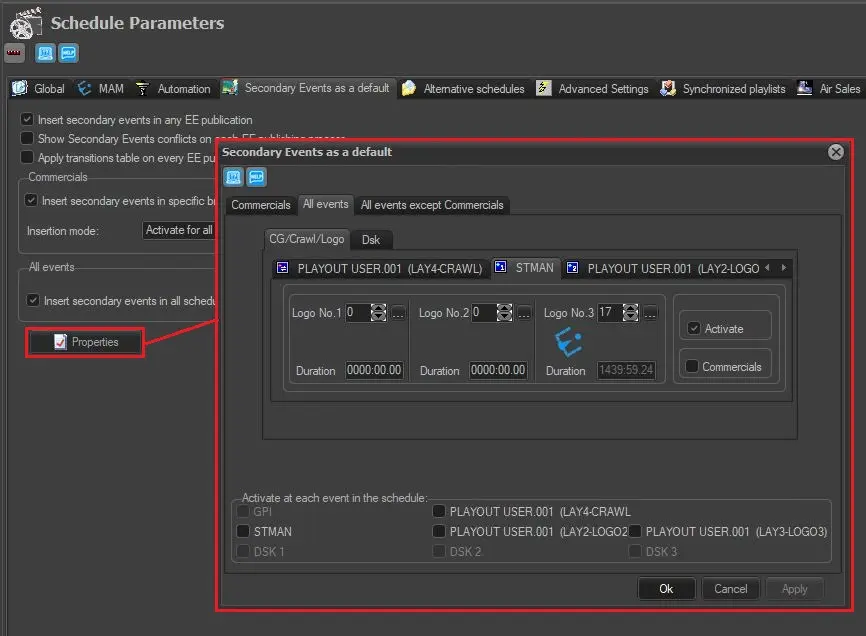
• Properties: The Properties form allows specifying the devices (e.g. CG Crawls, Logos) to be automatically activated for commercials, All events, or All events except commercials.
Properties
Only on Commercials tab, it's possible to select one of the following insertion modes (for selected devices):
- Activate the first cluster event
- Activate all the commercial events of the cluster
- Activate in the first, the central and the last event of the cluster
- Activate in the cluster first and the last event
- Activate in the first and the last event of the cluster
Note: The "All events except Commercials" tab is only available from Etere released version 29 and higher.
Commercials
This section provides the following parameters:
• Insert secondary events in specific breaks: If enabled, secondary events would be applied to all commercial events scheduled to be transmitted. It is possible to select one of the following insertion modes:
- Activate the first cluster event
- Activate all the commercial events of the cluster
- Activate in the first, the central and the last event of the cluster
- Activate in the cluster first and the last event
- Activate in the first and the last event of the cluster
• [Secondary events]: Press this button to open the secondary events form and select the secondary events to schedule.
Note: Commercials are assets which type has the "commercial" property enabled.
All events
This section provides the following parameters:
• Insert secondary events in all scheduled events: If enabled, secondary events will be applied to all events (commercial and non-commercial) scheduled to be transmitted.
• [Secondary events]: Press this button to open the secondary events form and select the secondary events to schedule.
All events except commercials
This tab works the same as the other two but applies the selected secondary events to all events except those with the "Commercial" property set in the asset type.
Apply macro for reruns
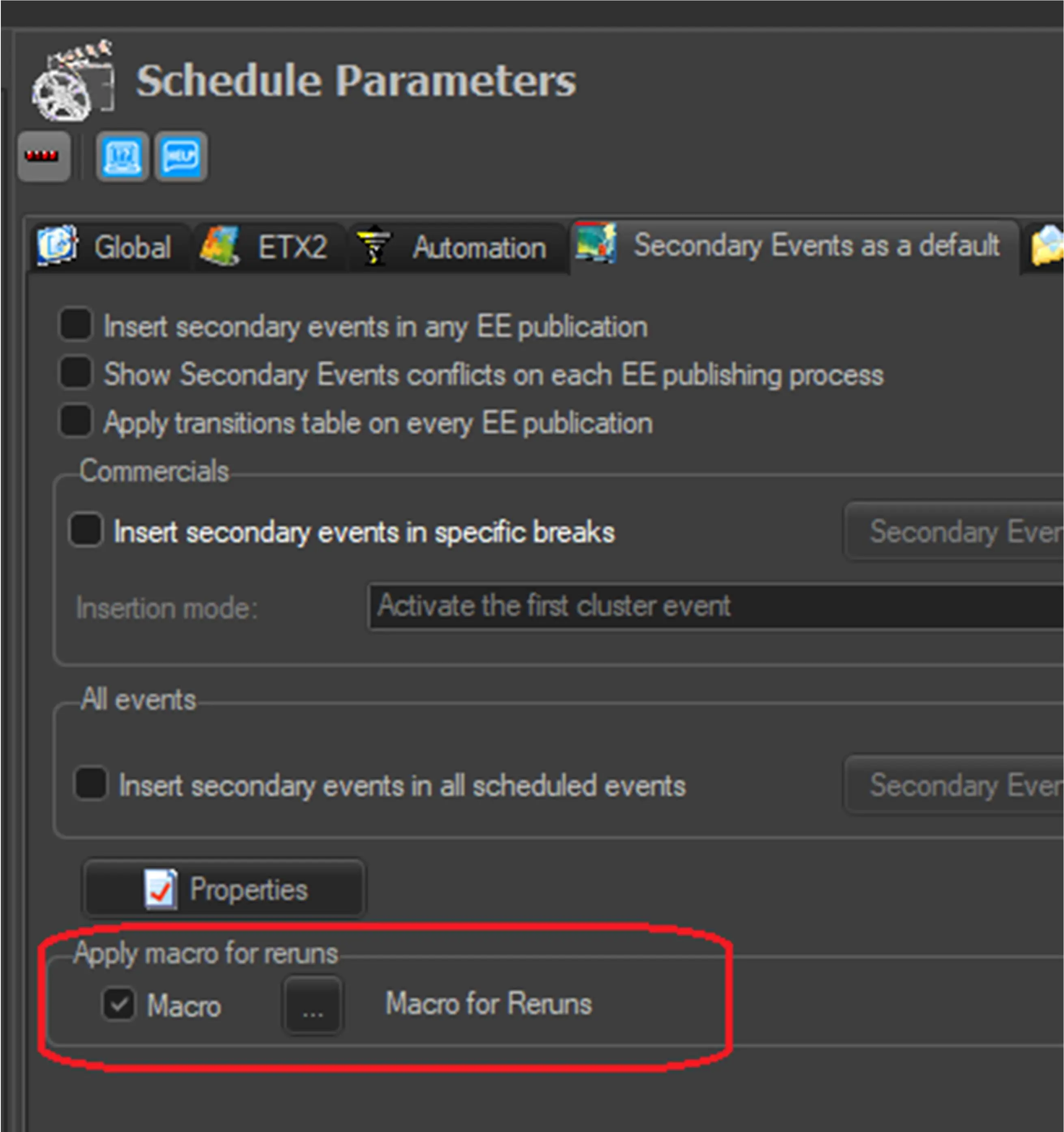
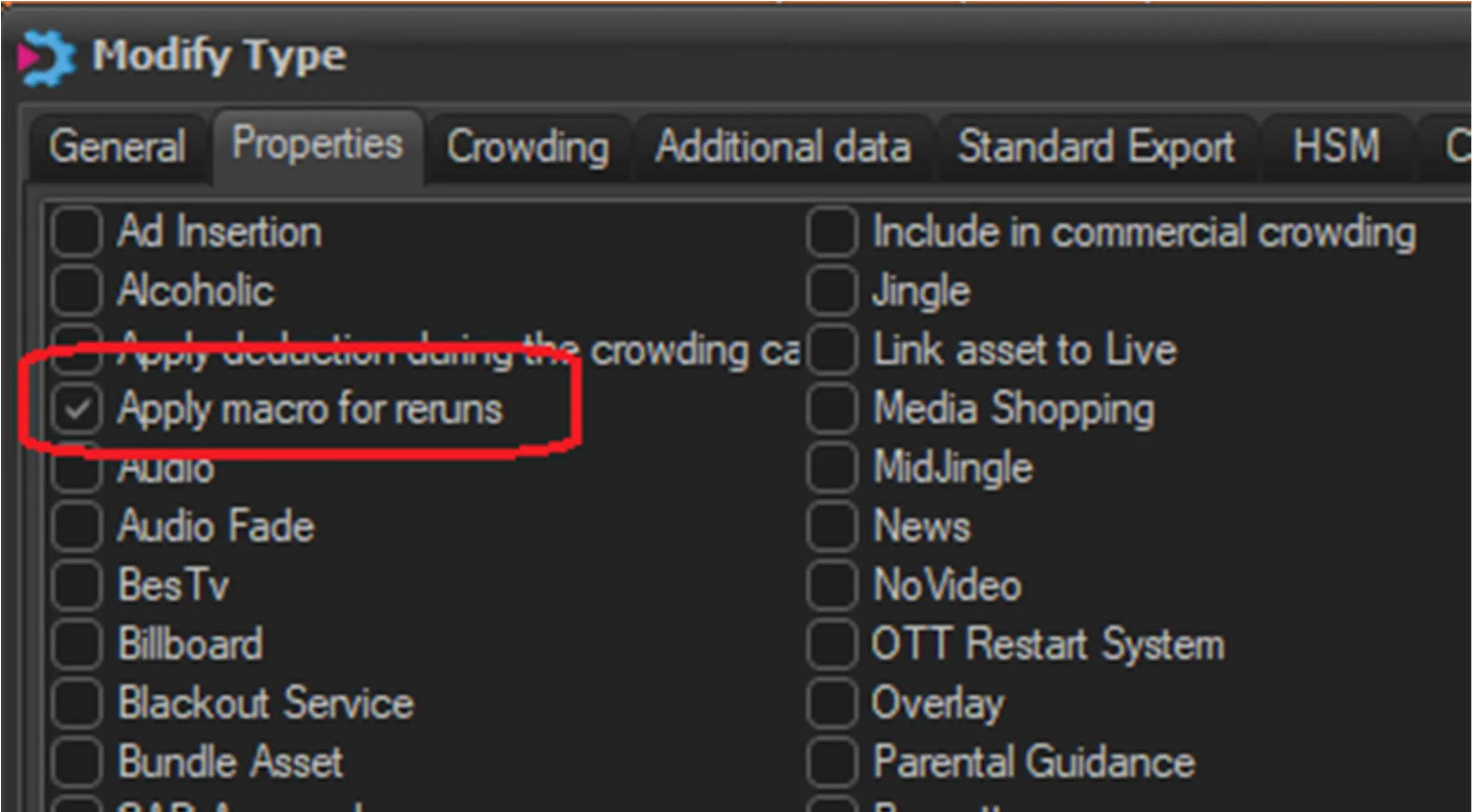
Activate this option to apply a specified macro to the events when running the "Apply secondary events as a default" function in EE. The macro will be applied only to the events which type has the property "Apply macro for reruns" enabled.
Clicking on the button, it's possible to choose which macro should be applied among the ones already configured in Etere Configuration > Settings > Macro Secondary Events. Refer to chapter 59.2.40.5 Macro Secondary Events for more information.
apply_macro_for_reruns
property
 Secondary_Events
 properties
 apply_macro_for_reruns
 property