59.2.4.9 Auto-ARC on Automation
This chapter explains how to configure the execution of the conversion profiles required for transmitting scheduled assets by enabling either the triggering of GPI signal combinations or the use of embedded ARC capabilities.
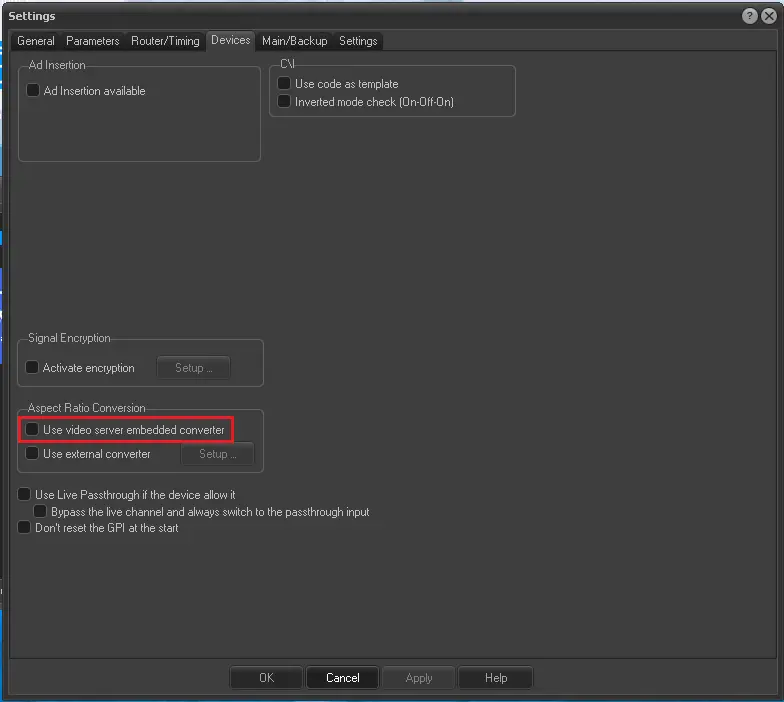
Internally (Embedded conversions)
Your video server (e.g. MTX) has an integrated Aspect Ratio Converter. In that case, it is suggested to select the "Embedded ARC" option (rather than the GPI-triggered conversion) to automatically perform required conversions internally.
Embedded_ARC
Externally (GPI-triggered conversions)
Etere Automation allows configuring GPI signal combinations to trigger (e.g. on an external device) the ARC profiles that will convert the aspect ratio of a media before its playout.
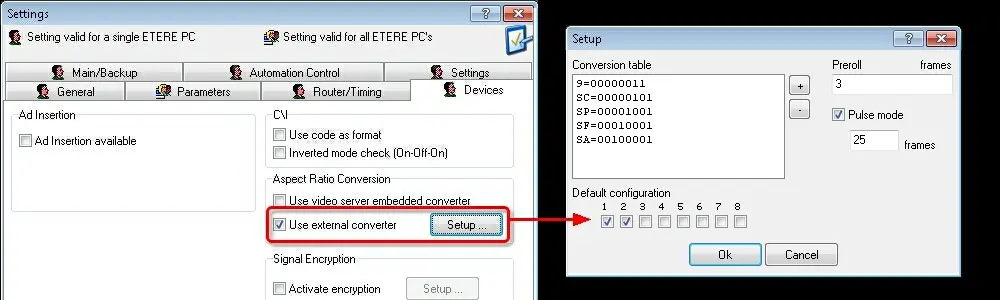
This feature can be enabled and configured under the Etere Automation > Settings > Devices section as described below:
1. Enable the "Use External converter" option and click the [Setup] button to start adding ARC profiles to the conversion table:
External_converter
2. A setup form will open, allowing you to set the following data:
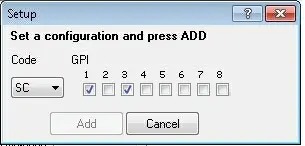
Conversion table - The conversion table contains all the ARC profiles enabled to be executed through GPI signal combinations. To configure a new ARC profile, press the [+] button and set the following data:
setup_GPI
Code - Specify the code of the ARC profile to be enabled for GPI-triggering. All the Default ARC Profiles supported by Etere would be listed.
GPI - Select the signal combination to be used to trigger the execution of the ARC profile.
Once done, press the [Add] button to insert the profile in the conversion table. Repeat the instructions to continue adding ARC profiles as required.
NB: GPI boards must be assigned to the current user for "automation".
Default configuration - Set the signal combination to be triggered by default in case none of the configured conversions is selected.
Preroll - Optionally, set the advance (in frames) concerning the playout with which GPI signals should be triggered.
Pulse mode - Optionally, set the duration (in frames) with which the GPI signals will be sent.
3. Once GPI signal combinations are configured, press the [Apply] button to confirm settings.
4. Now, Etere Automation would allow selecting and using only profiles configured above.
Selecting ARC profiles
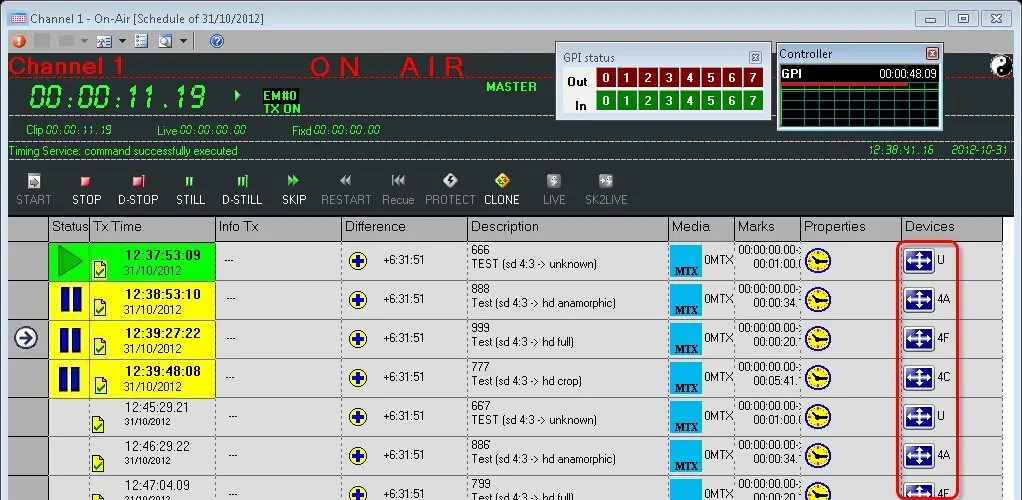
Etere Automation will display the ARC Conversion of scheduled assets under the "devices" column of the automation playlist:
Selecting_ARC_profiles
During the playout, Etere Automation will automatically activate the GPI signal combinations that trigger the conversions required by scheduled assets (either internally or externally). Moreover, it's worth mentioning that the aspect ratio can be changed through the Remote Control Panel.
 Embedded_ARC
 External_converter
 setup_GPI
 Selecting_ARC_profiles