92.1.5.1 First time configuration
The EA1790 Control Panel integrates an embedded MiiNePort E1 module for adding serial-to-ethernet network connectivity, allowing EA1790 Control Panel to be directly connected to a TCP/IP network.
Before using the EA1790, it is required to configure the MiiNePort E1 module as explained in the procedure below:
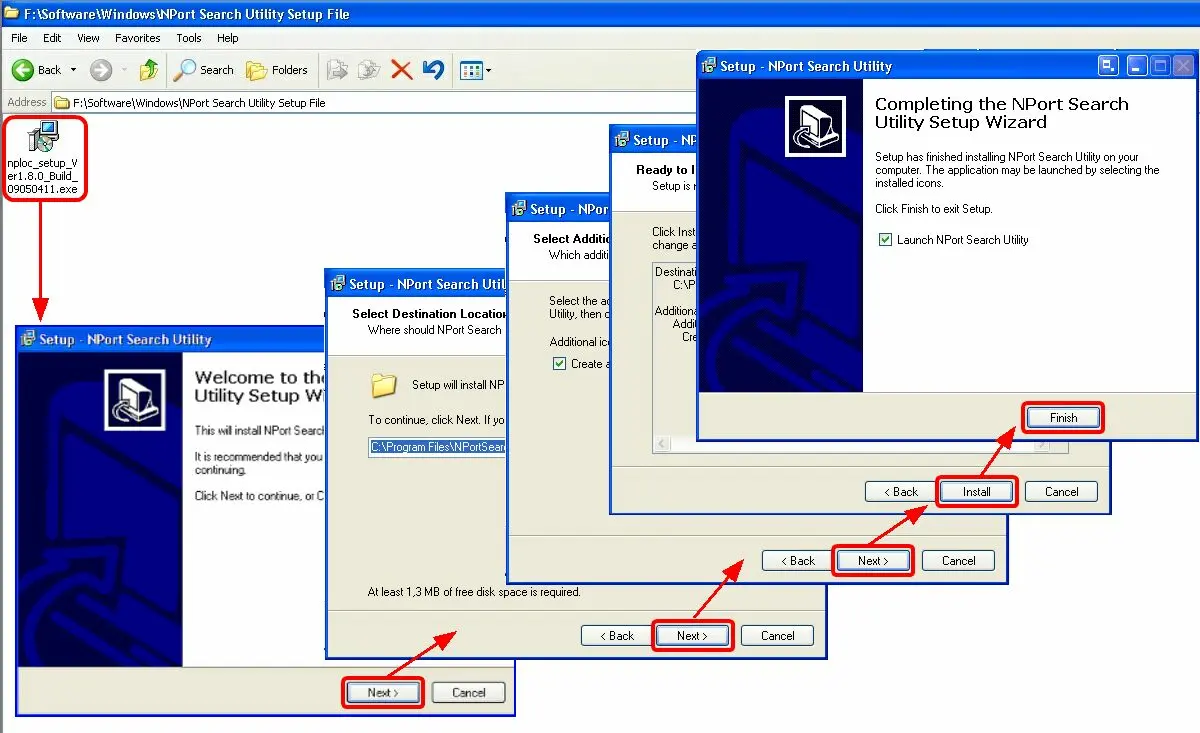
Set an IP address for the device 1. Install the NPort Search Utility¹ software and follow the installation wizard to complete the installation.
Setup_NPort_Search_Utility
¹ : The NPort Search Utility can be found in the CD delivered together with EA1790 Control Panel.
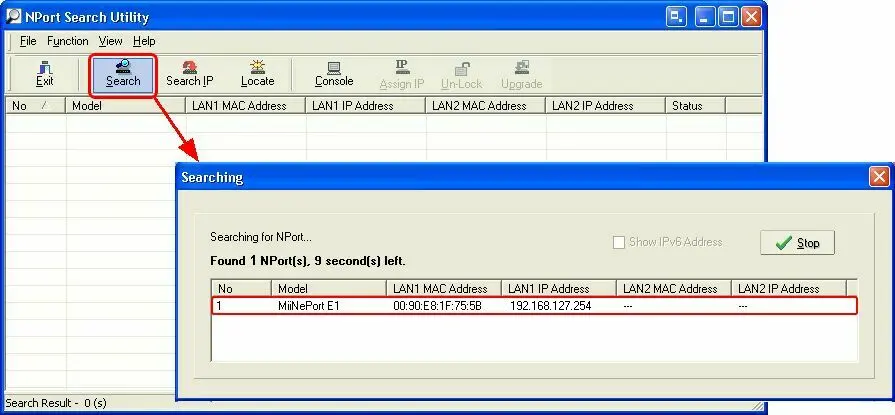
2. Start the NPort Search Utility program and press the [Search]¹ toolbar button to list all MiiNePort E1 modules connected to the same LAN as the computer:
NPort_Search_Utility
¹ : The "Search" function locates by MAC address (not IP address) of all MiiNePort E1 modules connected to the LAN, regardless of whether or not they are part of the same subnet as the host.
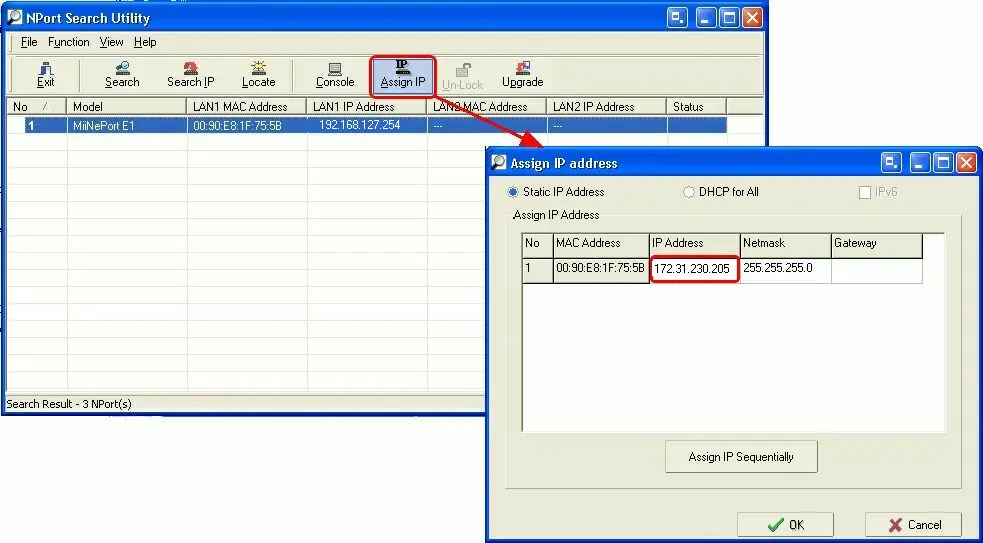
3. Press the [Assign IP] button to change the default IP address2 of the module into another address:
Assing_IP_address
2 : The default private IP address of the MiiNePort E1 modules is 192.168.127.254; the default netmask is 255.255.255.0 and the default gateway is blank.
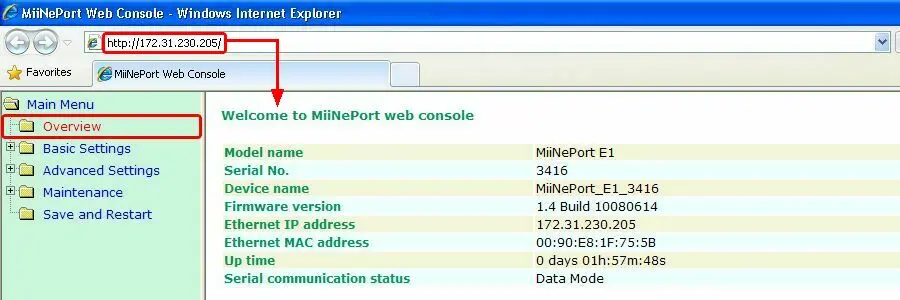
Configure the device 4. In order to start configuring the device, double-click on it, the web browser would be activated with the MiiNePort Web Console:
MiiNePort_Web_Console
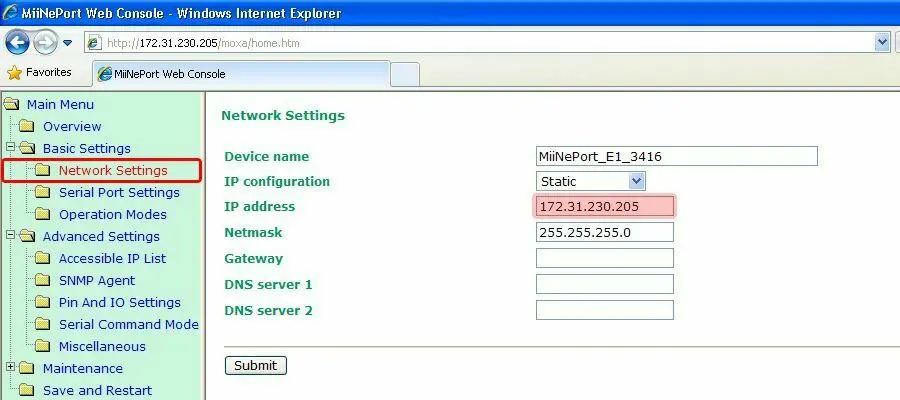
Note: This module can be accessed at any time by opening Internet Explorer and entering the IP address assigned to the device (e.g. 172.31.230.205).
5. Navigate to the 'Network Settings', it is possible to optionally change the network device name as well as its IP address (e.g. 172.31.230.205). Once done press [Submit].
Network_Settings
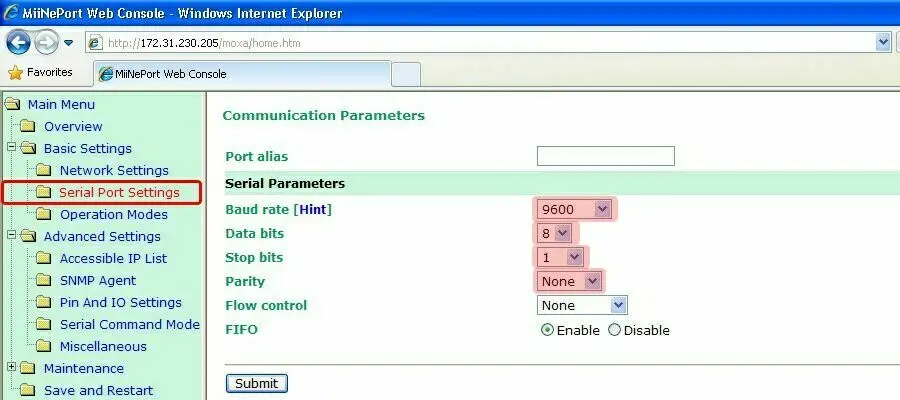
6. Navigate to the 'Serial Port Settings' section and set the following fields and press [Submit]:
Serial_Port_Settings
Baud rate - 9600
Data bits - 8
Stop bits - 1
Parity - None
7. Next, navigate to the 'Operation Modes' section and set the following parameters, then press [Submit]:
Operation_Modes
Mode - TCP
Role - TCP Server
TCP alive check time - 1 (lowest value)
Max. connections - 2
Local TCP port - 4001
8. After you have finished, press the [Save and Restart] button for the new settings to take effect.
9. At this point the module is ready to be used.
 NPort_Search_Utility
 MiiNePort_Web_Console
 Serial_Port_Settings
 Setup_NPort_Search_Utility
 Assing_IP_address
 Network_Settings