72.7.2.7 Compare subtitles
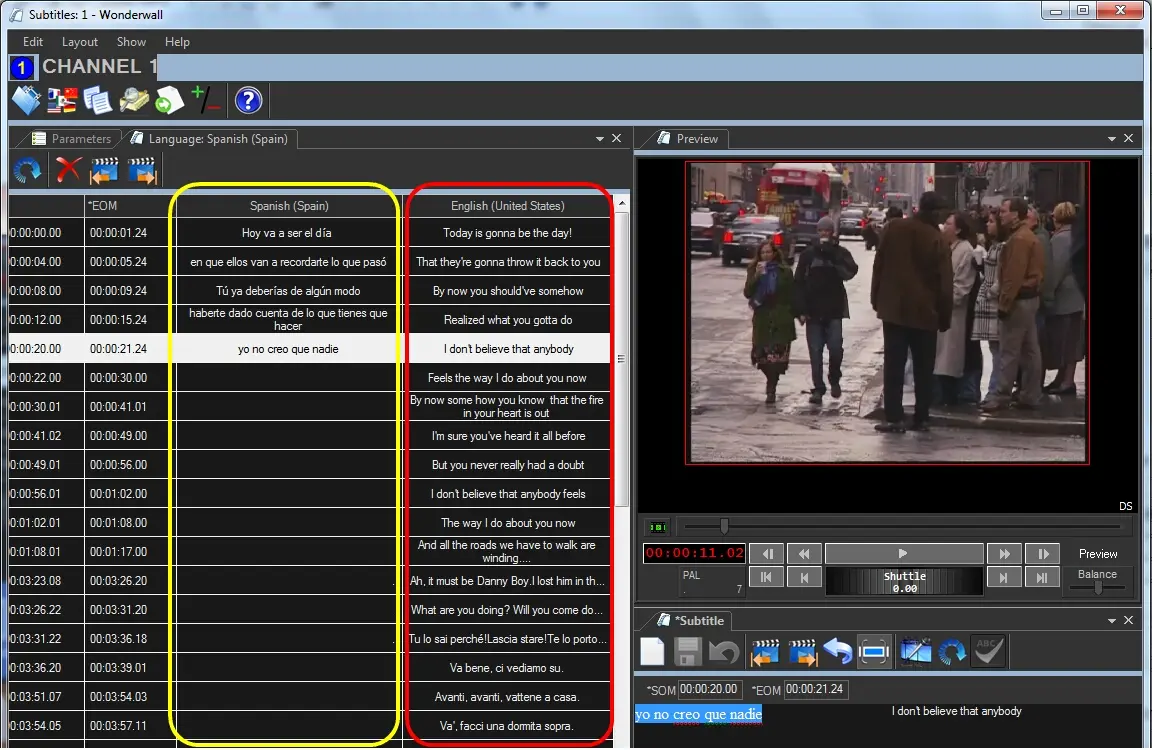
The Compare feature (selected when opening a subtitle) allows to simultaneously visualize subtitles from two different languages, thus enabling the operator to easily produce new subtitles from existing ones or just verifying their correctness:
Compare subtitles
The way subtitles are compared depends on whether the first language has subtitles or not:
If first language already has subtitles - In case the first language already contains subtitles, the second language column (to compare) will display the entries related to the first language (i.e. with matching timecodes).
It's important to note that in order to compare two subtitle entries, they must have the same timecode marks (i.e. SOM and EOM), otherwise the comparison won't be possible.
If first language still doesn't have subtitles - In case the first language doesn't contain subtitles, the first language column will display empty entries with the same timecode marks (SOM and EOM) as the second language (to compare), thus allowing quick subtitling (e.g. translation of existing subtitles).
NB: The Compare function read the second language subtitles and translate the subtitles into first language subtitles, thus amendment to second language subtitles is prohibited.
 Compare_subtitles