79.4.6.3 Using Rundown Template
Once the Rundown template is created, you can recall the template when creating a new Rundown.
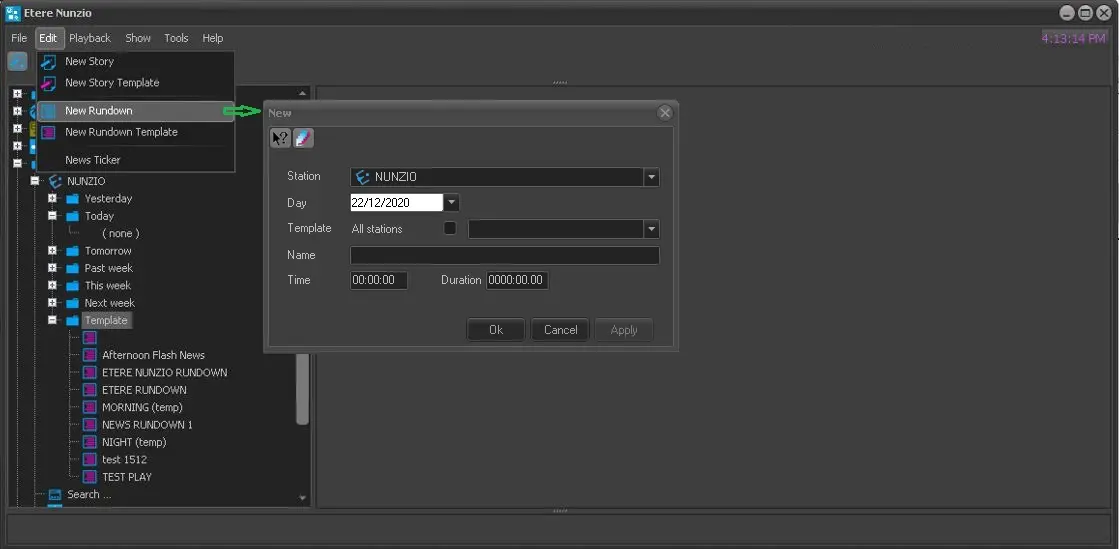
From the main menu, click on Edit menu and select New Rundown to create a new rundown.
4781_New_Rundown
In the dialogue, select the rundown template you had created previously in the Template parameter, assign a name to the rundown and specify the start time and duration of the new rundown.
Click <Apply> and <OK> to confirm the creation of rundown.
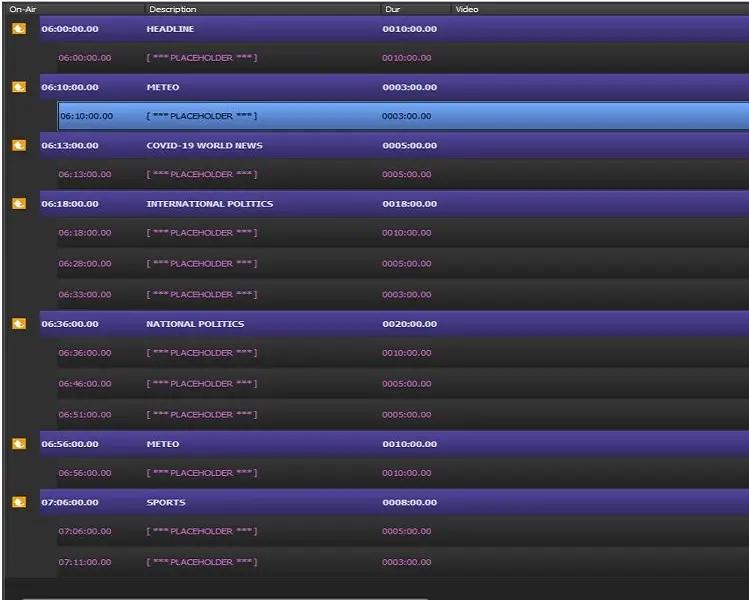
The previously created rundown template would be retrieved in the Rundown.
4782_On-Air
Next, you can start inserting story into Rundown using one of the following methods:
- Simply double-click on Placeholder and create a new story in the placeholder, the story in placeholder can be replaced later when the story is created and saved.
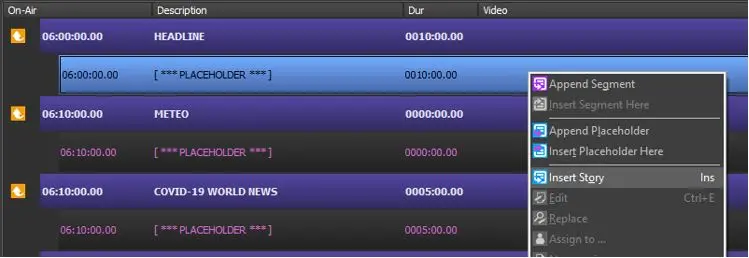
- Or, you can right-click on placeholder and insert a existing story using the Insert Story feature.
4783_Insert_Story
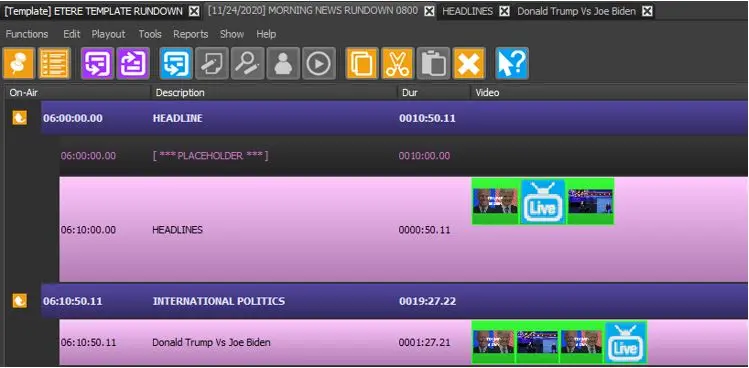
A Search form would popup where you can search the existing story in database and insert into placeholder. The selected story would be inserted below the specific selected placeholder.
4780_Rundown_story_inserted
Moreover, you can use the Insert Placeholder Here feature to insert additional placeholder in the Rundown.
 New_Rundown
 On-Air
 Insert_Story
 Rundown_story_inserted