79.9 Etere Nunzio Videoserver Playout
Etere Nunzio is able to controls and integrate with the major standard Video Server in the market, such as Harmonic for instance.
INITIAL CONFIGURATION
INSTALLATION
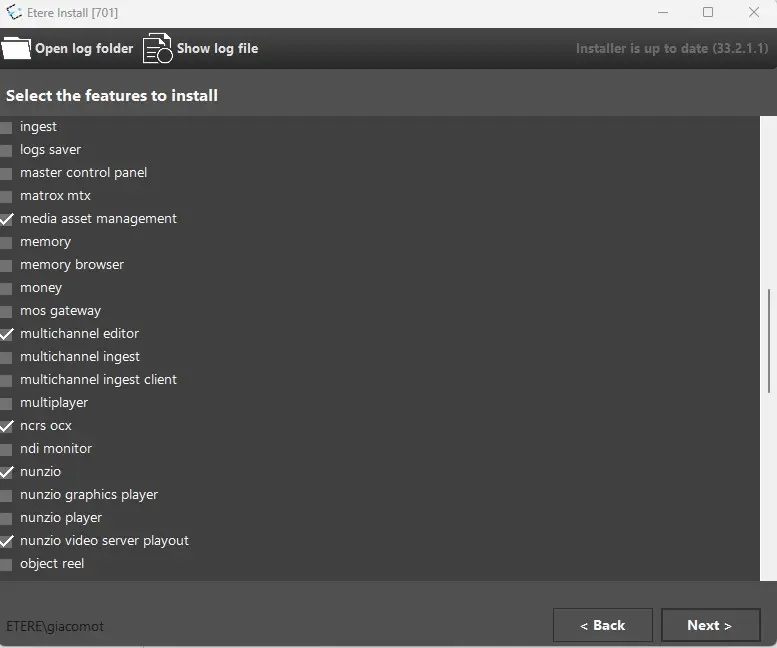
In order to start using Etere Nunzio in such environments, start by performing the Etere Nunzio Video Server Playout installation by running Etere Update module and select the given option.
playout_installation
CHANNEL CREATION
Once the software has been installed, we can start the first configuration of the channels.
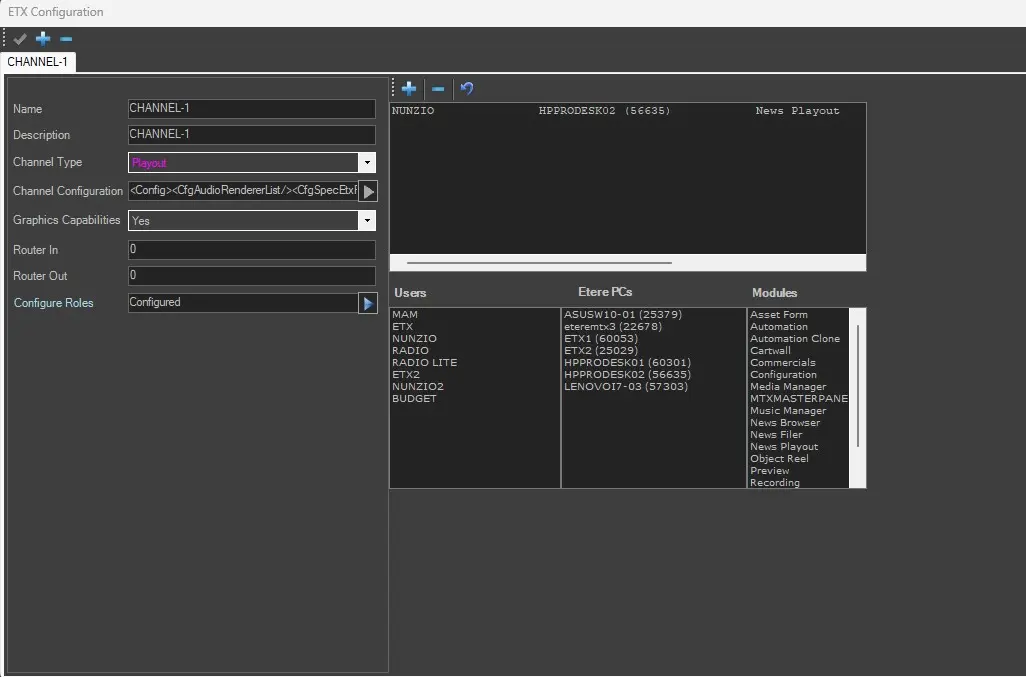
Starts by creating the proper channel in Etere Configuration > Resource Editor.
The role is required in order to let the application run as expected;
channel_config
CHANNEL CONFIGURATION IN NUNZIO PLAYOUT
Once the channel has been configured, we can start the Playout Configuration right inside Nunzio Playout form:
- Open Nunzio Playout;
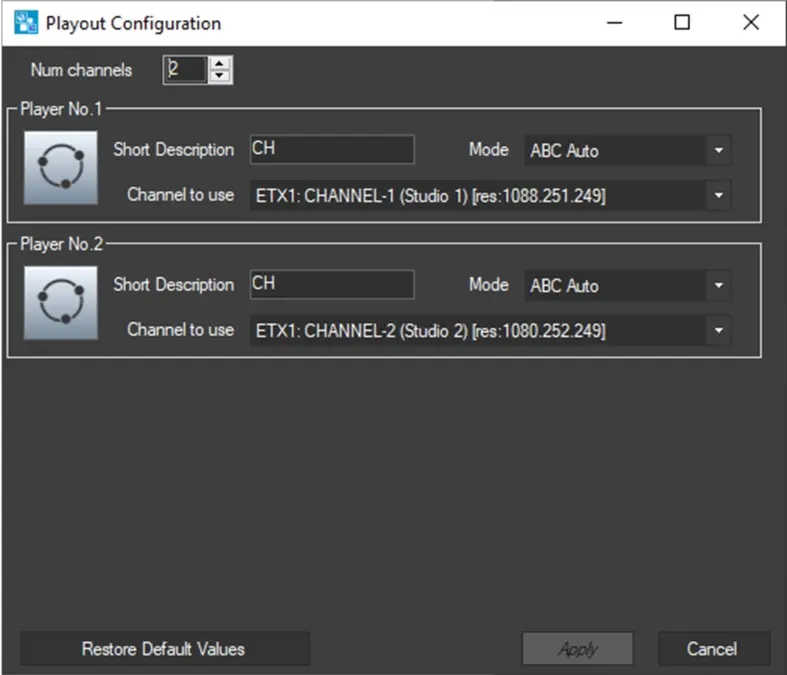
- Go to Settings > Playout Configuration where the following settings are available:
- Num channels: select the number of channels to configure(by default is 2);
- Short Description: Select a short description for the given channel;
- Mode: Select the Channel Mode:
- ABC Auto: videos will be allocated in the Nunzio Playout GUI in order of channels insertion;
- Secondary: Channel will be used to air Secondary Videos only;
- Manual: will allows the manual playout of a video.
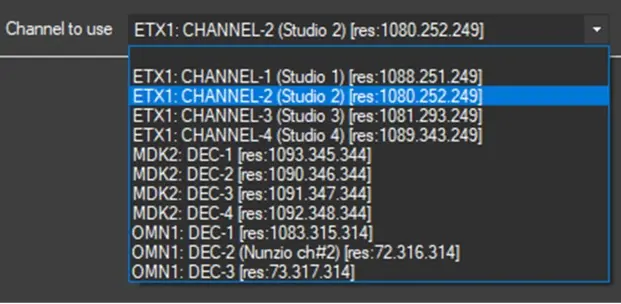
- Channel to use: Select the previously created Channels
select_channel_2_use
channel_2_use
Once the configuration has been done, we can start using Etere Nunzio Playout along with our OMN Videoserver Channels.
 playout_installation
 channel_config
 select_channel_2_use
 channel_2_use