19.2 Installing Web Services API
The installation of EtereWeb Service API is embedded into Etere Installer (from version 29.3 onwards) main menu to automate the Web API installation process. Similar to the Etere Web setup, the installation is an independent process.
Note: When setting up Etere Web Service API on a workstation, the workstation must be installed with Internet Information Server 5.1 or higher and Windows XP Operating System or higher.
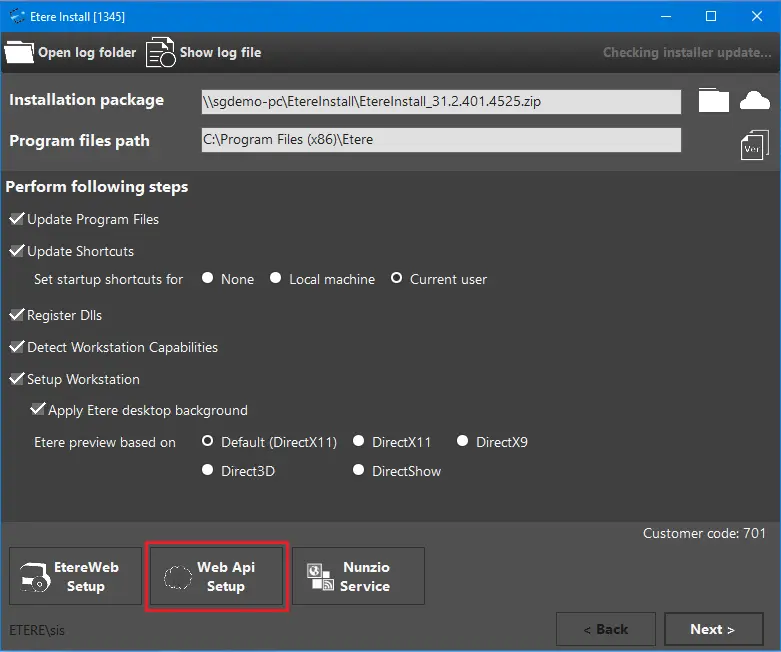
First, launch Etere Installer and click on "Web API Setup" to open the Setup dialogue box.
Etere Install
Note: If both "EtereWeb Setup" and "Web API Setup" used port 80 (default port) for communication with SQL Server, both set up cannot be run concurrently; else, one of the setups would fail.
Note: Before Web API setup, Etere application modules must be installed and configured in the workstation.
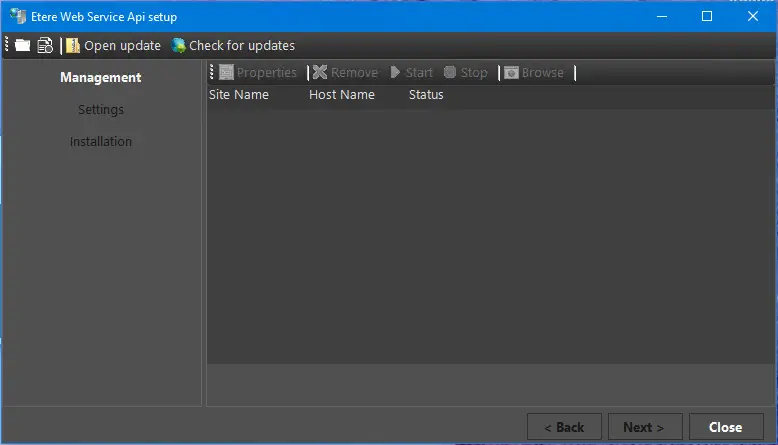
The initialization process is started to launch the Etere Web Service API setup wizard. The setup must be run from the server you want to install or previously installed. You would need Administrator privileges to proceed with the design.
Etere Web Service API setup 1
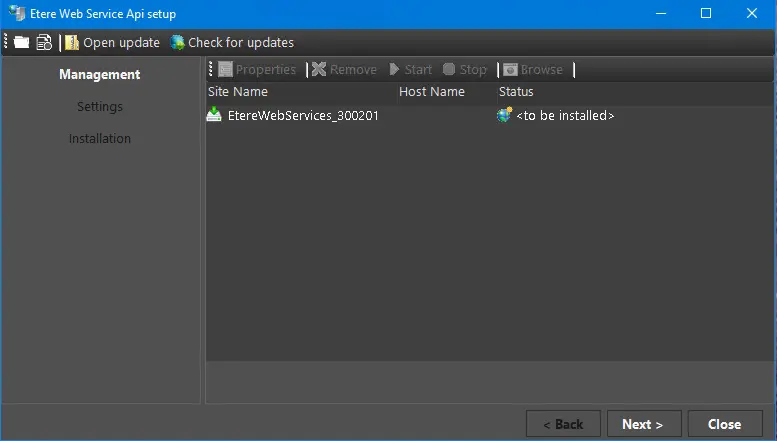
Any installer available for installation is displayed under the "Site Name" column. Select the desired installer and click the <Next> button to proceed. The installer is named "Eterewebservices_xxxxxx.zip", where "xxxxxx" indicates the version release number.
Etere Web Service API setup 2
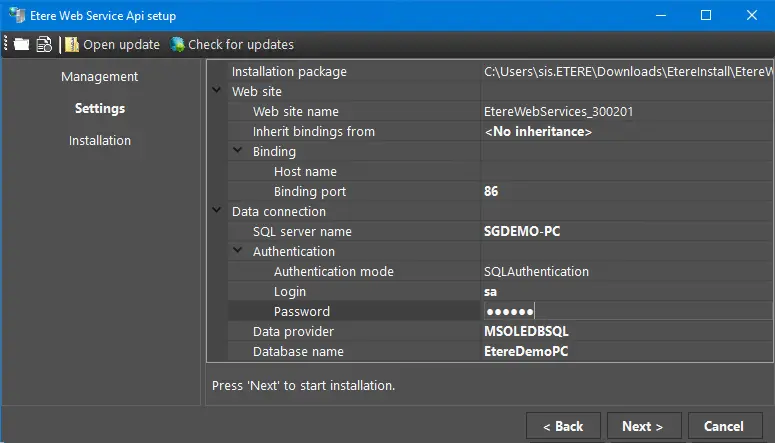
From the Etere Web Service API setup dialogue, verify the properties defined under Settings.
Etere Web Service API setup 3
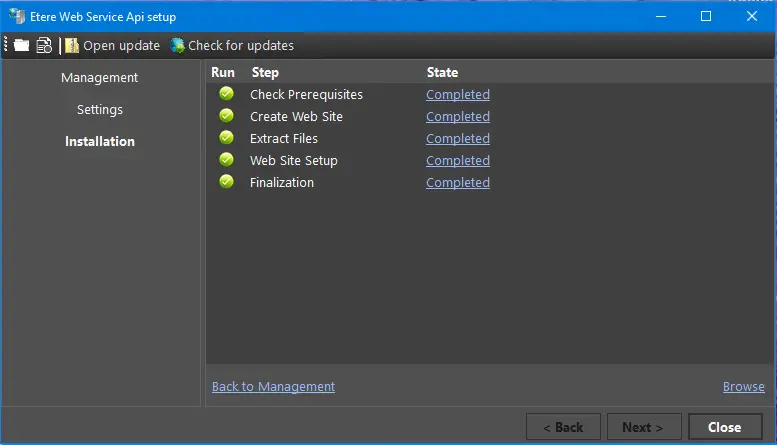
Click the <Next> button to start the installation if no changes are needed. The installation processes are displayed on the screen. When the installation is completed successfully, click the <Close> button to exist from the Setup dialogue.
Etere Web Service API setup 4
WARNING: When executing EtereWeb or EtereWeb API installation, the installer uses default port "80" for binding; if an application is previously configured using the same port, the application will be stopped.
 5114_Etere_Install
 5115_Etere_Web_Service_API_setup_1
 5117_Etere_Web_Service_API_setup_2
 5116_Etere_Web_Service_API_setup_3
 5118_Etere_Web_Service_API_setup_4