Advanced Search
9.2.1.2 Extended tab
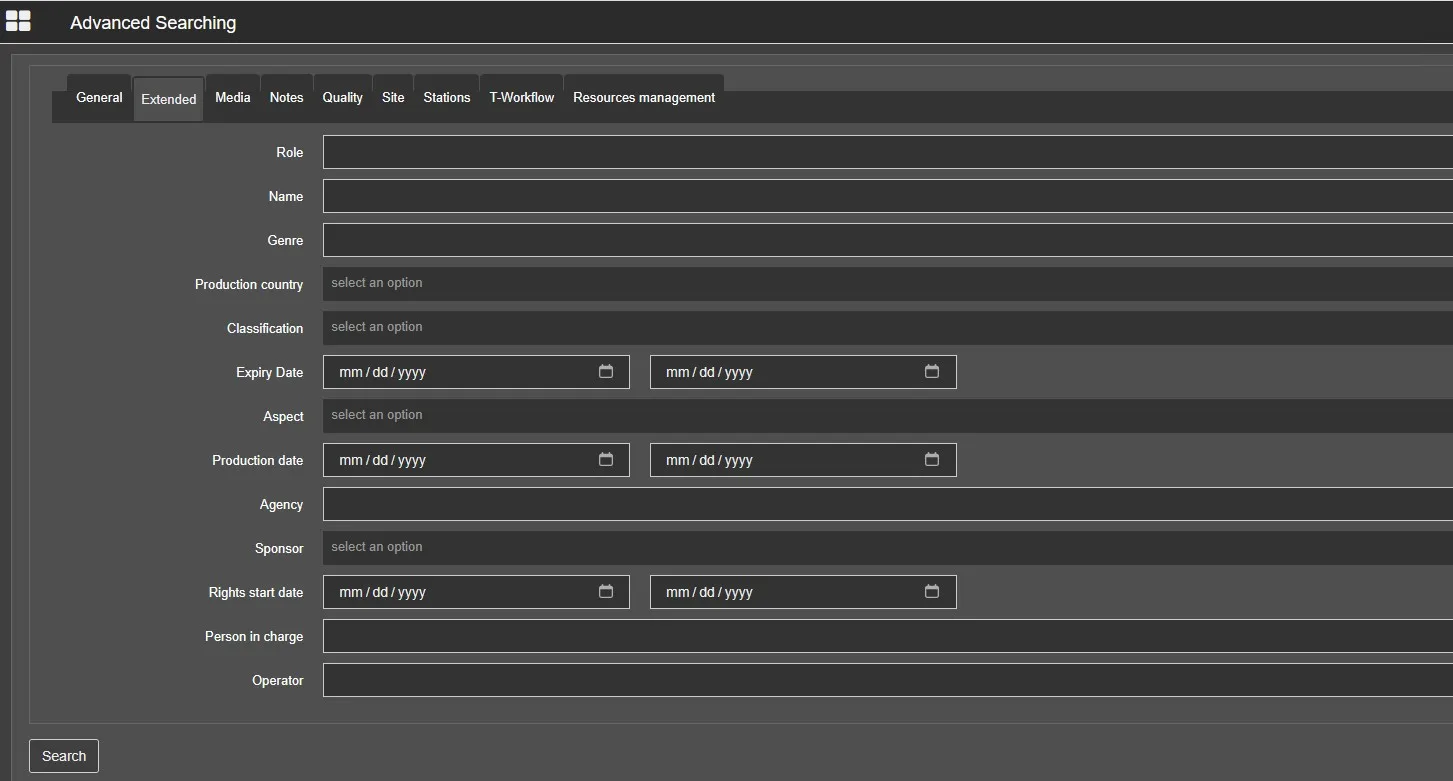
In the Extended tab, you can search assets by their categories.
Extended_tab
- Production country: Specify the country where the asset was produced;
- Role: Select a role assigned to the asset, e.g. Anchorman, Producer, Director;
- Name: Search assets by their artist name, e.g. John, Bill, Nick, etc.;
- Genre: Select a specific genre for the type of asset, e.g. Rock, Action, Comedy. etc.;
- Classification: Select a specific classification from the list;
- Expiry date: Search asset's expiry date falls within the specific date range;
- Aspect: Select an aspect ratio to be searched, e.g. 3D, SD, SD 4:3, HD, etc.;
- Production date: Indicate the date range when the asset was produced;
- Agency: Search for available agencies in the system and select an agency to narrow the search;
- Sponsor: Select either Top or Bottom to start the search if the asset is sponsored;
- Rights start date: Search asset's rights start date fall within the specific date range.
- Person in charge: select the person in charge of the asset, if present
- Operator: select the operator that created the asset
 Extended_tab