70.3.3.1 Adding a robotics server
In order to add a robotics server (controlling either a library or a single-drive) just follow the procedure described below:
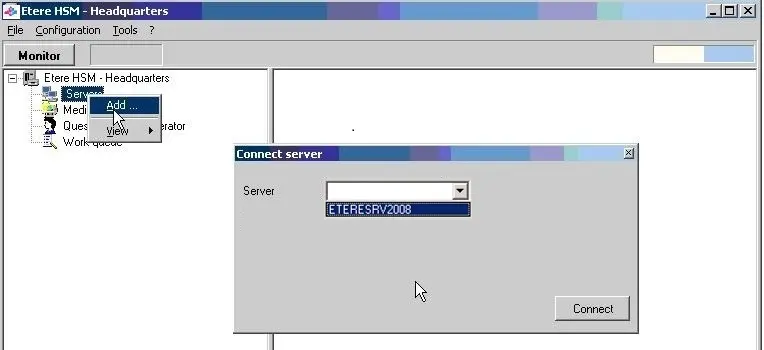
1.Right-click on Servers and select the Robotics server in the Connect server windows:
Servers listed here are those specified in the 'Server Name' property of the HSM Library resource.
Etere HSM - Headquarters 1
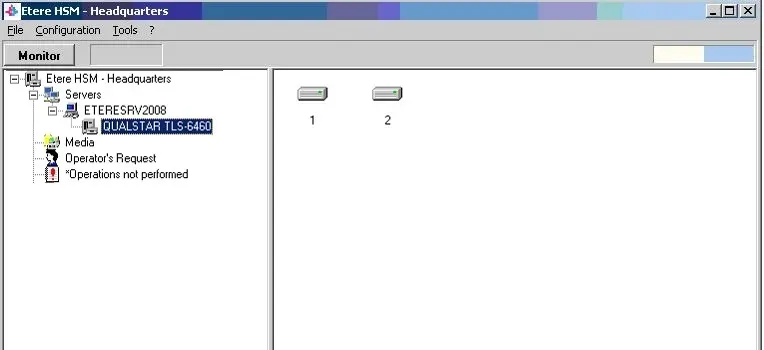
2.If Etere HSM - Robotics Control is running the selected server, it will be shown the library and the drives installed (see the Servers chapter for detailed information):
Etere HSM - Headquarters 2
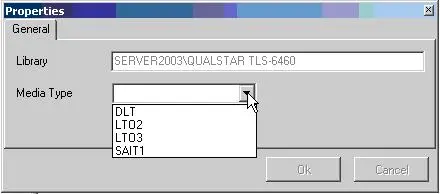
3.It is possible to specify (if Etere HSM - Robotics Control is running), the Properties window of the connected library. Specify the tape type of the library (Media Type):
Properties
Available media types can be managed from the Etere Main | Settings | Media types module.
 hsm_library_specs
 hsm_add_server
 hsm_servers