93.4 How to enable and save MMS logs
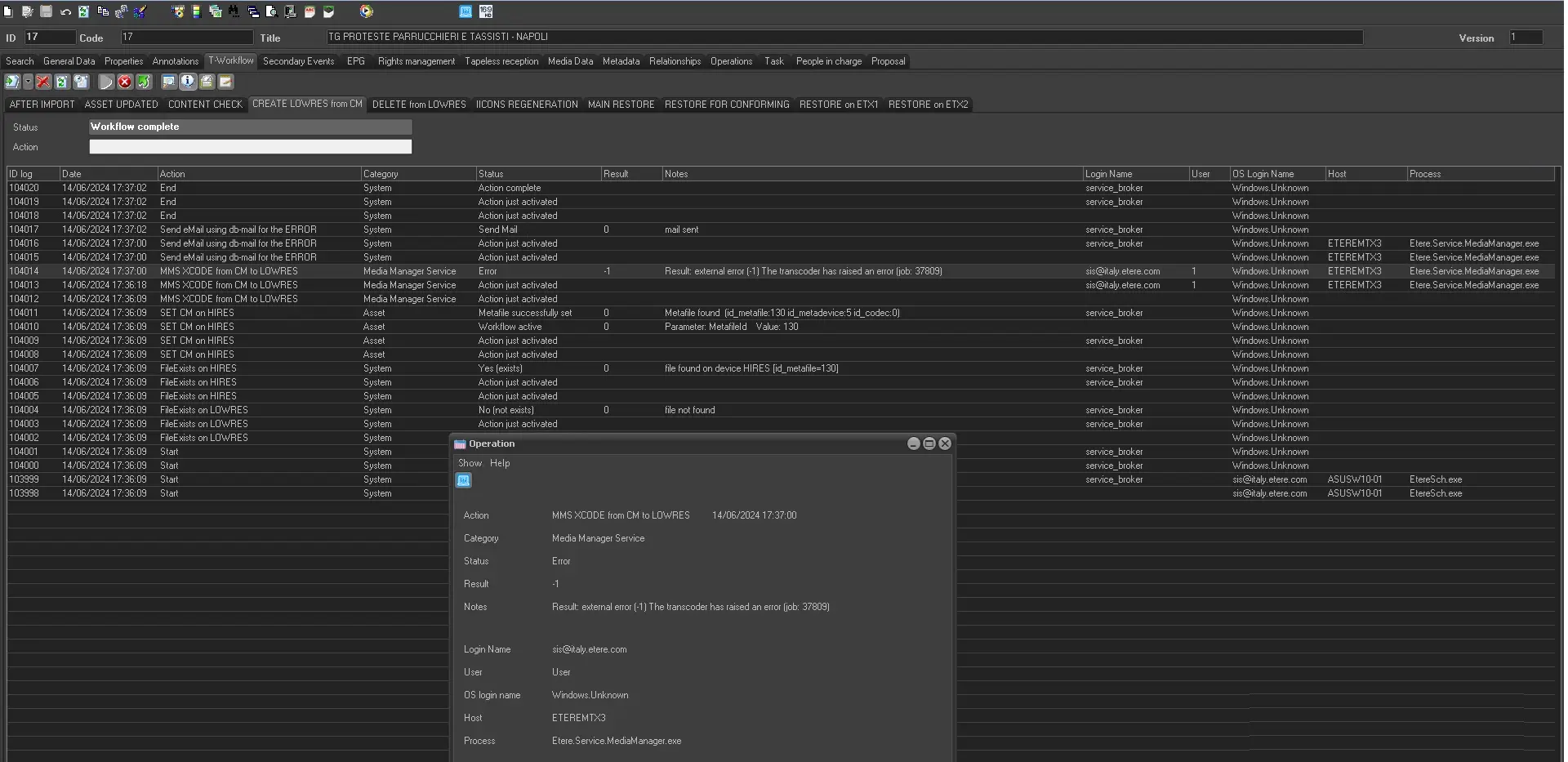
In case of problems, an error will be reported in the T-WORKFLOW tab of the asset, on the related MMS action line.
Here is an example:
MMS error action
Once you have found the error, you must contact Etere Support (by sending an email to support@etere.com) and send a screenshot of the problem and save the logs that you will find in these Windows paths on the workstation where MMS is running:
MAIN logs ("service.mediamanager.media manager service (1).*.log"):
C:\Users\[username]\AppData\Local\Etere\Log
JOB logs ("service.mediamanager.media manager service (1).*.a.xxxx.job.yyyy.log"):
C:\Users\[username]\AppData\Local\Etere\Log\smm.job
Where:
[username] -> is the domain user with whom MMS is running.
xxxx -> is the asset ID where the wf is running.
yyyy -> is the job ID (also visible in the wf logs when the action ends).
Note: In order to analyse the problem and avoid misunderstandings, you must enable the DEBUG LOGS, restart the service from WINDOWS SERVICES and then repeat the problem again.
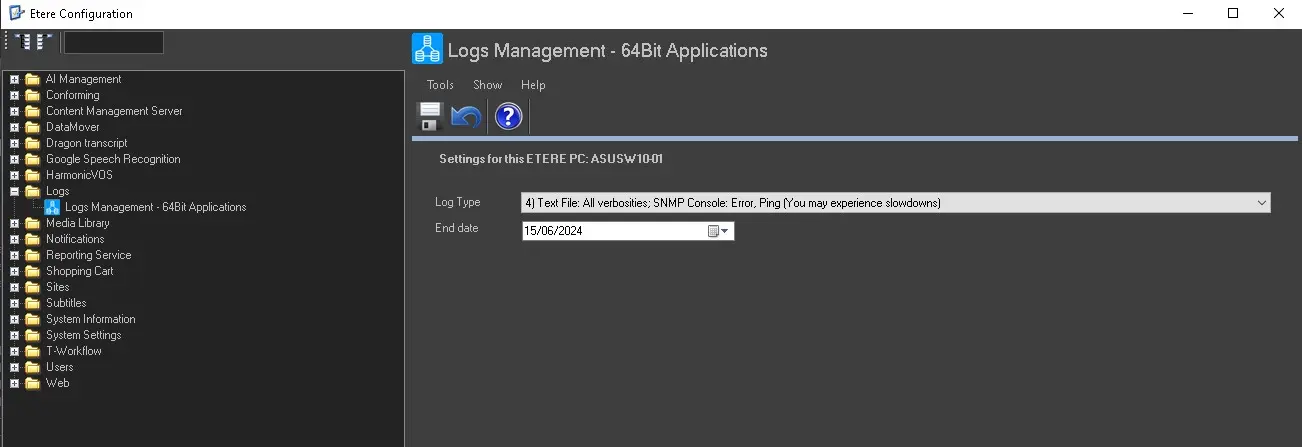
To enable the DEBUG logs you must follow these steps:
1- Connect to the workstation where MMS is running that processed the action that went wrong.
2- Start Etere Configuration as administrator.
3- Click on Configuration Editor.
4- Go to the LOG section and select LOG MANAGEMENT.
5- Set LOG TYPE=4 and on END DATE select the latest date shown (this would be 7 days from when you enable debug logs, this means you have 7 days to replicate the problem and save the logs).
6- Click on SAVE.
7- Go to WINDOWS SERVICE and restart MMS -> 'Etere Media Manager Service (1)'.
ETERE X64 DEBUG LOGS
MMS OTHER SETTINGS
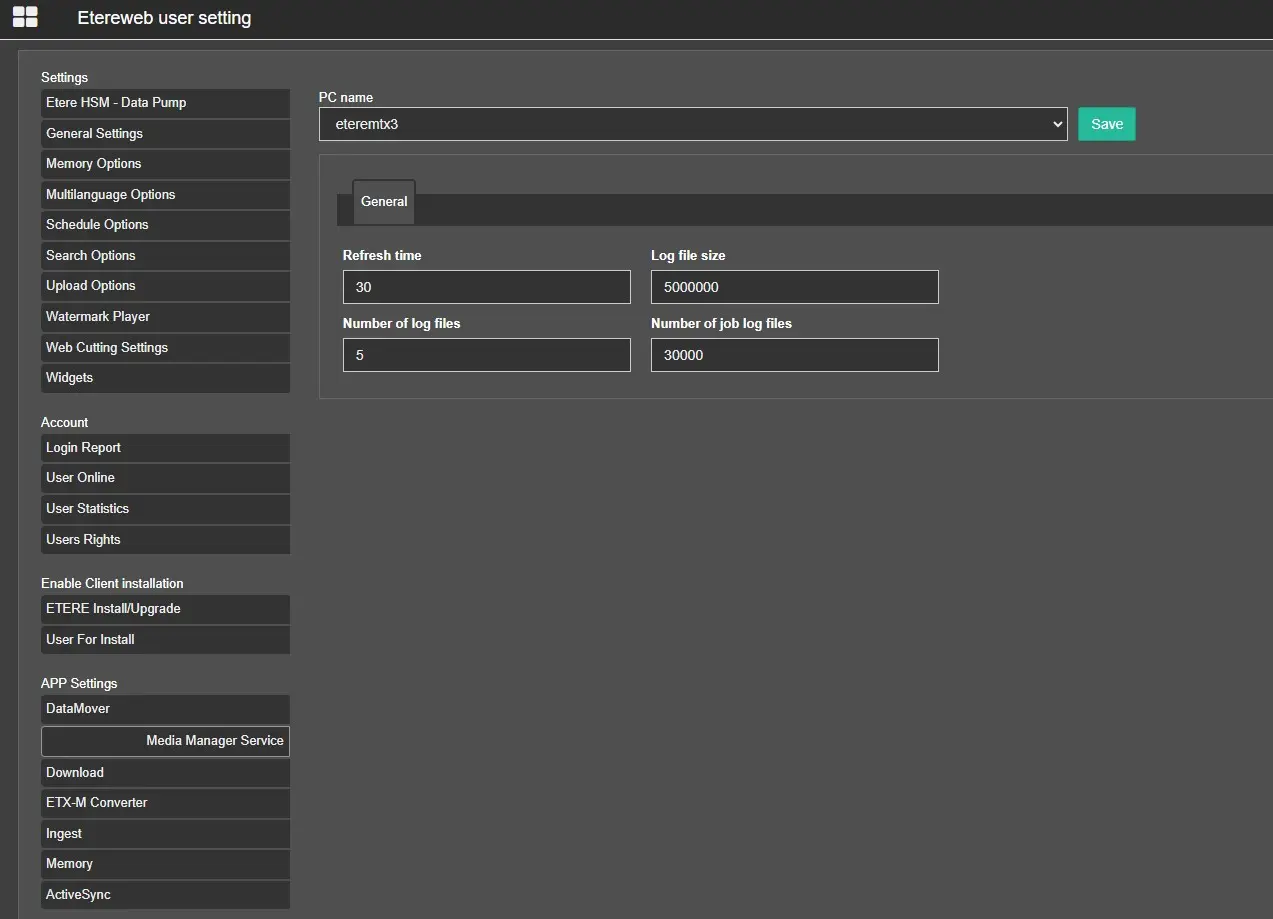
Media_Manager_Service_Settings
In the ETEREWEB USER SETTINGS we can also configure the following parameters for each MMS running in our system:
PC name: Select for which MMS we should apply the changes.
Save: Click to apply the changes made.
Refresh Time: Time interval in seconds to update the jobs list. By default is set to 30, so it means that every 30 seconds the system will check if there are any actions in the queue and decide according to rights and priorities how to handle them.
Log file size: It is the maximum size of a single MMS log file. By default, it is set to 5Mb (50000b).
Number of log files: It's the maximum number of log files that are written. By default it is set to 5, so the system will write a maximum of 5 text files where the necessary information will be reported.
Number of JOB log files: It's the maximum number of job files that are written. By default it is set to 30000, so the system will write a maximum of 30000 text files, each of which will contain job information.
 MMS_error_action
 ETERE_X64_DEBUG_LOGS
 Media_Manager_Service_Settings