59.4.6 Baton integration
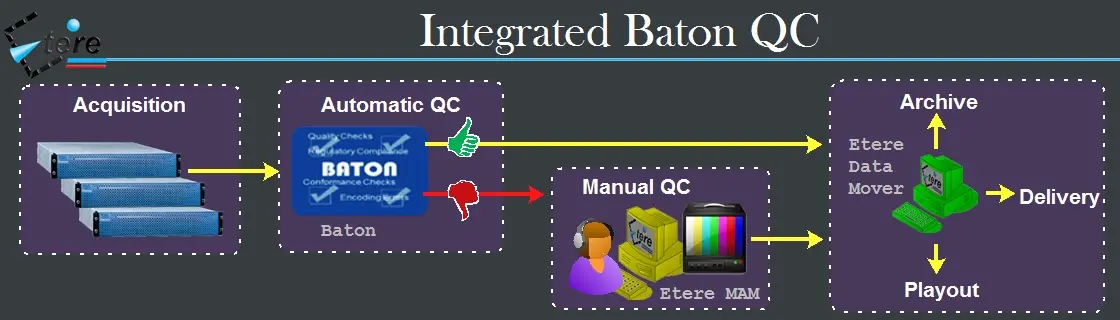
Etere provides the capability of creating custom "Baton integration" actions to request -via T-workflow- the execution of verification tasks based on Baton test plans for media files stored (or being streamed) on Etere metadevices:
Integrated_Baton_QC
A key feature is that results obtained from verifications are automatically generated into a PDF/XML report linked to the verified asset in the Do.Ma. Database.
Note: The "Baton Integration" section is available only if the station has a valid license.
Creating a new action
datamover_baton
1. Press the [New] button or open an existing action, then set the following parameters:
Source device & codec: Indicate the metadevice in which files to be verified are stored, specifying the exact codec (extension) to be processed.
NB: The source path must be set in the Baton server (Setup/ContentLocations).
Destination device & codec: Indicate the metadevice in which files processed have to be stored, specifying also the codec.
Process type: Indicates that the current action is a "Baton Quality Check" process.
2. Under the Basic settings tab, compile the parameters regarding the identification and behaviour of the action.
3. Under the Process settings tab, set the parameters that define the execution of the action.
4. Press the [Save] button to apply changes and store the action in the database.
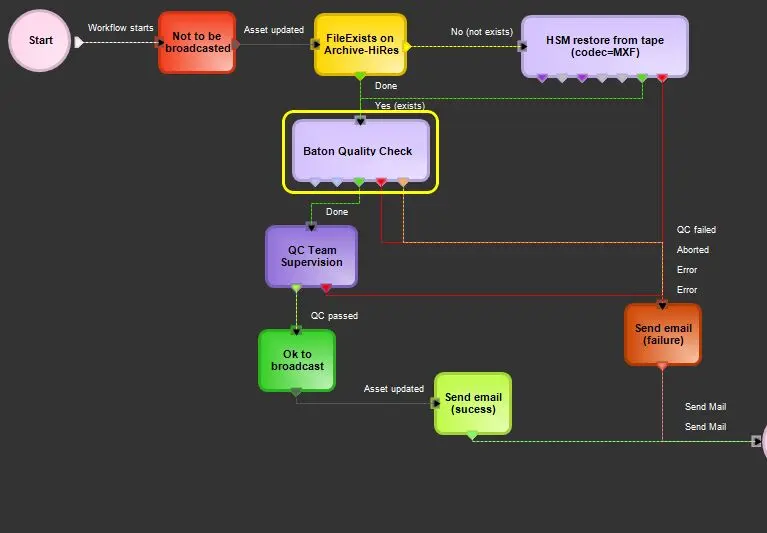
5. Use the T-Workflow Designer to include the action in a T-workflow (e.g. to verify the quality of media files through a Baton system):
verify_the_quality_of_media_files
Suggestion: Worksheet tasks can be included in Quality Control T-workflows to manually perform further controls, for example, when the Baton's verification is negative.
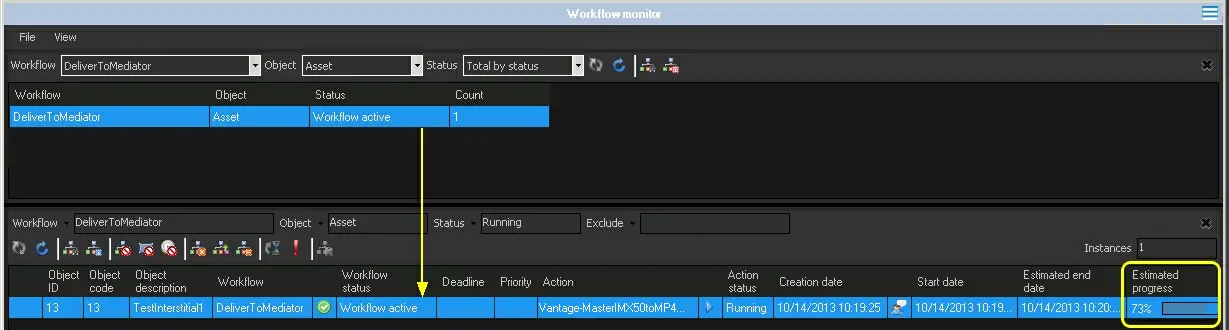
6. During the verification, the completion progress can be monitored from the "Workflow Monitor":
completion_progress
7. After verification is completed, obtained results are stored in the database in the following ways:
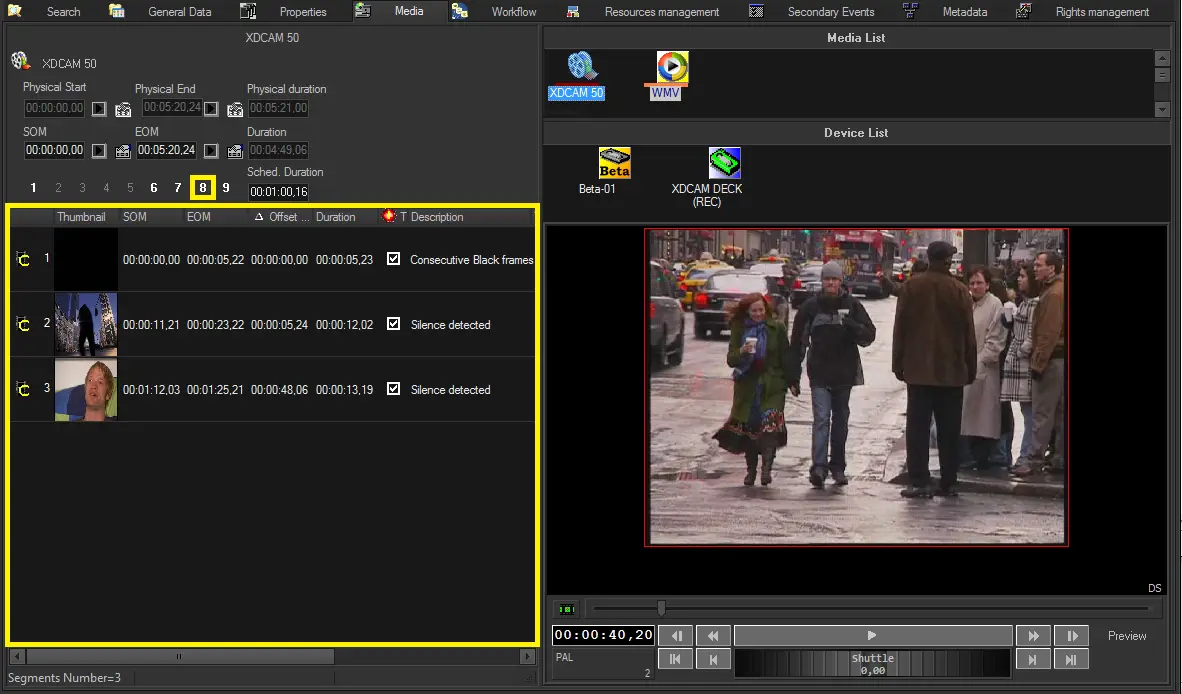
•As an EDL: Obtained results are automatically marked in the selected asset's EDL:
As_an_EDL
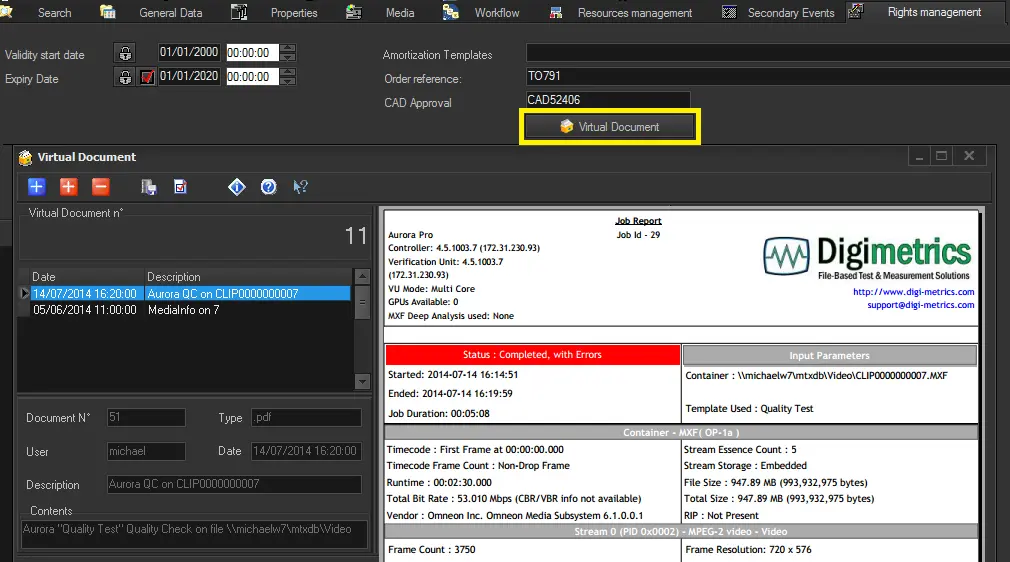
•As a Report: Obtained results are automatically exported into a PDF report linked to the asset's virtual document:
virtual_document
 Integrated_Baton_QC
 verify_the_quality_of_media_files
 completion_progress
 As_an_EDL
 virtual_document