69.1.2.24 MEDIASET COLBY
Export Scope
The F90 - MEDIASET COLBY export allows to export the daily list of scheduled programs by creating a file containing the schedule for each day of a certain time range.
Export Parameters
This export function needs the following parameters to be configured in order to be active:
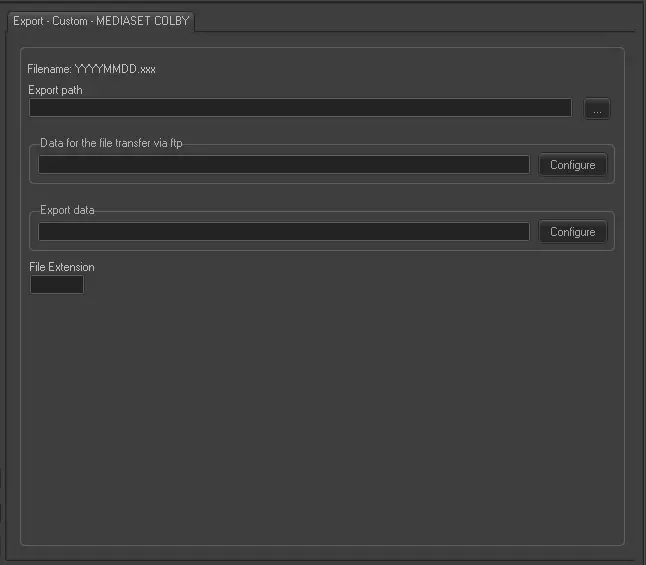
Export - Custom - MEDIASET COLBY
Filename - By default the filename of the exported file would comply with the format YYYYMMDD.xxx, where 'xxx' is the user-defined extension to be used.
Export Path - Indicate the path where the exported file would be placed.
Data for the file transfer via FTP - Click on the Configure button and define the FTP parameters as described in Configure Data File Transfer via FTP chapter.
Export data - Opens the Configure Export window to specify the days to be exported and the frequency to be exported.
File extension - Insert a custom extension for the exported file, extension is composed by three characters.
Scheduling related export
This export doesn't require any configuration under the Etere Scheduling > Import/Export module.
 Export_-_Custom_-_MEDIASET_COLBY