73.3.10 Watermark
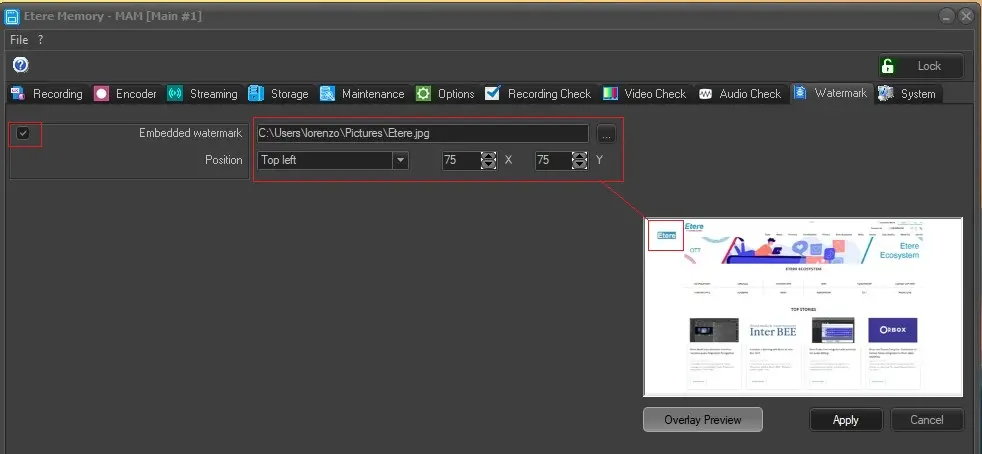
Under the "Watermark" tab, it is possible to embed watermark image during ingest from Memory and also cut files in Memory Browser.
Memory_Watermark
The embedded watermark image will be display at the top left corner with 50% transparency.
Required Parameters
Embedded watermark: Specify the image to be overlay in this parameter. The supported image file formats for overlay are PNG, JPG, BMP, TIFF and TGA.
Position: Specify the position of the image to be displayed, it could be displayed at any of the 4 corners or in the center of the display. By using the X and Y parameter, the watermarked image could be moved horizontally or vertically.
Overlay Preview: By click on this button, you can setup the embed watermark feature in real-time preview.
NB: Watermark cannot be embedded in already-cut video.
Apply: can be used to confirm the changes made.
Cancel: can be used to discard the changes made.
 Memory_Watermark