72.2.1.8 Searching asset - Search Asset by Flexi-metadata
Follow the steps described below to search flexi-metadata in the asset:
1. Select Standard search in Media Library Search form;
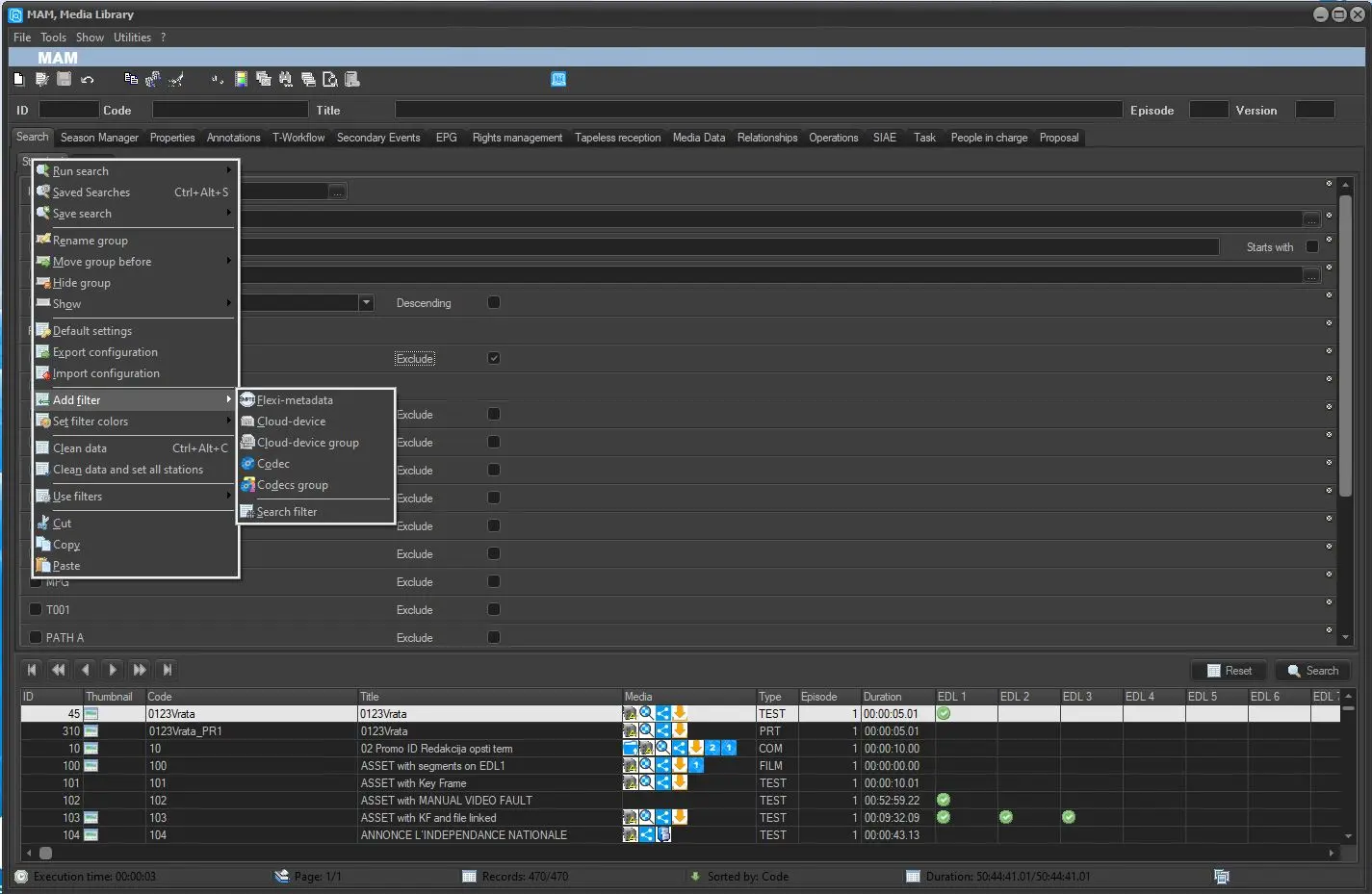
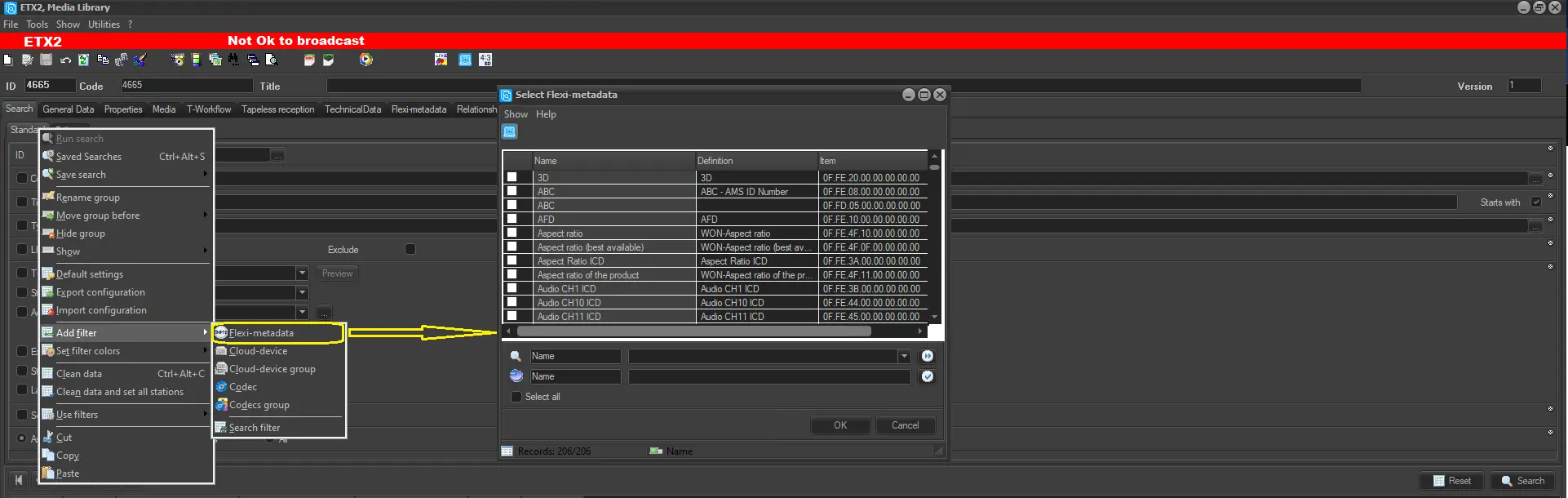
2. Right-click on Standard tab and select Add filter > Flexi-metadata;
3. Next, select the flexi-metadata to be included during the search, click <OK> to confirm;
4. The selected flexi-metadata filter would be appended at the bottom of the search form;
5. You can start searching for assets and the selected flexi-metadata of the asset would be filtered.
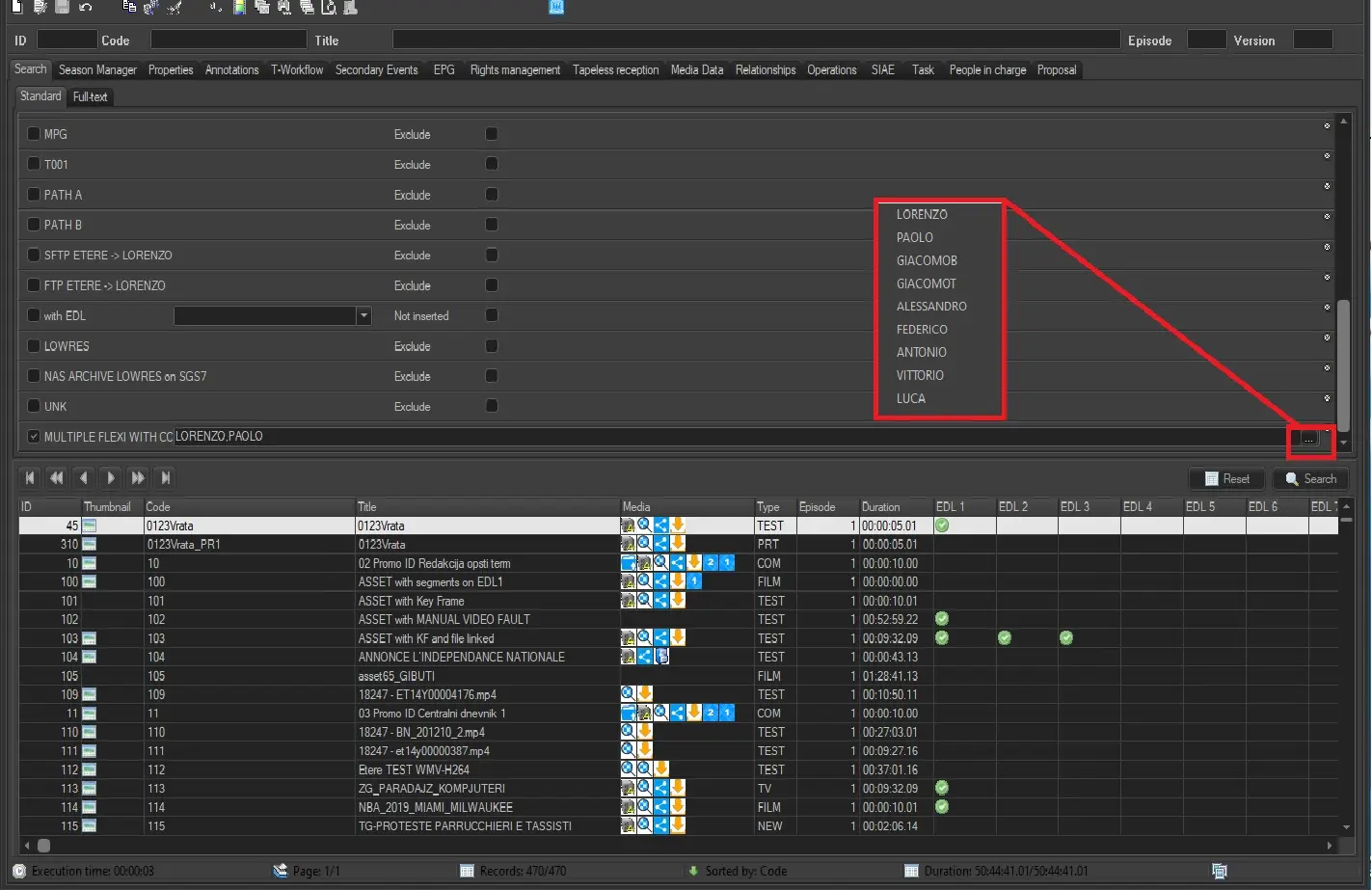
WARNING: if the Flexi selected and enabled in the search is of type INT, REAL or STRING and has more predefined CONSTRAINTS, now in the search it is possible to make a multiple selection from the menu that will open by clicking on the right button. See the following image for reference.
Multiple_Constraints_Search
 Add_Filter_2
 Multiple_Constraints_Search
 Search_Flexi_filter