Main Menus
72.2.3.15 Enable/Disable Live
What is a live asset?
A live asset is a program that is transmitted directly from a live feed (e.g. video router channel) rather than using a media file stored in a video server.
How to set a live asset?
In order to set an asset form as "live", just press the [AF_Live_icon Live] button available in the toolbar, the following data will be required:
Enable or Disable Live
•Channel: Set here the router channel from which the "live" video signal will be received.
•Duration: Set here the duration required for setting the asset's scheduled duration and physical mark points.
Once the live information is set, a label will be always displayed (in the top left bar) for the asset to indicate its live status and feed channel (e.g. LIVE [1]).
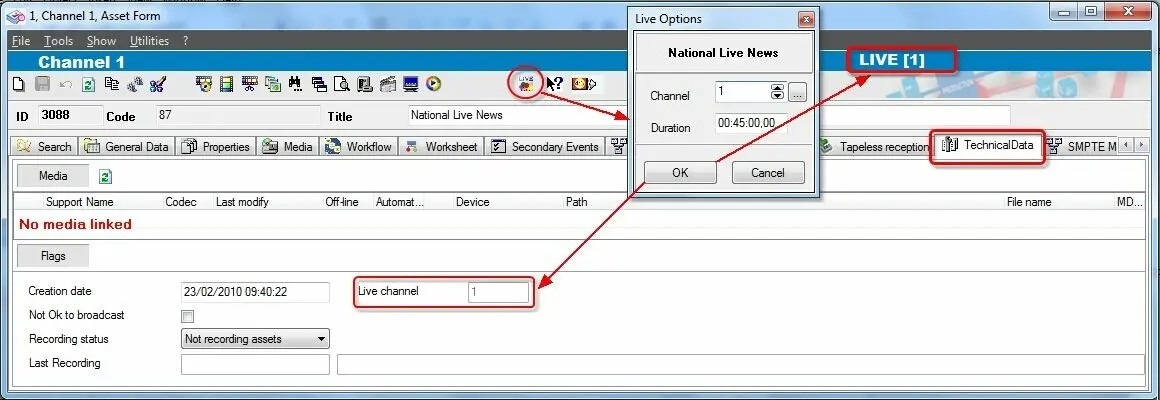 Enable_or_Disable_Live