69.1.2.5 DIGITALB EPG
Export Scope
The F90 – Export Custom DIGITALB EPG create a XML file containing the EPG schedule of one day or multiple days, with the maximum of 31 days.
Export Parameters
Export - Custom - DIGITALB EPG
Filename - The file name of the exported xml file is Station.xml
Export Path - Specify the path for storing the exported xml file.
This path must be coincide with the export path name specified in the Export_Custom_EPG_DIGITALB XML.
Data for the file transfer via FTP - Click on the Configure button and define the FTP parameters as described in Configure Data File Transfer via FTP chapter.
Export data - Click on <Configure> to open the Configure Export window to specify the days to be exported and the frequency for the export.
Scheduling Related Export
Set the same parameters in the Etere Scheduling > Import/Export > EXPORT\CUSTOM\EPG DIGITALB XML, and APPLY the changes once done.
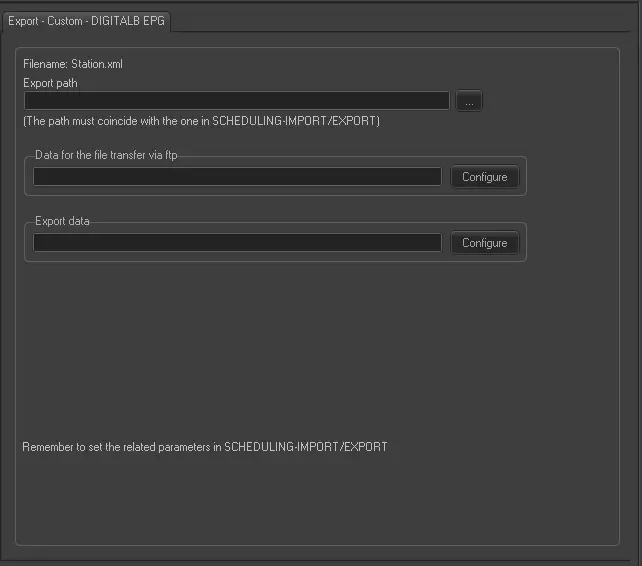 Export_-_Custom -_DIGITALB_EPG