59.3.3.5 Reducing Memory
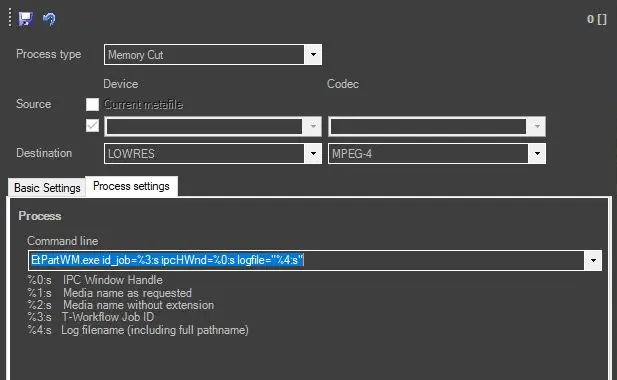
To perform the Memory Shrink action from EtereWeb memory using the Windows Media Encoder application, the following parameters must be set:
Memory_cut
Process and Devices
• Basic settings: Compile these fields as explained in the Content Mover chapter.
• Destination/Codec: Metadevice and codec of the metafile created due to the cut.
NB: Once the segment is cut, the executable will automatically update the database with the new media.
Parameters
• Command line: Define the executable (and its parameters) for the cutting operation. Etere provides a default string that can be applied to configure the memory cut action:
EtPartWM.exe id_job=jobID ipchwnd=%0:s "LogFile=%4:s"
id_job: Contains the Job's ID (e.g. '%3:s').
ipcHWnd: The IPC window handle of the caller is used to notify the progress of the job (e.g. '%0:s').
LogFile: The name and path of the process log file (e.g. '%4:s').
-noSQLinfo: Use it to avoid writing on the database (i.e. in the "SQL action runtime context" field) additional info regarding the current job, for example, by EtereWeb.
NB: To use this application, Microsoft Windows Media Encoder must be installed on the same PC where Etere Data Mover is located.
Moreover, it's possible to use the environment variables supported by Etere DataMover. Refer to the Supported runtime variables chapter for a detailed list of available runtime data.
How to use it
The Memory cut T-workflow takes only a portion of a certain memory file, according to a given SOM and EOM. To perform a Memory Cut operation, follow the next procedure:
1. Create a 'Memory cut' action on the Content Management Server section,
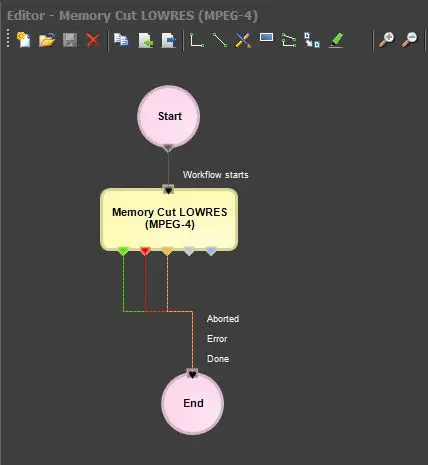
2. Create a T-workflow based on the previously created action:
Create_the_T-workflow
3. Set on the default t-workflows section the recently created T-workflow to be used for Memory Cut
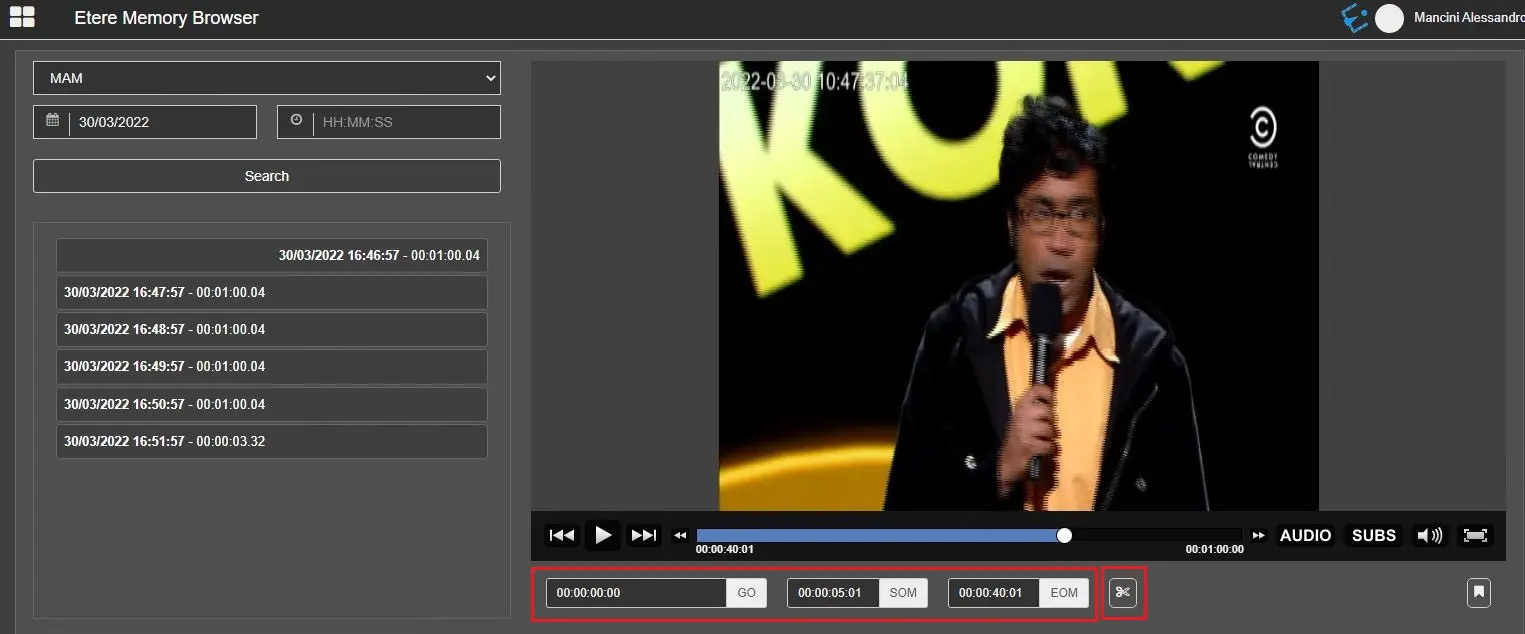
4. Perform the Memory Cut through EtereWeb Memory Browser:
Request_the_memory_cut
5. A new asset form will be created, and the T-workflow will be launched for this asset form. The new asset form will contain the following data:
- Code: It will have the following format: F_mcN, where F is the name of the video file, _mc is a constant which stands for 'Memory Cut', and N is the sequential number of the memory cut operation (e.g., cutfile557_mc2),
- Type: it will be MEMC, which stands for 'Memory Cut'.
6. Etere Data Mover will take the T-workflow request and process the memory cut operation. Please note that to perform this action, the 'ignore not recorded assets' parameter located in the Etere Data Mover tools MUST be disabled; otherwise, the job will not be processed,
7. Once the creation of the new video file finishes successfully, it will be linked to the new asset form.
Note
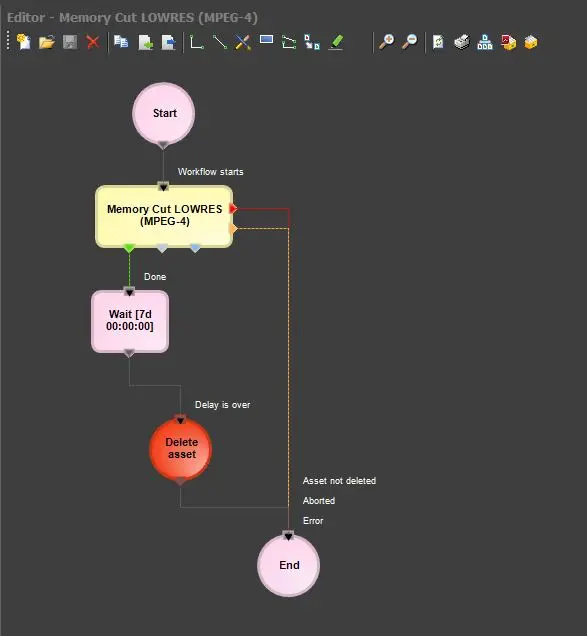
Files created by cutting videos can be programmed to be automatically deleted after a certain time just by including into the T-workflow the action blocks: 'Wait [7 days]', 'File Delete ALL' and 'Delete Asset':
File_Delete_ALL_and_Delete_Asset
 Memory_cut
 Create_the_T-workflow
 Request_the_memory_cut
 File_Delete_ALL_and_Delete_Asset