59.5.7.9 Documents List
Report Description
The Documents List report generates a list of assets and the documents linked to the assets. Documents captured in the report include linked documents and virtual documents, the names listed in the report.
Report Filters
Fulfill all the filters provided to generate a complete set of reports.
Asset code: Specify the asset code to be filtered. Select option “*Start with” or “Contains” to narrow the search by filtering asset code starting with / or containing certain characters in the asset code.
Types: Select a specific type of asset or select all asset types.
Document: The report should include the documents linked to the assets. Documents listed in the report consist of virtual documents and the name of the attached documents and virtual documents. Select option “*Start with” or “Contains” to narrow the search by filtering documents starting with / containing certain characters in the document name.
Report Preview
After all the parameter settings are provided, you can preview the report by clicking the <Preview> button and print the report as hardcopy using the <Print> button.
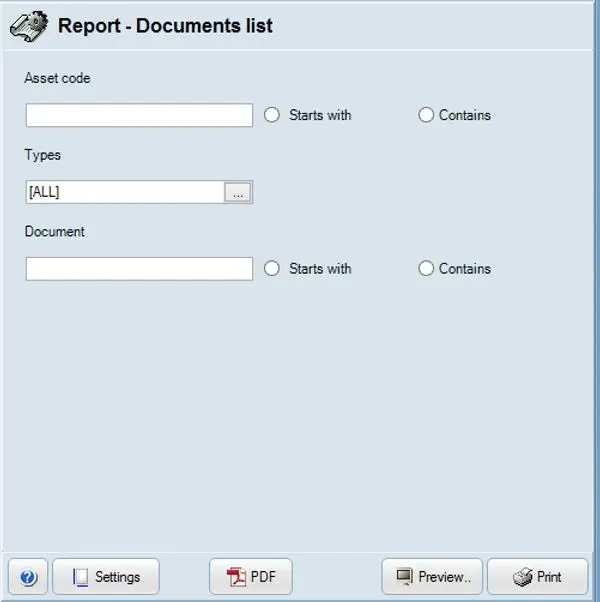 asset_document_list