Enabler Push Switch-In
85.2.5.1 Configuration
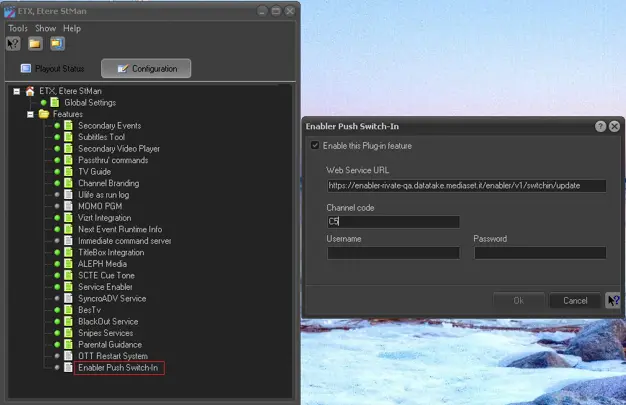
Launch Etere STMan and double-click the “Enabler Push Switch-In” feature under the Configuration tab.
Enabler Push Switch-In
Enable the option “Enable this Plug-in feature” and complete the settings:
Parameter - Web Service URL
Description : Provide the server URL address to receive the inserted events.
Parameter - Channel code
Description : Enter 2 characters channel code, e.g. C5, R4, etc.
Parameter - Username
Description : Enter the user name registered in the destination server.
Parameter - password
Description : Enter the password to authenticate the user name.
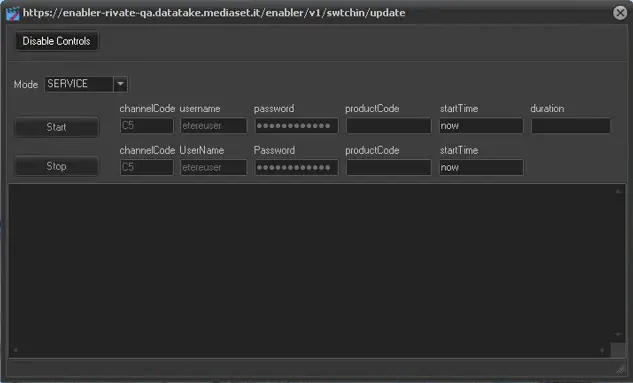
When the feature is activated, you can monitor the plug-in feature in the destination server.
Stman_enabler_push_switch-in_monitor
 5168_Enabler_Push_Switch-In
 5169_Stman_enabler_push_switch-in_monitor