84.4.4.54 CUSTOM > ASSET FOXTEL XML > FOXTEL TELEVISION (TV) XML
Export Scope
The Export_Custom_Foxtel_Television (TV) XML export segment information of Foxtel Television into an XML file for populate the information into MAM metadata field. If the SMPTE data does not exist or contains inappropriate value, the export process would be terminated.
The export would perform the following validity check to ensure a successful export:
•If there are obsolete namespace (xmlns=””) definition during validation, it would not be included in <Details> and <Title> tags in exported XML file.
•Only visible segments would be created.
•Only valid fields would be export. If the field contains NULL value or blank, it would be reported as error and data would not be exported.
•The validity would also check the “Foxtel Delivery Order Type”, the export would failed if the type is incorrect or blank.
•If the Filename contains spaces, the export would fails.
Note: When export is launch from Data Mover, you can define the EDL version to be export directly from Data Mover settings without the need to set the EDL version in the Import/Export module.
Export Parameters
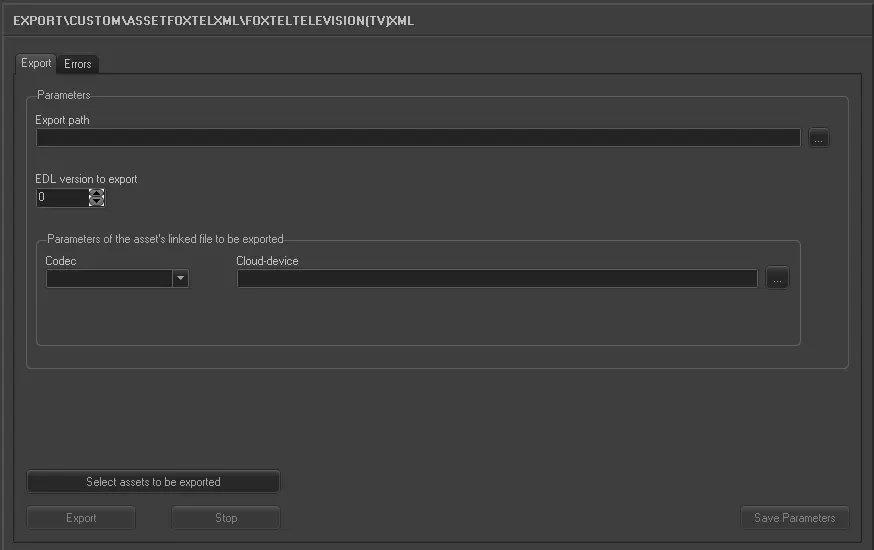
Export_custom_asset_foxtel_tv_xml
Export path - Specify the location path to create the exported XML file. You can use the browse button to select the path in the local drive or network drive.
EDL version to export - Specify the EDL vision of the asset containing the segment information to be exported.
Parameter of the asset’s linked file to be exported - •Codec: Select a codec used by the asset.
•Cloud-device: Select a cloud-device that linked to the asset to be exported.
Select assets to be export - Click this button to launch the Media Library’s Asset Search form to filter the assets to be imported. In the Search results form, you can use the [Shift] key to select multiple assets to be exported.
Launch the export
Once the export parameters has been configured, click the <Export> button to start the export process.
 5134_Export_custom_asset_foxtel_tv_xml