72.18.2.5 My Tasks
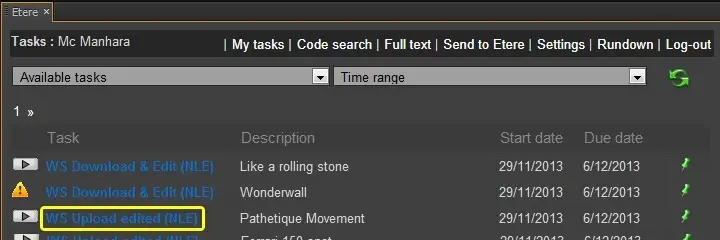
Under the "My Tasks" section, editors can view all their assigned tasks and undertake the ones to be processed:
Please note that tasks will be accompanied by an icon that indicates the availability status of their related media:
My Tasks 1
Play - Media appears in the database as online and its availability has been verified (i.e. the file has been found).
Press this button to browse the clip directly into the Adobe Premiere's preview panel .
Warning - Media appears in the Etere database as online but its availability has not verified (i.e. the file was not found).
No icon - Media appears in the database as unavailable.
NB: Please refer to the "Media status" chapter for detailed information on the status of media files.
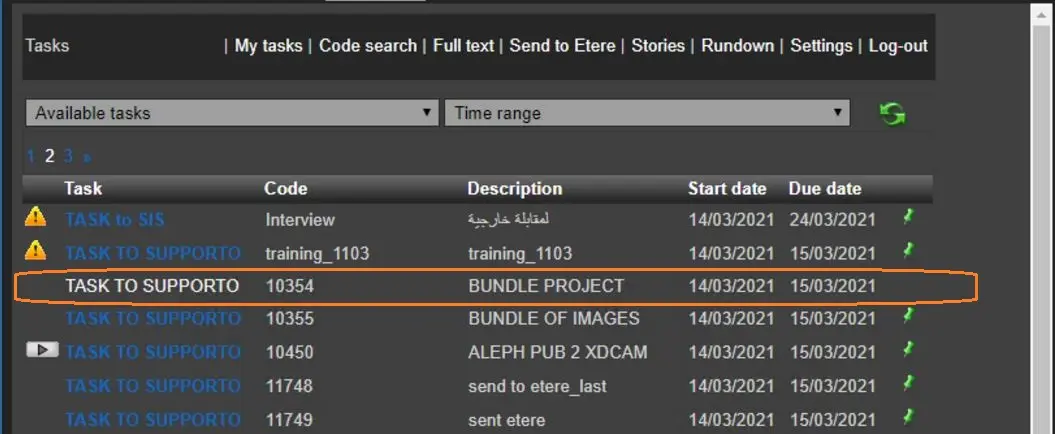
In the event the task is undertaken by user, the task would displayed in different color (white) and accessing to the task would be disallowed.
(The above feature is available from Etere version 31.1 onwards)
My Tasks 2
You would noticed that there is no column header for the last column, this column indicate the operations related to the tasks, which includes downloading or uploading of media.
DOWNLOAD (import media to be edited)
UPLOAD (export edited media)
 My_Tasks_1
 My_Tasks_2