Using Nunzio
79.4.4 MOS Objects
The MOS Objects are retrieved from MOS Devices set on the Nunzio MOS Gateway.
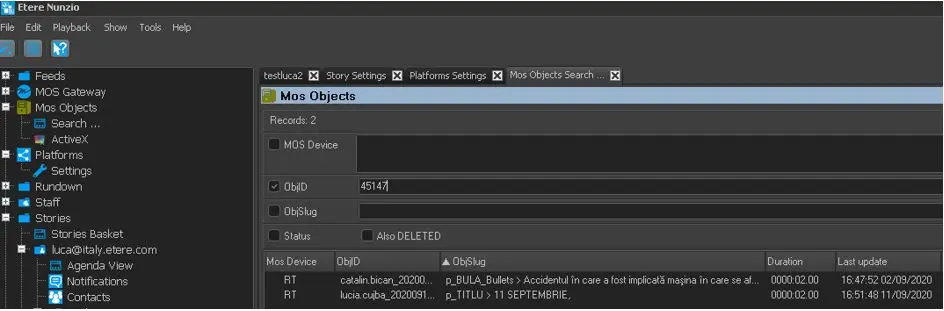
As indicate in the image below, you can search for MOS Objects by its MOS Device ID, ObjID, or ObjSlug.
MOS Objects 1
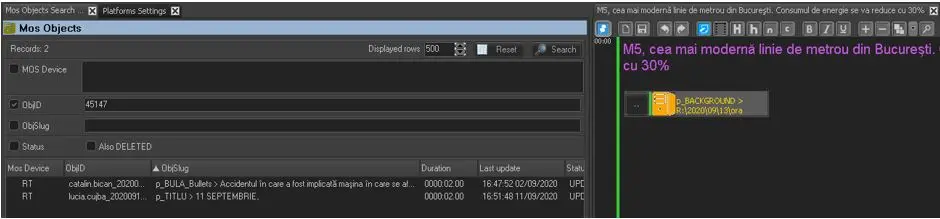
If the MOS Object is located, you can drag-and-drop the object directly into the story.
MOS Objects 2
If an ActiveX entry point is set on the MOS Gateway / Mos Devices you can access it from by pressing ActiveX.
Moreover, it is possible to edit the MOS Object on-the-fly or create it by relying on Nunzio ActiveX function.
WARNING: If there is unsupported special characters (e.g. & # ) detected during creation process, the MOS object would not be created.
 MOS_Objects_1
 MOS_Objects_2