10.3 Delete Redundant Files
Before video files are processed by Memory, a QC (quality control) check is performed on the video file to determine the quality of the file. A backup video file would be created while the main file is checked for quality. After the main file is successfully processed, the backup file remains in the system as redundant Memory files.
The redundant Memory files piled up in the system require storage consumption and must be deleted from Memory to free up the storage space. The Memory file management feature enables you to delete all redundant Memory files in the database with minimum settings:
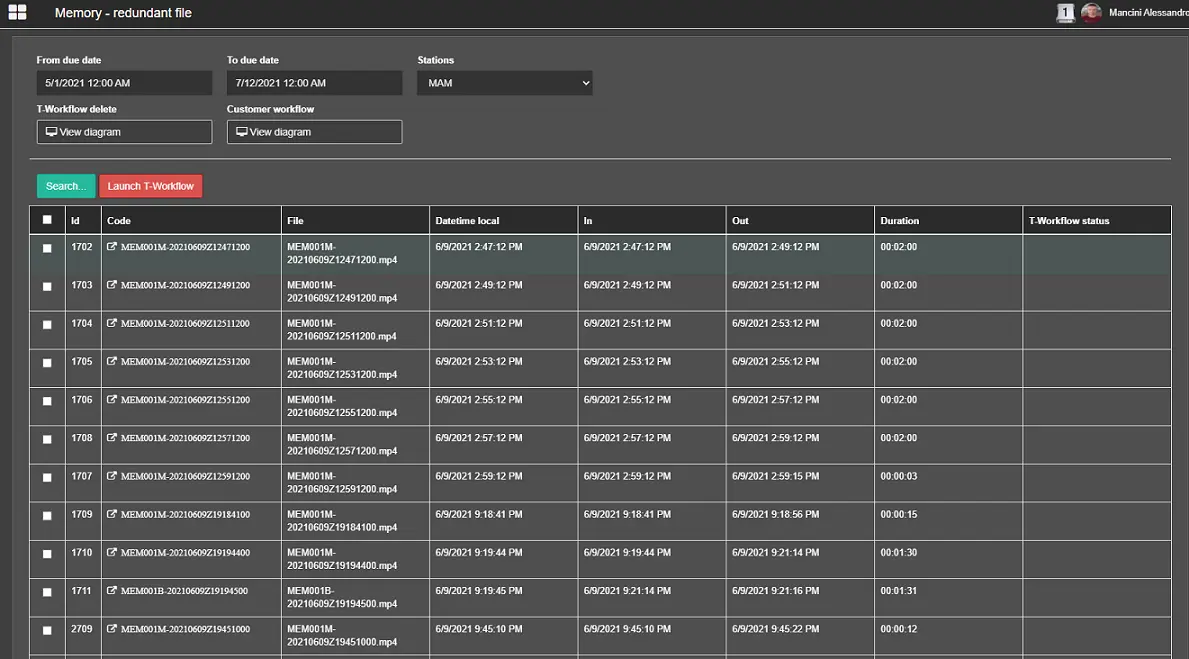
Memory -Redundant Files
- From due date – To due date: Indicate the date range to retrieve redundant Memory files from the system. The dates are read from the Memory file in UTC, and local time is defined in the file name.
- Stations: Specify the station name containing the Memory files.
- T- Workflow delete: It displays the default T-workflow action to delete redundant Memory files.
- Custom workflow: It displays the custom workflow to set the non-redundant Memory files in the system.
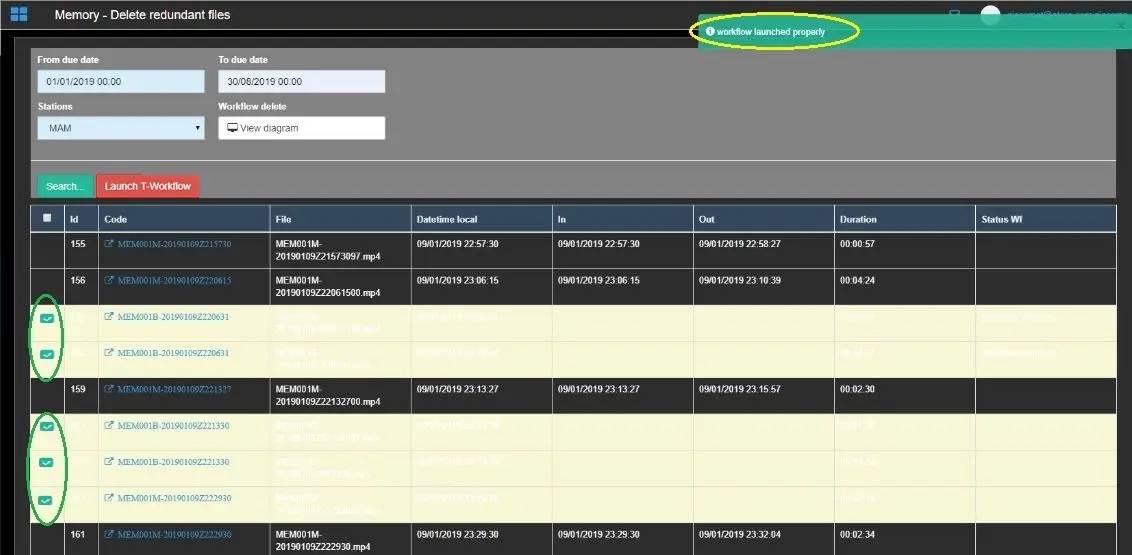
Memory -Delete Redundant Files 1
The above instance indicates that workflow action has been appropriately launched to extract Memory files within the specific date range. Those redundant Memory files are highlighted in yellow with a checkbox enabled for selection.
From the Search results, select the redundant files by enabling the checkbox and click the <Launch T-workflow> button to delete them from the database.
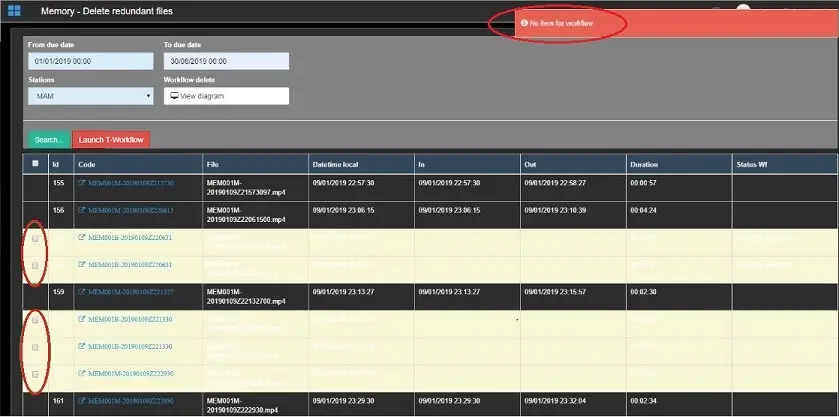
If the <Launch T-workflow> function is triggered without selecting any redundant file from the Search result, an error message indicates that T-workflow has not deleted any items.
Memory -Delete Redundant Files 2
WARNING: In the Etere Configuration module, you need to set the workflow for the "Memory Delete" operation in the Default T-Workflow section, else the <Search> button and the "Workflow Delete" parameter would be disabled.
Upon successfully deleting redundant Memory files (those in yellow lines), you can execute a custom T-workflow to set the system's remaining Memory files (those in standard strings). The custom T-workflow is defined in:
Etere Configuration -> Configuration Editor -> T-Workflows -> Default T-Workflows
in "Memory Post-operations". It is helpful to manage Memory files after ingested and can feature several archive policies, e.g. Archive workflow, etc.
 Memory_-Redundant_Files_
 Memory_-Delete_Redundant_Files_1
 Memory_-Delete_Redundant_Files_2