84.4.5.58 CUSTOM > DISCOVERY > PLAYLISTS XML GRAPHICS CONTINUITY
Import Scope
The Import_Custom_Discovery_Playlist XML Graphics Continuity is a cloned copy of Import_Custom_Discovery_Playlist XML intended for importing test on spare channels, it parameters are similar to Import_Custom_Discovery_Playlist XML.
Import Parameters
Import
Import_custom_discovery_playlist_xml_graphics_continuity
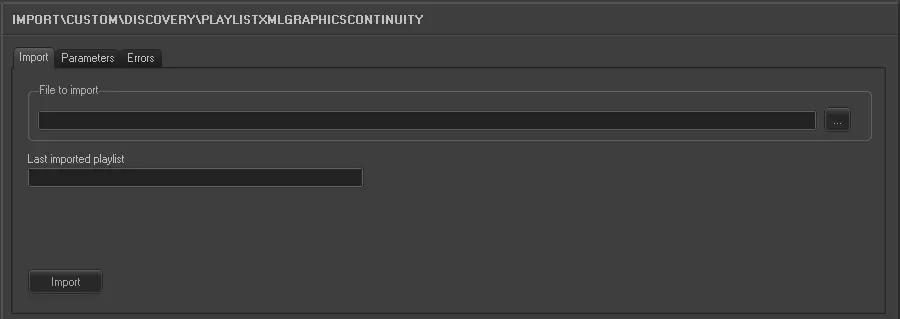
•File to import: Browse for the file from which data will be imported, only .XML files will be displayed since they are the only supported.
•Last imported playlists: This window displayed the filename of the last imported playlists.
Parameters
Import_custom_discovery_playlist_xml_graphics_continuity_1
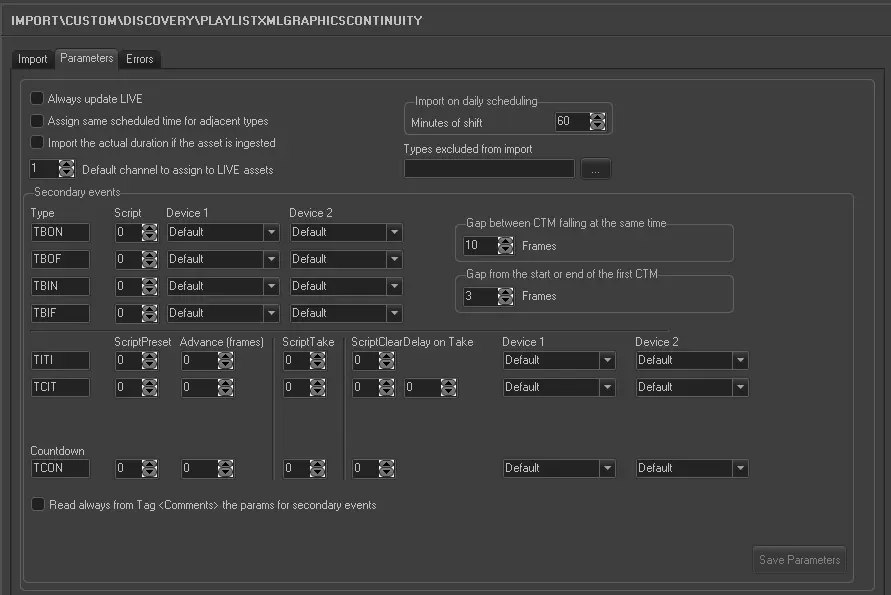
•Always update Live: Allows you to always update the Live events, even if they already exist in the archive.
•Assign same scheduled time for adjacent types: For events that have the same typology and fall adjacent to each other in the schedule (e.g. commercials in a cluster) this parameter allows you to assign the same scheduled time to these events. In the 'Data' to import under the previous tab the field HOUR must not be activated for this parameter to work.
•Import the actual duration if the asset is ingested: Allows you to import the real duration of the asset form in a situation where it has been recorded, even if the scheduled duration is present and different in the imported file.
•Default channel to assign to LIVE assets: Specify the channel to associate to LIVE events.
•Import on daily scheduling: If you are importing the schedule for the current day, this parameter defines what time on the schedule the import starts from. It is calculated as Current time + Time shift. Events with a start time before the current time will not be imported.
•Secondary events: Set here the parameters related to the import behavior regarding secondary events associated to primary events:
Parameter - Secondary object(s)
Description : Specify secondary objects with the following parameters:
▪Code: Enter the code of the secondary object.
▪Scripts: Specify the identification number of the related script.
▪Device1: Indicate the main device to be assigned to the object.
▪Device2: Indicate the simulcast device to be assigned to the object.
NB: Whether 1 or 2 devices are set only 1 secondary object is created.
Default : DB24 / NPBO
IN21 / I24O
0
default
default
Parameter - Gap between CTM falling at the same time (frames)
Description : Specify the time gap to be applied to CTM scripts starting at the same time.
Default : 10
Parameter - Gap to start or end the first CTM (frames)
Description : Specify the time gap between the start and end of the first CTM script.
Default : 3
•Read always from the Tag <Comments> the params for secondary events: If this option is enabled, the number of logo to be played when importing secondary events would be read from the non-editable <Comments> tag field in the XML file, which contain the numeric value range from single digit to 3 digits
NB: Enable this option to make import compatible on MTX video server.
Please note:
This import is a cloned copy import, for proper import of the similar type please refer to Import_Custom_Discovery_Playlist XML.
Launch the import
Once all parameters have been correctly set, just press the <Import> button to launch the import operation.
 5269_Import_custom_discovery_playlist_xml_graphics_continuity
 5268_Import_custom_discovery_playlist_xml_graphics_continuity_1