72.6.3 Story Playlist
The Story Playlist is the section on which all selected segments are orderly put together forming a sequence of segments that will be following saved as a new video file. This section is mainly divided in three areas, a video sequence, an audio sequence and a functions toolbar:
video & audio sequence
Inserting segments
Segments can be loaded from existing stories using the open button. Alternatively, segments can be inserted in the Story playlist by dragging and dropping them from the Segments List, just as show below:
Inserting segments
1.Drag and drop video segments from the Segments List into the Video sequence timeline. When the first segment is inserted into the Story playlist, it will be required to define the asset form that will hold the Etere Story Creator File (i.e. an .ETL file containing the audio/video sequence) and the eventual Subtitling File (i.e. a SBTC file containing the subtitles text, position and font):
Story form creation
2.Repeat the previous step for inserting other video and audio segments -into the Video and Audio sequence respectively- intended to form part of the Story,
3.Once all segments have been inserted, it will be possible to:
Conforming video
Set the audio level of the entire segments by manipulating the volume bars located in the left part (e.g. video at 0 and audio at 100 for dubbing)
Resize the segments by placing the mouse pointer at their timeline's end and dragging it to either the left (decrease) or to the right (increase).
Preview the segments playlist that made up the Story before saving it.
4.At this point, when the Story has been already made up, the operator should choose how the Story will be created, either as a virtual or conformed asset:
VIRTUAL ASSET
The creation of a virtual asset is the fastest way for creating a story, it speeds up the overall story production by avoiding conforming but using instead a "virtual asset" for holding the references to all the media segments which made up the story.
In order to use this method to create a virtual asset for the story just follow the procedure below:
1. Check that the "virtual" flag is enabled in the toolbar (enabled it if required).
2. Press the [ Virtual asset] button from the toolbar, it will be created a new "virtual asset" containing the story (.etl) with the references to the needed asset's media segments:
Virtual asset
3. In case the story includes subtitled segments (i.e. derived from subtitled assets), all subtitles will be automatically imported in the virtual asset and reorganized according to its EDL #1.
4. Once created, the virtual asset will be ready to be used so, every time it will be scheduled to go on-air all its component segments will be restored for being transmitted.
Tip: In virtual stories, the story playlist is saved into the default EDL (e.g. #1).
CONFORMED ASSET
Alternatively, Etere supports creating a conformed asset, it is more consistent than creating a "virtual asset" but it takes more time since it involves restoring all media segments as media files and conforming them as a unique final media file.
In order to use this method to conform an asset for the story just follow the procedure below:
1. Check that the "virtual" flag is not enabled in the toolbar (disabling it if required).
2. Press the [ Conforming] button from the toolbar, it will be created a new "asset" made up of a single media resulting from the conforming of all the media segments.
3. All media segments which are unavailable in the cloud-device (specified in the parameters) will be restored - by Etere DataMover- using the preset "workflow" (defined in the parameters):
Restore
4. Once all media segments are available, the video conforming process will be launched (including subtitles in case the subtitles conforming is enabled in the parameters section).
The conforming process will be made available for consultation through the story's asset form.
5. Once the process is complete, the conformed media will be stored in a preset "cloud-device" (defined in the parameters section) and then linked to the related story's asset form.
Tip: In conformed stories, the story playlist is saved into an XML file, from where the conformer reads them.
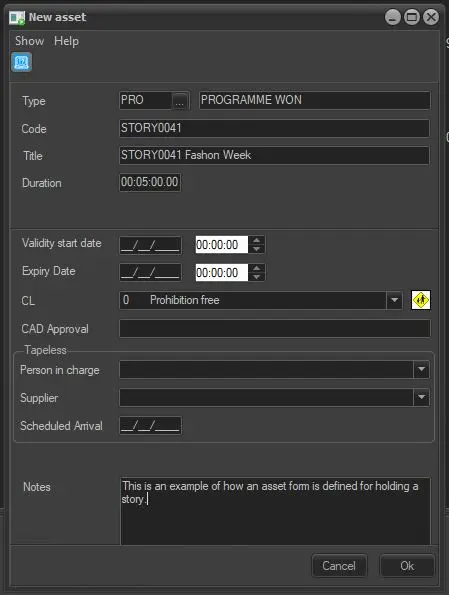 Story_form_creation
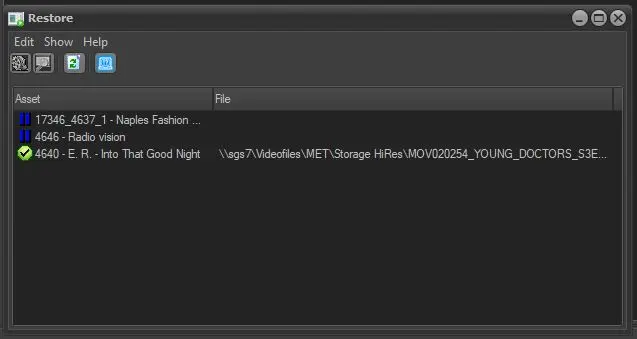 Restore
 video__&__audio_sequence
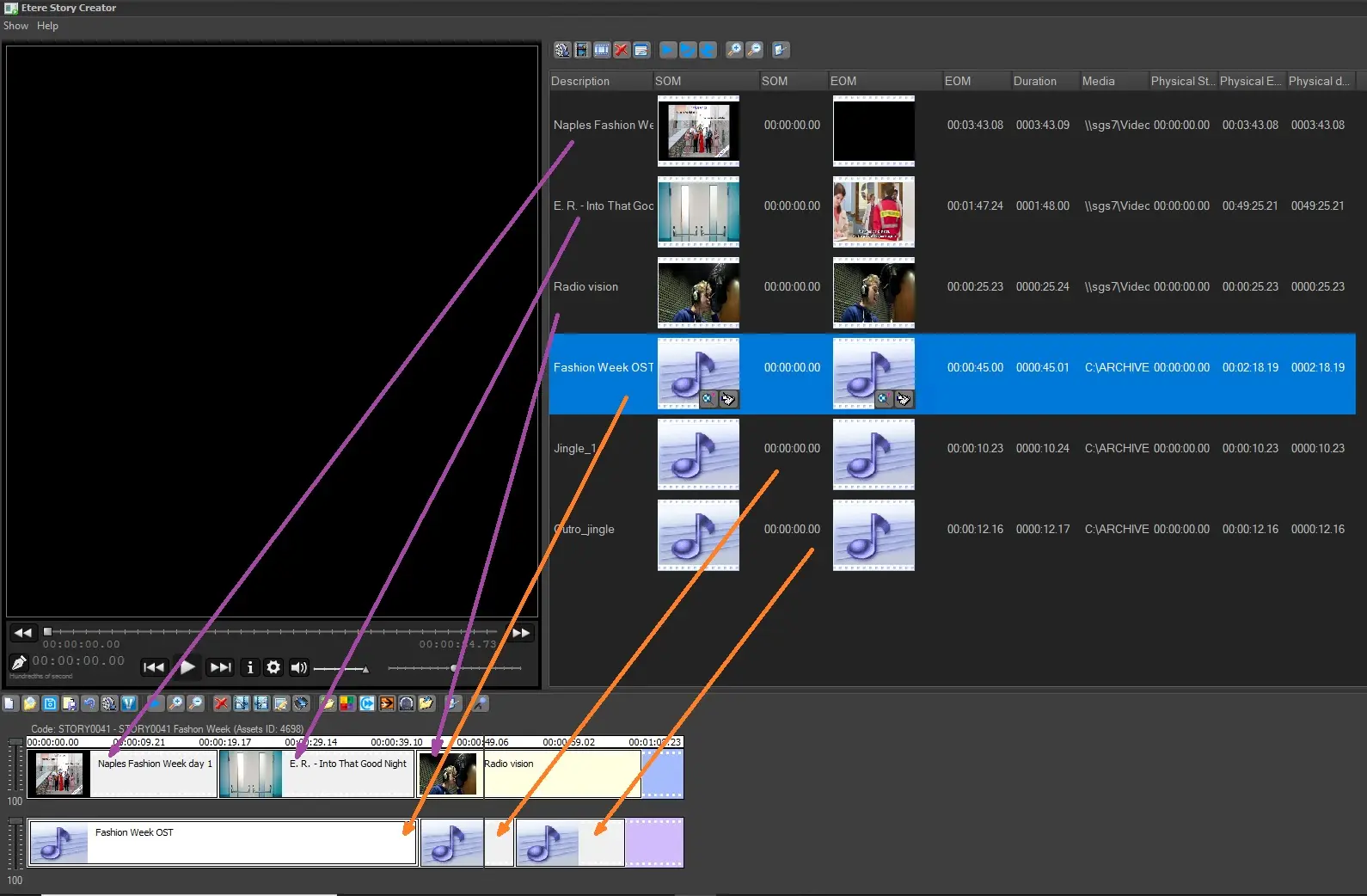 Inserting_segments
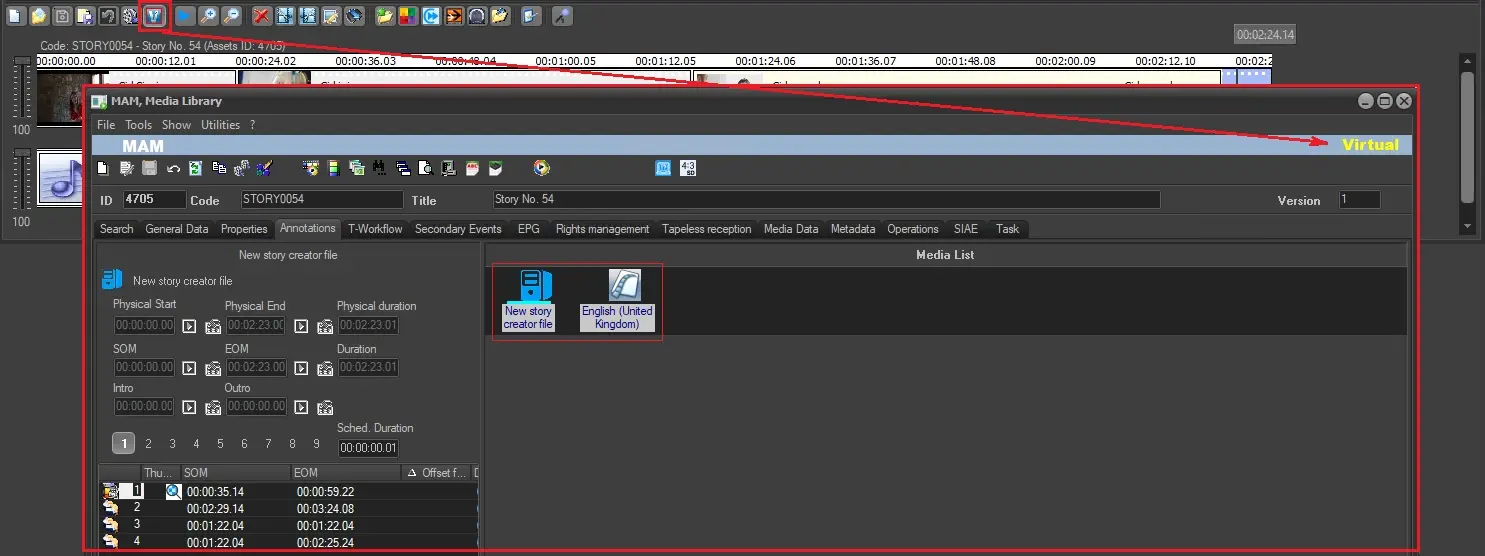 Virtual_asset
 Conforming_video