59.7.3.3 Join disks into single cloud-device
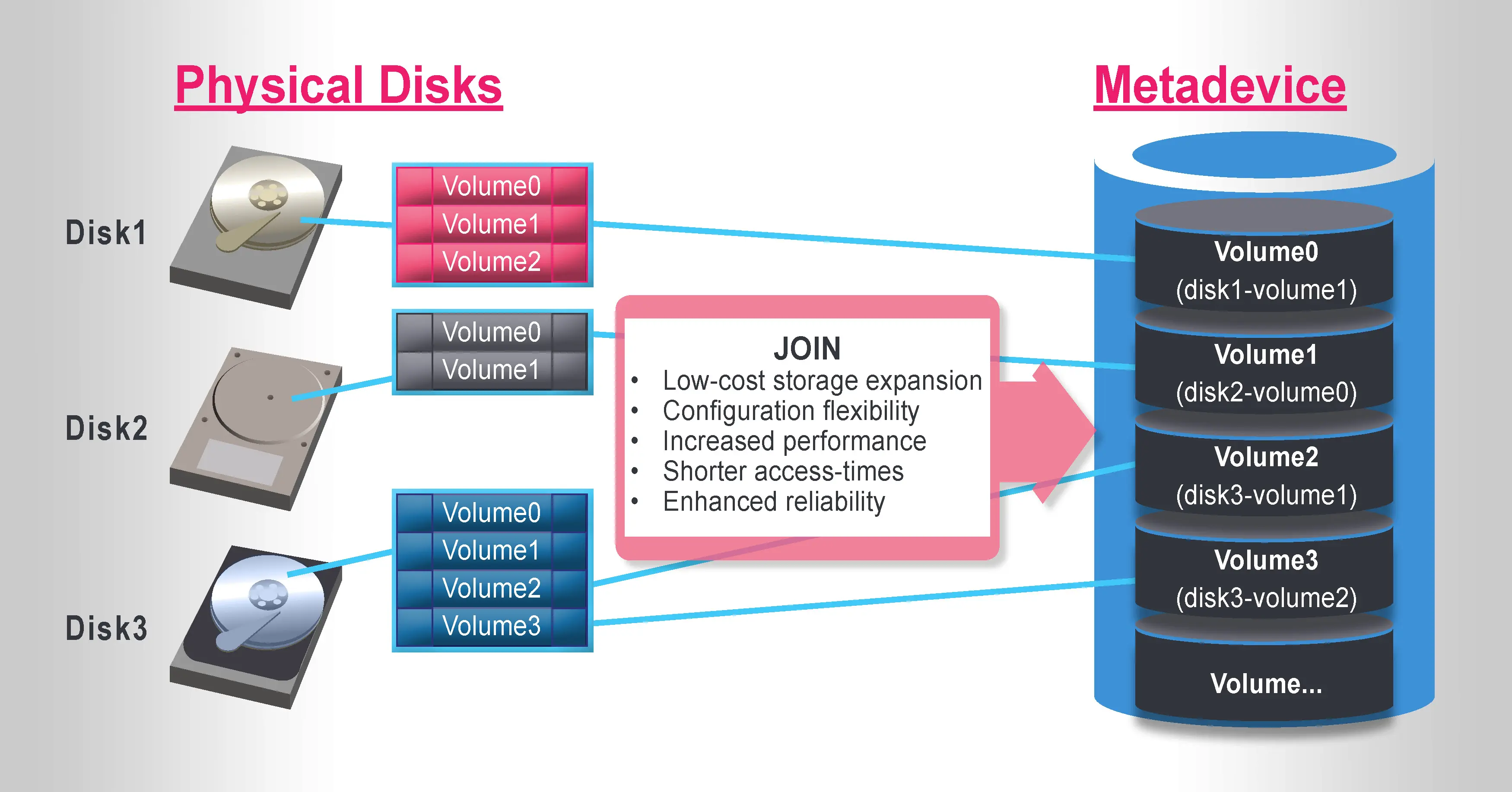
Using Etere's module Resources Editor, you can group unlimited volumes (individual disk storage areas) as one logical device (meta device) in which video files will be stored.
meta device
The figure above shows a meta device 'containing' various volumes. Etere will treat the meta device as one physical disk; adding more volumes to the meta device will increase its capacity. To join multiple volumes into a single meta device within an Etere system, just follow the procedure described below:
1. Add a resource for the first disk you want to use by opening Etere Configuration > Resources Editor and selecting Add > Archives > Generic Server Storage.
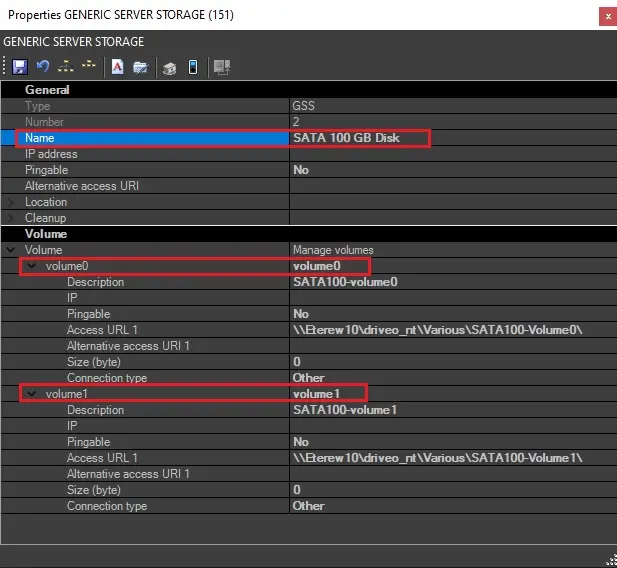
2. Define the resource's name and the volume(s) to be used (i.e., volume0, volume1, etc.); each volume corresponds to an existing directory path within the disk, and its 'access URL 1' field must be compiled with the path to the right volume within the disk. The example below defines a hard disk (SATA 100 GB Disk) with two volumes on it (volume0 and volume1).
volume0_and_volume1
3. Repeat the previous steps as many times as required for defining other disks (e.g., SATA 220 GB, SATA 350 GB, etc),
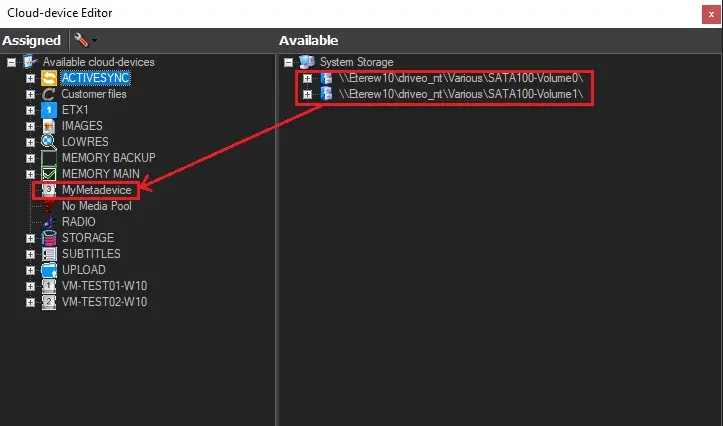
4. Once resources have been defined, go to Tools > Configure > Cloud-device, right-click on the Assigned section and select the "Add new meta device" option. You will create a new meta device (e.g., 'MyMetadevice') that will hold the volumes previously created, thus forming a single logical storage device.
5. Drag & drop the volume(s) specified on each disk to the newly created meta device.
My-meta device
 metadevice
 My-Metadevice
 volume0_and_volume1