201.2.2.3 Rights Reports
Furthermore, Reports application located in the left menu provide a complete overview of the Rights Management situation, the following is a list of its features:
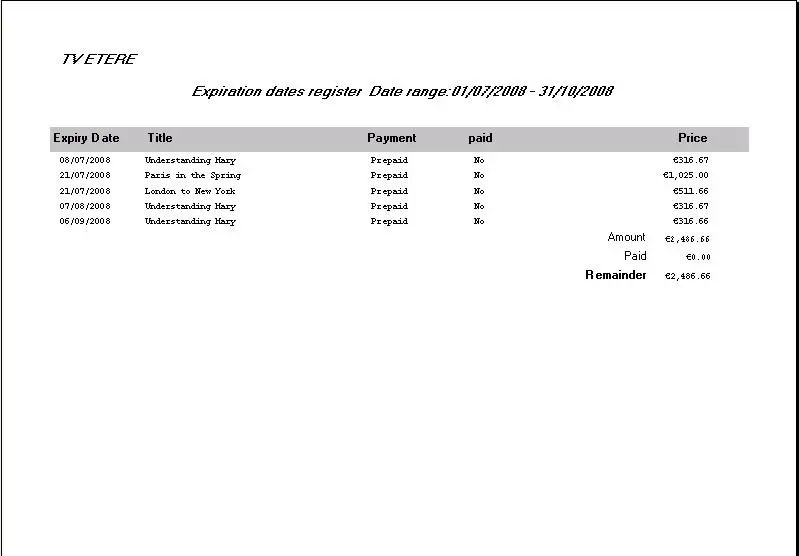
Expiration Dates Register
Using this report you can view your rights costs based on their payment type (show only prepaid rights, at use rights or both) and filtered by their payment status (only those to be paid, or already paid, or both) and in accordance with a certain interval of time.
Bms_reports_1
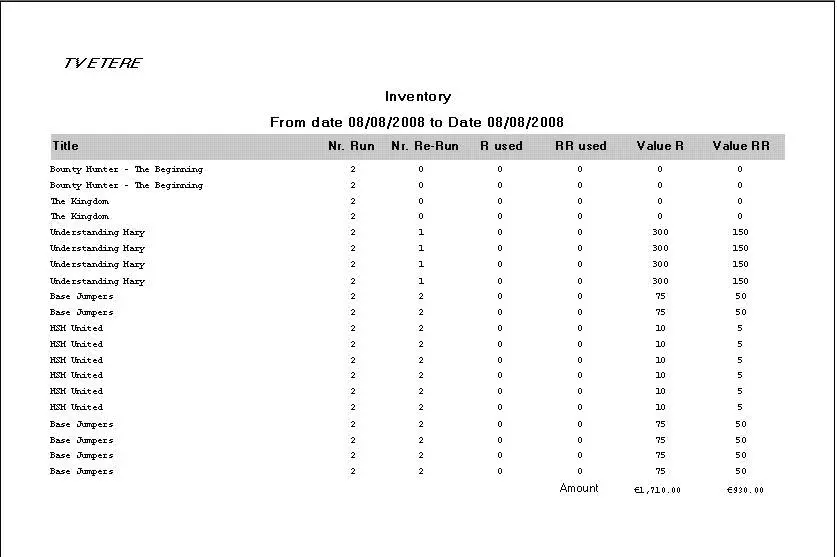
Inventory
This report allows you to view your inventory situation (complete track of all the rights that have been used) in a certain time frame. It lists all rights, both expired and available, and calculates the total value of your current available rights.
Bms_reports_1Bms_reports_3
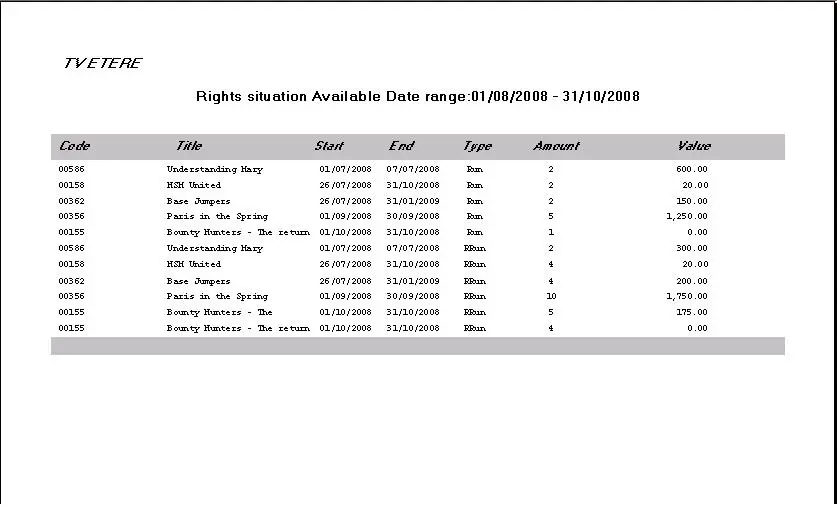
Rights Situation
Enables you to view all the available rights that fall into a certain interval of time. For example, to know how many rights are still available until the end of the year we should leave the 'from date' parameter with the current date and set into the 'to date' parameter to the last day of the current year, after which, all the available remaining rights will be listed.
Bms_reports_2
 Bms_reports_3
 Bms_reports_2
 Bms_reports_1