81.2.1 Choose the Promos
The Promo Scheduler module is the application that allows operators to schedule multiple promos over either short or long-term periods easily. For example, the Promo Scheduler can be used to automatically schedule recursive promos over a custom date range across all selected and type-specific blocks.
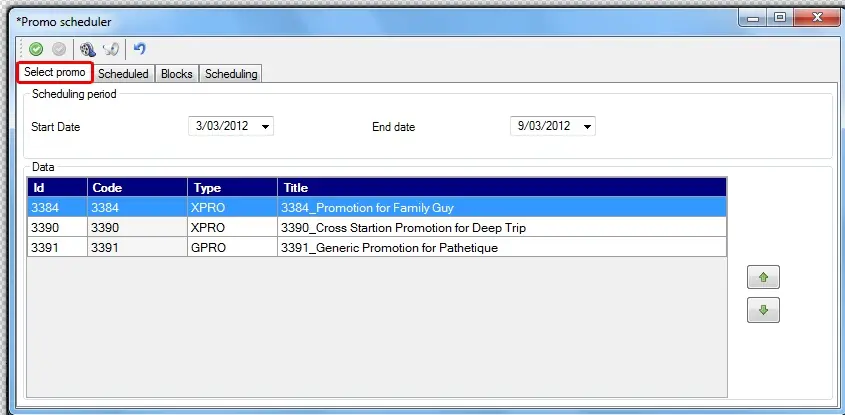
To start scheduling a promo, the first step consists of selecting the promo to be scheduled:
4831_Promo_Scheduler
Scheduling period - Specify the date interval on which the promo will be scheduled (and for which it must be valid). By default, the proposed period is the week which starts tomorrow.
NB: The asset's validity is based on the expiration date set under the Asset Form > Rights Management.
Data - All the promos added for being scheduled will be listed, either from the [PromoScheduler_icon_01 Media Library] or the [PromoScheduler_icon_02Promo Manager].
The order to schedule promos can be changed by selecting a promo using the [up] and [down] buttons.
NB: If you had selected an old calendar date, adding a promo asset is not allowed.
 Promo_Scheduler