84.4.5.89 CUSTOM > ZEUS > PLAYLIST XML
Import Scope
The "Zeus - Playlist XML" import allows reading an XML file to retrieve data related to multiple broadcast playlists intended to be imported into the Etere system.
File structure
The reference station must be only one as data must be related to only one channel
The Date and time must be progressive
The Duration must be always compiled
The ReconcileKey must not exist in the playlist, and must not reference a USER or DATA different from the one specified in the file.
Import process
Check if the file structure is valid
Days related to daily playlists are emptied before the import and locked during its execution.
NB: In case the daily playlist cannot be locked (e.g. because a user is working on it) it will be skipped pointing out the issue in the Errors tab, and continuing with the following playlists.
If an asset doesn't exist it's automatically created, otherwise the data of the existing assets is used for the playlist.
Assets are created by default as HD
Assets are created with an "UNKNOWN" type
Fields are mapped according to the following table:
XML file
ETERE database
No. - 1
WON Field : <EpisodeID>
Table.field : filmati.Cod_progra
Type : string
No. - 2
WON Field : <EpisodeName>
Table.field : filmati.Descrizio
Type : string
No. - 3
WON Field : <PlanDate>
Table.field : tpalinse.data¹
Type : yyymmdd
No. - 4
WON Field : <PlanTime>
Table.field : tpalinse.ora
Type : hh:mm:ss:ff
No. - 5
WON Field : <PlanDuration>
Table.field : filmati.durata
Type : mm:ss
No. - 6
WON Field : <EPG>
Table.field : filmati.Descrizio_1
Type : string
No. - 7
WON Field : <PlanTitleID>
Table.field : tpalinse.exterstrid
Type : string
¹ : After the 24:00 the date is updated and the time starts from zero.
Import parameters
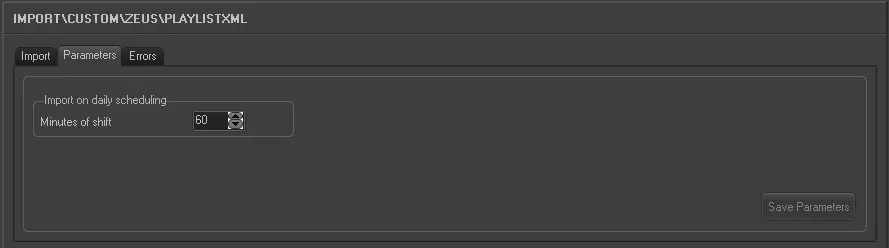
This import allows the following parameters to be set and then [saved]:
Import_custom_zeus_playlist_xml_1
•File to import: Specify the file to be imported. Files must be named as follows:
Plan_20140226_160454.XML
•Import on daily scheduling: Specify the minutes of shit (e.g. 60) to be applied to playlists before importing them.
Launch the import
Once all parameters have been correctly set, just press the <Import> button to launch the import operation.
Sample file to import
The file to be imported using this method will have to the following structure in order to be correctly imported:
<?xml version="1.0" ?>
<!-- CMS Plan List created from zeus on 26 Feb 14 -->
<phoenix7>
<Version VersionID="1.0"/>
<PlanEvent>
<Channel>Fine Living Italy</Channel>
<BroadcastDate>20140326</BroadcastDate>
<PlanDate>20140326</PlanDate>
<PlanTime>06:05:00:00</PlanTime>
<PlanDuration>25:00</PlanDuration> <MaterialID>-A-01</MaterialID>
<TitleName>Barefoot Contessa: Back to Basics</TitleName>
<EpisodeName>Old New York</EpisodeName>
<EPG>Ina Garten learns from New York's food greats.</EPG>
<TitleID>1762</TitleID>
<EpisodeID>34197</EpisodeID>
<PlanTitleID>1602917</PlanTitleID>
<DayName>Wednesday</DayName>
</PlanEvent>
<PlanEvent>
<Channel>Fine Living Italy</Channel>
<BroadcastDate>20140326</BroadcastDate>
<PlanDate>20140326</PlanDate>
<PlanTime>06:30:00:00</PlanTime>
<PlanDuration>25:00</PlanDuration>
<MaterialID>-A-01</MaterialID>
<TitleName>Giada at Home</TitleName>
<EpisodeName>Haunted House</EpisodeName>
<EPG>Giada creates spooky treats for her halloween party
thats kids of all ages can enjoy.</EPG>
<TitleID>1771</TitleID>
<EpisodeID>34291</EpisodeID>
<PlanTitleID>1602918</PlanTitleID>
<DayName>Wednesday</DayName>
</PlanEvent>
</phoenix7>
 5307_Import_custom_zeus_playlist_xml_1