201.5.3 Adjusting Season Scheduling
Etere Air Sales allows manually schedule existing season using the Strategic Editor application:
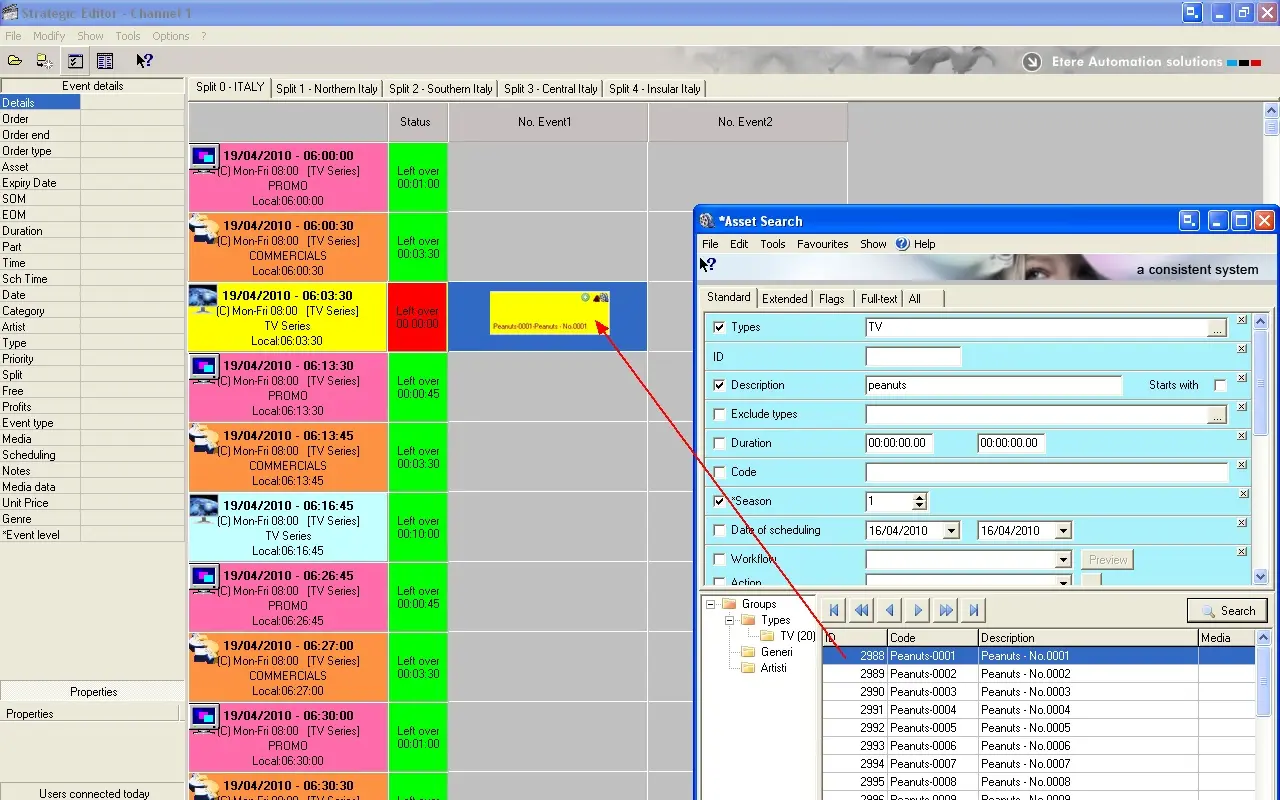
1.Launch the Strategic Editor module and open the structure of the day.
2.Right-click on the segment of the season episode and select the 'search all assets' option (Ctrl + Ins).
3.Narrow the search by specifying its type, description, season, etc.
4.Drag and drop the episode into the schedule to perform its programming:
Airsales_seriesmanager_manualprog01
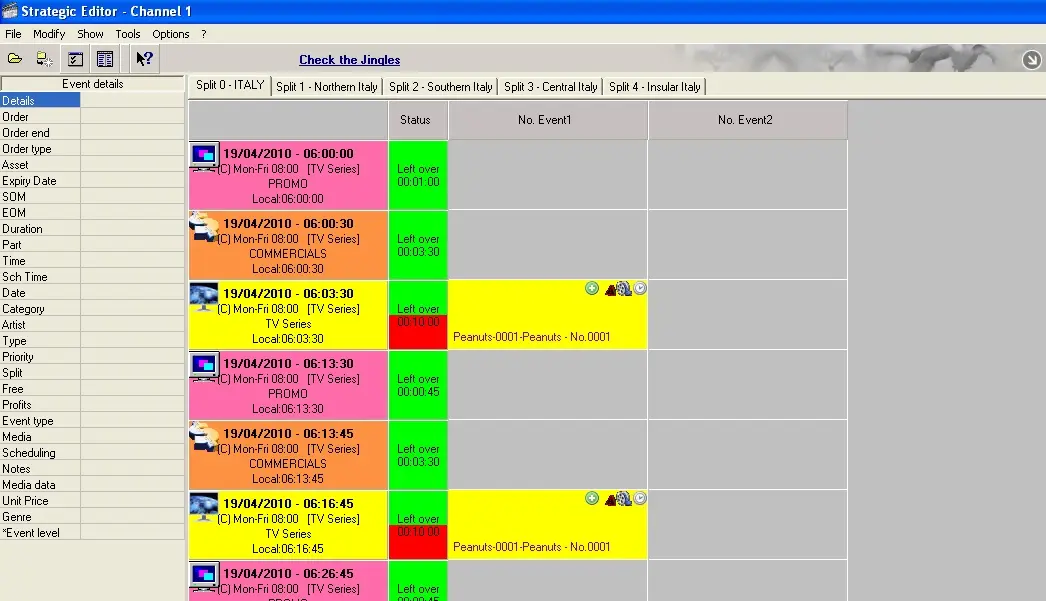
5.If the segment needs to be exploded (e.g. because commercials are scheduled within the season) right-click on the segment and selected the 'explode - all points vertically', all portion of season will be spread across the next segments supporting its type (e.g. TV seasons segments):
Airsales_seriesmanager_manualprog02
NB: Further information regarding how to use Strategic Editor can be found on chapter Strategic Editor.
 Airsales_seriesmanager_manualprog01
 Airsales_seriesmanager_manualprog02