51.3.1.1 General
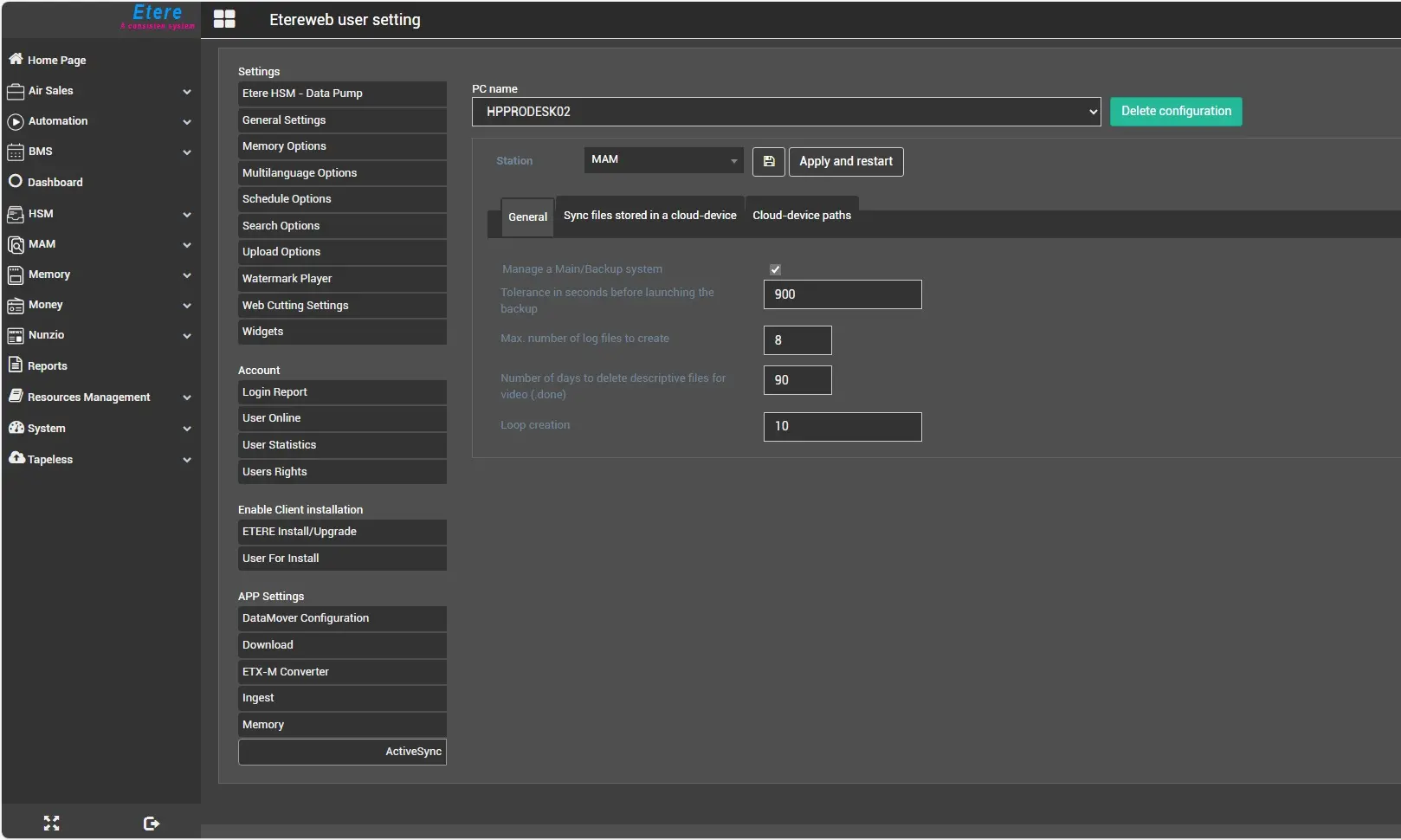
The General section allows to set the parameters to be used during the synchronization process.
Manage a Main/Backup system: It allows multiple ActiveSync services to run for a single station, implementing the failover redundancy. One ActiveSync will work as the main service, the second one will be the backup service. If the main doesn't send a heartbeat signal during a user-defined interval, it means the service is no longer running and the backup server will take over to execute operations.
Tolerance in seconds before launching the Backup: This parameter allows setting a maximum time (between 30 seconds and 9000 seconds) for the main service to send a heartbeat signal to the backup service. If no heartbeat is received from the central server after the specified time, the backup server will assume the primary role and take charge of the synchronization. Default: 900s
Max number of log files to create: Indicate the maximum number of log files to record the synchronization process activities. Since more processing details are logged in the log files, it's suggested to set an approximate value of 24 log files to eliminate memory leakage or impaired performances.
Number of days to delete descriptive files for video (.done): Specify the days to retain the imported files (*.done) in the system. After the days are set, all the old descriptive files with the extension ".done" (e.g. *.done001, *.done002, etc.) will be deleted from the system.
The operation is done once a day. The default retention period is set to 90 days.
Loop Creation: Specify the delay in minutes between each ActiveSync cycle.
Ignore station ownership of assets: If disabled, Activesync will process only the assets activated for the current station and skip the synchronization for the others. If enabled, Activesync service will process any asset, regardless of the stations enabled.
Once set, Active Sync parameters must be confirmed by clicking on the "Apply and restart" button to update and restart the service.
8939_AS_serv_settings
 AS_serv_settings