59.4.21.1 Display a message each time the module starts
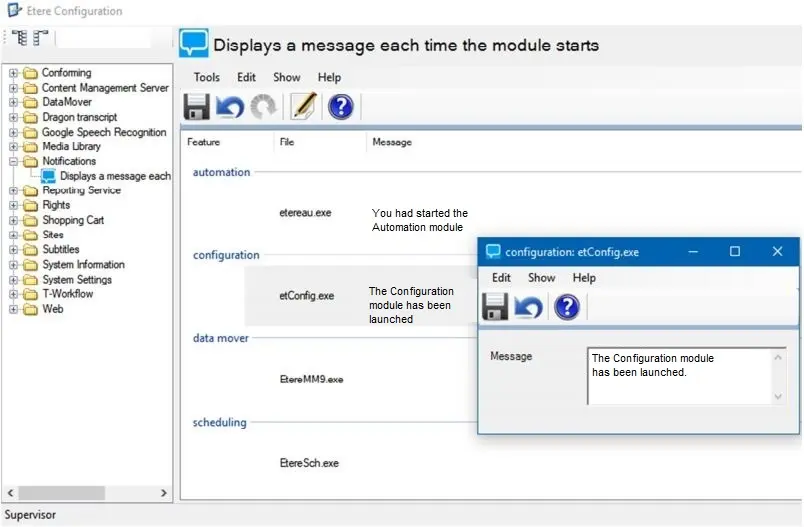
In this section, you can assign a popup message to each of the installed Etere modules to prompt a message when the module is launched, with a dedicated message given to each Etere module as a notification whenever the modules are launched.
Display_a_message_each_time_the_module_starts
Each installed Etere module displays the “executable file” to start the module and text messages assigned to each module. You can double-click on any module to launch the message text box, right-click on any module and select the “Edit” function to enter a text message to be displayed when the module is launched or edit the module which already had a text message assigned to it. After which, save the text messages assigned to the modules.
Configuration
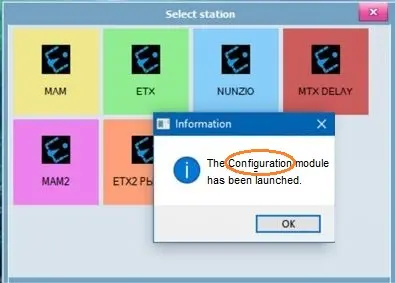
When you launch the Etere module (e.g. Configuration) and select a named station, the assigned text message will pop up for notification. You would need to click <OK> to proceed with the startup of the specific module.
 Display_a_message_each_time_the_module_starts
 Configuration